
Fan noise
Reduce the steady broadband wash that sits under every word.
Two neural restoration engines separate the vocal from fan noise, AC, room tone, hum, and excess room reflections. Then they reconstruct a cleaner signal locally on your computer.

Billed $119.88 yearly. Cancel renewal anytime.
The fastest way in
One-time payment, yours forever
This plugin, forever


HQ breaks the captured passage into high resolution spectral frames, estimates the vocal and unwanted room energy, then reconstructs a cleaner waveform. It works while the vocal is present, not only in the spaces between words.
 The exact Live interface, framed inside a studio workflow. Audio proof is in the two players above.
Reduce the steady broadband wash that sits under every word.
Pull continuous air and ventilation noise away from the performance.
Clean hiss, computer noise, and the room bed without waiting for a pause.
Use the dedicated Auto, 50 Hz, or 60 Hz hum filter when electrical hum is the problem.
HQ can reduce excess room energy and reverb around the vocal.
Keep a computer fan from becoming part of the vocal chain.
Both models run on your computer. No vocal upload. No cloud restoration queue.
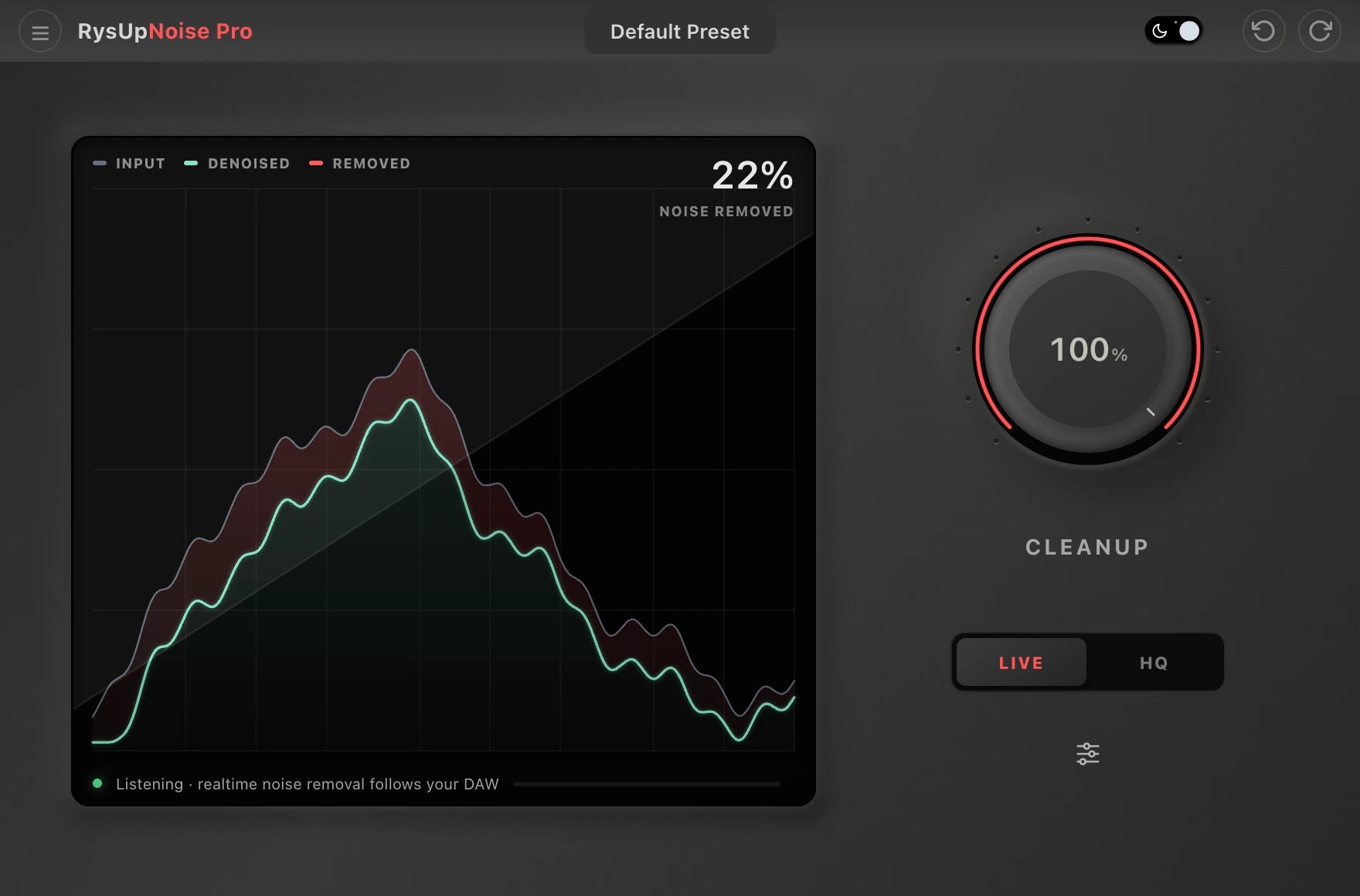
The low latency model follows the session so you can record and mix through the result.
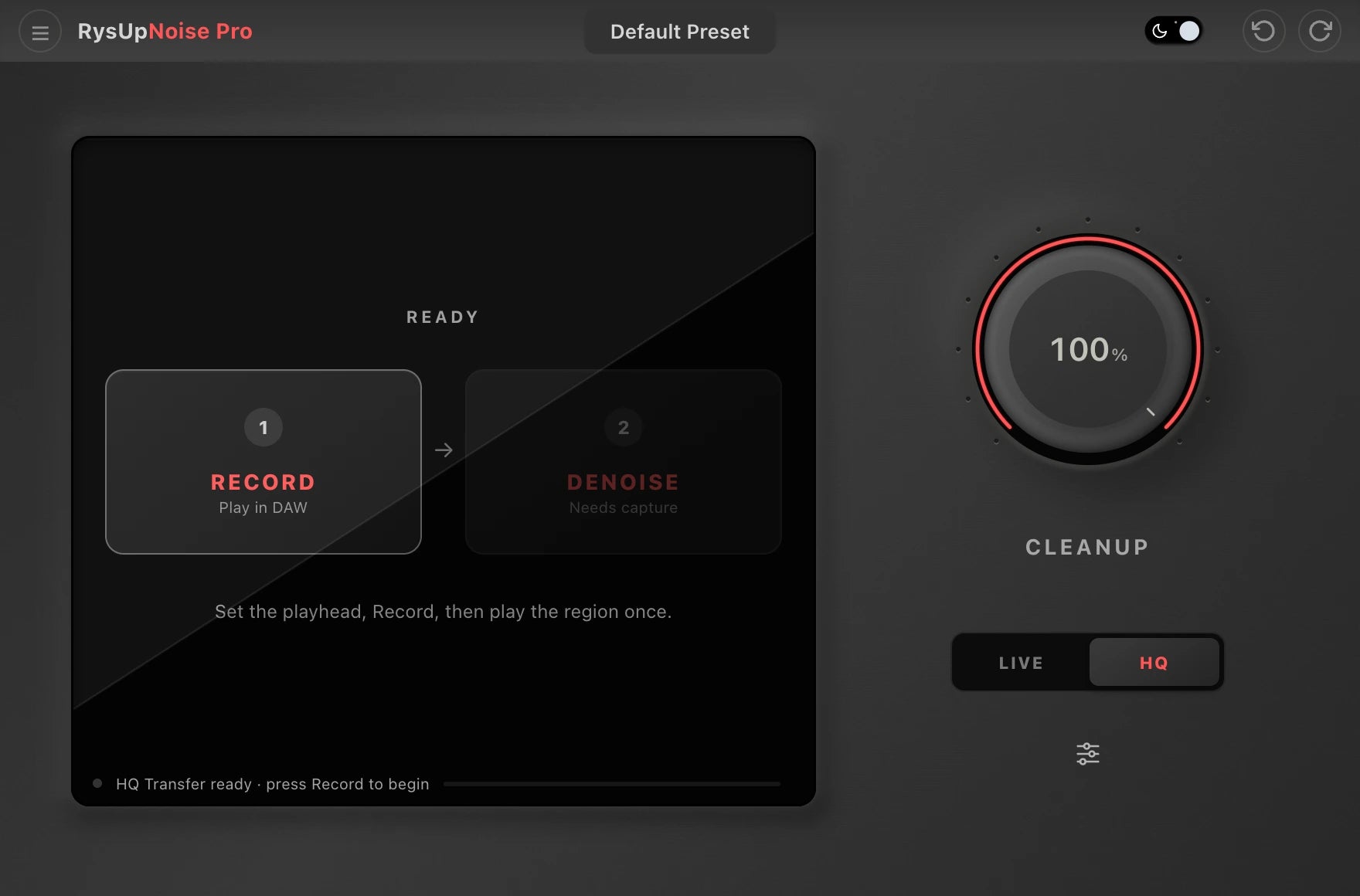
Capture once, Denoise, then audition Original, Denoised, or Removed at the same playhead.
The packaged models run through the local inference runtime. Your waveform is not uploaded to a cloud cleanup service.
Severe clipping, missing words, or a vocal buried under loud music may still need a better recording or a dedicated repair editor. The goal is a cleaner usable take, not a fake promise of perfect recovery.
Named mix and mastering tools can cost more outright, live in bigger subscription catalogs, or depend on vendor account managers. RysUp keeps the finish chain focused: one plugin, one simple license key, and the Suite option when you want the whole catalog.
Price snapshot checked August 24, 2026: VoiceAssist Advanced $299, Clarity Vx Pro $249 sale and $699 list, RX 12 Standard $399. Compare the workflow you need, not a claim that every tool does the same job.
Use Live for immediate cleanup while you work. Use HQ Transfer when you want to record and denoise the exact passage in two guided steps.
A precise, high-frame-rate analyzer makes it easy to hear and see what the cleanup is removing as your session plays.
Record the passage once, run HQ Denoise, audition original, denoised, or removed signal, then export the version you want.
The big plugin brands take years between updates. We ship improvements every day, because we're small, fast, AI-accelerated, and actually listening to the people using our plugins.
Leading AI in our dev workflow means we ship new features, new plugins, and bug fixes on a near-daily cadence. Waves took 20 years to update their EQ. We update every week.
Tell us what you want in the plugin and we'll build it. Suite subscribers get direct access to the dev team. Submit feature requests and see them shipped, usually within the week.
No iLok dongles. No paid "upgrade plans." No sales teams taking a cut. We skip the middlemen and price our plugins at what they're actually worth. Pro-grade DSP at indie prices.
Got feedback? Send it our way. We read every message, and we ship what the community asks for.
not even gonna lie i've wasted money on plugins before but yours are way cheaper and lowkey work better
finally some plugins that don't look ancient 😂 these actually sound clean too
everything just works without me tweaking forever. way easier than the other stuff i been using
most plugins be overhyped but these actually hit. super clean and easy to use fr
Based on 3,810 reviews from Rys Up Audio. Showing 3 featured highlights, with more below.
You just have to try these for yourself to believe how good they are
I was recommended these and am very happy i listened
how are these things not extremely popular
Magical sound
Magical sound
Why aren't these preset things more popular? Engineers will be extinct one day because i can do everything myself now for a fraction of the price and no time at all.
A genuine true mix of vocals that i never would've been able to do
wish more people knew about this. very useful
WOAH is an understatement
These presets are incredible. They boosted my confidence more than I could have imagined.
These are so good it was almost too good to be true. buy it
I can't wait to buy more presets and upgrade my sound


bro i've tried hella plugins and most of them feel old asf. these actually look clean and sound way better right away 🔥
yessirrr 🔥