
Best Vocal Presets for Pro Tools 2026
If you've spent any real time mixing vocals in Pro Tools, you already know the drill. You pull up a session, throw an EQ3 on the vocal track, start sweeping for problem frequencies, add some compression with Dyn3, dial in a little reverb... and two hours later you're still tweaking settings instead of actually finishing music.

That's not a workflow problem. That's a starting-point problem. Even if you understand how to mix vocals from scratch, you still don't want to rebuild the same chain from zero every session. And that's exactly why vocal presets exist.
In this guide, we're breaking down the best Pro Tools vocal presets for 2026 — what to look for, how they work across genres, and why stock plugin presets can give you better, more portable results than expensive third-party chains. Whether you're mixing your own tracks or running client sessions, a reliable set of vocal presets will save you hours.
Why Pro Tools Is Still the Industry Standard for Vocals
Every couple of years, someone writes a think piece about how Pro Tools is dying. And every couple of years, you walk into any major recording studio — from Sunset Sound to your favorite producer's home setup — and Pro Tools is still running on the screen.
There's a reason for that. When it comes to recording and mixing vocals specifically, Pro Tools has features that other DAWs still haven't matched in a meaningful way:
- Elastic Audio and pitch correction are built right into the edit window. You can comp, tune, and time-align vocals without ever leaving the session. For even more tuning options, see our roundup of the best free pitch correction plugins.
- Playlist comping makes it dead simple to record twenty takes and build the perfect composite vocal in minutes.
- Low-latency monitoring and rock-solid audio engine performance mean you can track vocals through effects in real time without dealing with buffer nightmares.
- Channel strip presets and track presets let you save and recall entire signal chains — EQ, compression, reverb, everything — with a single click.
- Universal compatibility across studios. When you send a session to another engineer, they can open it. Period.
That last point matters more than people realize. If you work across multiple DAWs — for example, producing beats in FL Studio but mixing in Pro Tools — you'll want presets for each environment. See our guide to the best vocal presets for FL Studio if that's part of your workflow. And if your vocal chain relies on four boutique plugins that cost $800 total, every collaborator needs those same plugins to open your session properly. But if your presets run on 100% stock Pro Tools plugins, anyone with Pro Tools — including Pro Tools First — can open your session and hear exactly what you hear. No missing plugins. No "plugin not found" errors. No compromise.
That's one of the core reasons we build all of our Pro Tools vocal presets using only native stock plugins like EQ3, Dyn3, and D-Verb. It's not a limitation — it's a deliberate choice for maximum compatibility and portability.
What Makes a Great Pro Tools Vocal Preset
Not all vocal presets are created equal. Some are glorified factory defaults with a new name slapped on them. Others are so aggressively processed that they only work on one specific voice. A truly great preset sits in the sweet spot — it does the heavy lifting while leaving you room to fine-tune for the voice and track in front of you.
Here's what separates a professional-grade preset from a throwaway one:
- Intelligent EQ curves that address common problem areas — low-end rumble below 80-100 Hz, boxy mud around 200-400 Hz, harshness at 2-4 kHz — with surgical precision instead of generic boosts and cuts. For more advanced resonance control, check out our guide to the best free Soothe 2 alternatives.
- Proper gain staging between processing stages so the compressor, EQ, and effects all receive signal in their optimal range. Cheap presets ignore this and fall apart when your input level doesn't match their assumptions.
- Musical, genre-specific compression that actually reflects how different styles are mixed professionally — not generic "vocal compression" that sounds the same on everything.
- Tasteful effects that complement the genre — a tight plate for pop, a dark hall for R&B, a slap delay for hip-hop — dialed in as starting points you can adjust.
- Stock plugin compatibility so you're not locked into third-party dependency chains. If you have Pro Tools, you have everything you need.
Best Pro Tools Vocal Presets by Genre
Different genres demand fundamentally different vocal treatments. What sounds perfect on a trap vocal will sound completely wrong on an indie pop track. Here's a breakdown of what to look for in each major genre, and where to find presets that actually deliver.
Hip-Hop Vocal Presets
Hip-hop vocals need to cut through dense, bass-heavy beats without losing their edge. You're looking for a high-pass filter around 80-120 Hz to keep the vocal out of the 808's territory, assertive compression (fast attack, 4:1 to 6:1 ratio) for consistency, a presence boost around 3-5 kHz to cut through synths and hi-hats, and minimal reverb — modern hip-hop vocals are generally dry and in-your-face. De-essing in the 6-9 kHz range is essential since the aggressive EQ will emphasize sibilance.
Our hip-hop vocal preset collection includes chain settings for trap, boom-bap, drill, and modern rap styles — all using stock Pro Tools plugins.
R&B Vocal Presets
R&B vocals live in a completely different world — warm, smooth, intimate. You want the listener to feel like the singer is right there. That means gentle compression with a slower attack (15-30 ms, 2:1 to 3:1 ratio) that lets transients breathe, warm EQ with a slight dip in the 2-4 kHz range to avoid harshness and a silky air boost above 12 kHz, and rich reverb with longer decay times (1.5-3 seconds). Preserving low-mid warmth around 200-300 Hz is key to maintaining body and fullness.
Check out our R&B vocal presets for settings tuned for contemporary R&B, neo-soul, and alternative R&B styles.
Pop Vocal Presets
Pop vocals need to be polished, bright, and larger than life. You're looking for clean, bright EQ with a presence lift around 4-6 kHz and an air shelf above 10 kHz, multi-stage compression to keep the vocal consistently loud and polished, and tight, controlled reverb (0.8-1.5 second plates and short halls) that adds sheen without pushing the vocal back. Tempo-synced delays add movement, and aggressive de-essing is a must since the bright EQ will emphasize sibilance.
Our pop vocal presets cover everything from acoustic pop to modern electro-pop, designed for that radio-ready sound right out of the gate.
Want presets modeled after specific production styles? Our artist vocal preset collection features settings inspired by the vocal sounds of chart-topping producers and artists.
How to Load Vocal Presets in Pro Tools
Getting presets into a session is straightforward once you know where things go. There are two main methods: track presets and channel strip settings.
Method 1: Track Presets
Track presets save and recall an entire track configuration — all inserted plugins with their settings, sends, and routing. This is the fastest way to get a complete vocal chain loaded.
- Create a new audio track or select an existing one
- Right-click the track name in the Mix window or Edit window
- Select "Import Track Preset" from the context menu
- Navigate to the preset file location and select the preset
- Pro Tools will load all plugins and settings automatically
Method 2: Channel Strip Settings
Channel strip settings work similarly but focus specifically on the plugin inserts. This is useful when you want to keep your existing routing but swap in a new processing chain.
- Click the channel strip selector at the top of your channel strip in the Mix window
- Browse to the preset file or select from your saved presets
- The entire insert chain loads with all settings intact
For a detailed, step-by-step walkthrough with screenshots, check out our full guide on how to install vocal presets in Pro Tools. It covers file placement, troubleshooting common issues, and tips for organizing your preset library so you can recall the right chain instantly during sessions.
Pro Tools Stock Plugins vs Waves and Third-Party Plugins
For a long time, the conventional wisdom was that you needed Waves, FabFilter, Soundtoys, or UAD plugins for "real" professional mixing. That was partially true years ago when Pro Tools' native plugins were more limited. But Avid has significantly upgraded their stock suite — the current versions of EQ3, Dyn3, and D-Verb sound genuinely good, and engineers on major-label releases use them regularly.
Here's how the two approaches compare:
| Factor | DIY Mixing (Third-Party Plugins) | Professional Presets (Stock Plugins) |
|---|---|---|
| Upfront Cost | $500-$2,000+ for quality plugin bundles (Waves, FabFilter, etc.) | ~$49.99 for a complete preset pack; no additional plugin purchases |
| Learning Curve | High — each plugin has unique controls, interfaces, and behaviors to master | Low — presets load instantly; tweak from a professional starting point |
| Session Compatibility | Limited — collaborators need the same plugins installed and licensed | Universal — anyone with Pro Tools (including Pro Tools First) can open the session |
| Time to Mix-Ready Sound | 30-90 minutes per vocal track to build a chain from scratch | Under 5 minutes — load preset, adjust input gain, make minor tweaks |
| CPU Usage | Varies widely — some third-party plugins are resource-heavy | Optimized — stock plugins are designed to run efficiently in Pro Tools |
| License Management | iLok, subscriptions, dongles, annual renewals — constant management | None — stock plugins are included with your Pro Tools license |
| Updates & Stability | Third-party updates can break compatibility; plugin companies sometimes fold | Stock plugins are maintained by Avid and guaranteed to work with every Pro Tools update |
| Customization | Maximum flexibility but requires deep mixing knowledge | Great starting point with full ability to tweak every parameter |
Third-party plugins are excellent tools — but the idea that you need them for professional vocals is outdated. Stock plugins dialed in correctly get you there. And if you want to supplement your stock chain with high-quality processing at zero cost, check out our roundup of the best free vocal plugins for 2026. The real advantage of presets is workflow: instead of spending creative energy configuring plugins, you spend it on musical decisions. That's where the magic happens.
Free vs Paid Pro Tools Vocal Presets
You can find free vocal presets all over the internet. YouTube tutorials, forums, Reddit posts, random download sites — there's no shortage of free options. So why would you pay for presets? It's a fair question, and the answer comes down to what you're actually getting.
Free Presets: What You're Getting
Most free vocal presets fall into a few categories:
- Factory defaults with minor tweaks — Someone took the stock EQ3 settings, moved a couple of bands, and exported it as a "preset." These aren't bad, but they're not providing much value beyond what you'd do yourself in thirty seconds.
- One-size-fits-all settings — A single "vocal preset" with no genre-specific tuning, no consideration for different vocal types, and no supporting documentation on how to use it effectively.
- Third-party plugin dependent — Many free presets require plugins you don't own. You download the preset, try to load it, and get hit with a wall of "plugin not found" errors.
- No quality control — There's no guarantee that the person who made the preset actually knows what they're doing. The settings might sound fine on their voice but terrible on yours.
Paid Professional Presets: What's Different
A professional preset pack from an established company like Rys Up Audio is a fundamentally different product. Every preset is designed by working engineers, genre-tuned to reflect actual mixing conventions, and tested across male and female vocals to ensure consistent results. You're getting complete signal chains — EQ, compression, de-essing, effects — all properly gain-staged, built on 100% stock plugins with no additional purchases required, and backed by installation guides and customer support.
At around $49.99 for a complete pack, you're spending less than a single third-party plugin and getting a toolkit that serves you across hundreds of sessions. If presets save you just one hour per session and you mix twice a week, you've recouped that investment in the first week.
Browse our full collection of Pro Tools vocal presets to see what's available for your specific genre and workflow needs.
Use the guide to learn, then use the collection to choose
This guide explains how Pro Tools track presets, channel strip settings, routing, and stock plugins fit together. When you are ready to choose a chain for an actual session, compare the complete Pro Tools vocal preset collection by voice, genre, and job instead of treating one tutorial as the product shelf.
- Lead vocal: start with the closest genre and vocal range, then set input gain before changing EQ.
- Doubles and backgrounds: choose a lighter chain and keep time based effects on sends.
- Fast setup: use a track preset when you want inserts, sends, and routing together.
- Existing session: use a channel strip setting when the track routing is already built.
FAQ: Pro Tools Vocal Presets
- Do Pro Tools vocal presets work with Pro Tools First?
- Do not assume a current pack works in legacy Pro Tools First. Check the exact download for its supported Pro Tools version, file format, and required effects before purchasing. Use the current Pro Tools collection to compare available chains.
- Will a vocal preset make my vocals sound professional automatically?
- A preset gives you an editable starting chain. Recording quality, level, performance, and the mix still matter. Load the preset, match the bypassed loudness, then adjust EQ, compression, and effects for your own take.
- How do I install vocal presets in Pro Tools?
- Place the preset files in the correct Pro Tools folder on your system, then import them through the track preset or channel strip menu in your session. Check out our vocal preset installation guide for a detailed walkthrough covering both Mac and Windows.
- Can I customize the presets after loading them?
- Absolutely — we encourage it. Every parameter in the chain is fully adjustable. The presets are optimized starting points, not locked-in settings. Open any plugin — EQ3, Dyn3, D-Verb — and tweak it to suit your voice, mic, and song. Many engineers load the preset, make adjustments, and save it as their own custom version for future sessions.
- What's the difference between a track preset and a channel strip setting?
- A track preset can recall an available track setup, while a channel strip setting focuses on its insert settings. Exactly which routing and sends return depends on the format and session. Check the included file and installation note for the pack you choose.
- Do I need expensive third-party plugins for professional-sounding vocals?
- No. Pro Tools stock plugins — EQ3, Dyn3, D-Verb — produce professional, release-quality results when configured correctly. That's exactly what professionally designed presets provide. Our presets are built exclusively with stock plugins and used on commercially released tracks.
- Which preset pack should I get if I record multiple genres?
- Browse our full vocal preset collection, which includes genre-specific packs for hip-hop, R&B, pop, and more. Many customers pick up two or three packs to cover their production styles, with each pack containing multiple variations for different vocal tones and contexts.
Wrapping Up
Mixing vocals doesn't have to be a multi-hour ordeal every single session. The right set of presets gives you a professional foundation in seconds, letting you focus your energy on the creative decisions that actually matter — the performance, the arrangement, the emotion of the track.
Pro Tools' stock plugins are more capable than most people give them credit for, and when they're configured by experienced engineers and packaged as ready-to-use presets, you get years of mixing knowledge in a single click. Whether you're starting out with Pro Tools First or you're a seasoned engineer, a solid preset library is one of the smartest investments in your production setup.
Check out the full lineup of Pro Tools vocal presets at Rys Up Audio and hear the difference a professional starting point makes.
Pair Your Vocals With RysUp Plugins
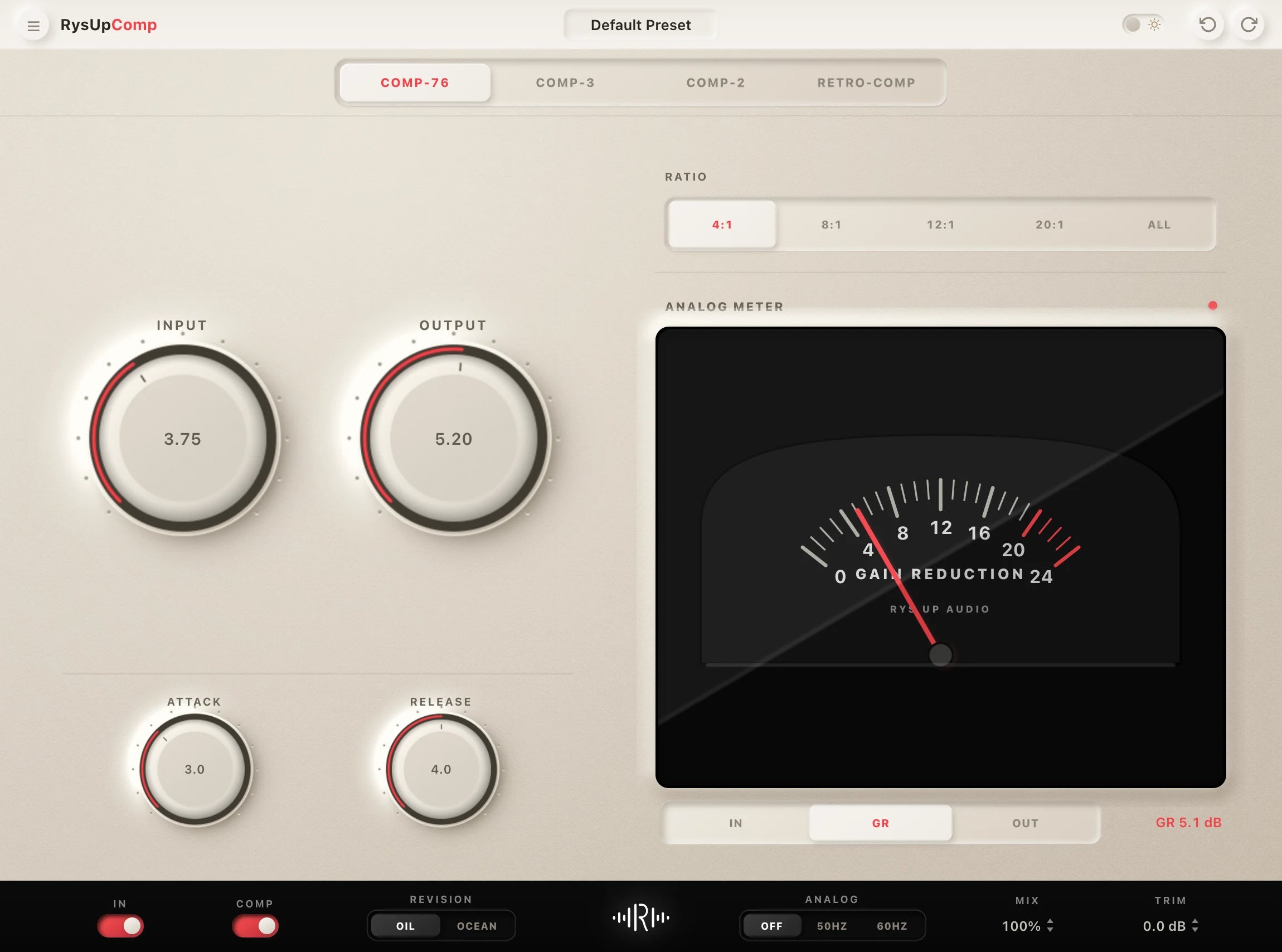
If you want to upgrade your vocal chain, every plugin in the RysUp collection is built specifically for vocal production — modern codebase, weekly updates, no iLok, and a fraction of the cost of legacy software.

Guide or complete Pro Tools collection
Learn the workflow, then compare every Pro Tools vocal preset
Use this guide to compare sounds and understand the workflow. Open the dedicated Pro Tools vocal preset collection for the current Avid track-preset catalog, format details, audio demos, and checkout options.