
Vocal Presets
Welcome to the future of vocal production — elevate your sound in seconds
All Vocal Presets

Juice WRLD Vocal Preset
$24.99

Justin Bieber Vocal Preset
$24.99

Travis Scott Vocal Preset
$24.99

Lil Baby Vocal Preset
$24.99

Drake Vocal Preset
$24.99

Vocal Drip 1 Preset Pack
$44.99

The Weeknd Vocal Preset
$24.99

The Kid Laroi Vocal Preset
$24.99

Vocal Drip 2 Preset Pack
$49.99

Chris Brown Vocal Preset
$24.99

Gunna Vocal Preset
$24.99

Ed Sheeran Vocal Preset
$24.99

Machine Gun Kelly (MGK) Vocal Preset
$24.99

Iced Out Vocal Preset Pack - Bundle of 15 Rap Presets
$39.99

Tory Lanez Vocal Preset
$24.99

Lil Peep Vocal Preset
$24.99

Future Vocal Preset
$24.99

STIM Vocal Preset
$24.99

Yeat Vocal Preset
$24.99

Bad Bunny Vocal Preset
$24.99

Tate McRae Vocal Preset
$24.99

Post Malone Vocal Preset
$24.99

Blackbear Vocal Preset
$24.99

Summer Walker Vocal Preset
$24.99

Pop Smoke Vocal Preset
$24.99

Dua Lipa Vocal Preset
$24.99

Playboi Carti Vocal Preset
$24.99

Bryson Tiller Vocal Preset
$24.99

Vocal Preset for Cubase
$49.99

Ad Lib Drip Preset Pack
$34.99

UK Drill Rap Vocal Preset
$24.99

BandLab Vocal Preset
$49.99

Lil Wayne Vocal Preset
$24.99

Ni/Co Vocal Preset
$24.99

HyperPop Vocal Preset
$24.99

Morgan Wallen Vocal Preset
$24.99

Ty Dolla $ign Vocal Preset
$24.99

Custom Vocal Preset
$249.99

Ariana Grande Vocal Preset
$24.99

Vocal Preset for Reaper
$49.99

Adobe Audition Vocal Preset
$49.99

Kanye West Vocal Preset
$24.99
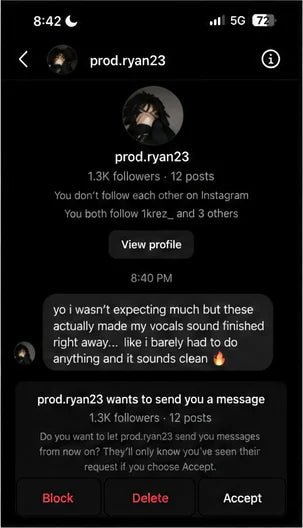
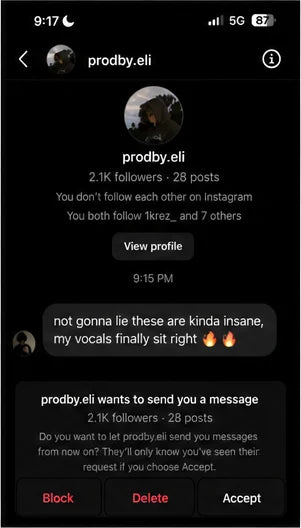
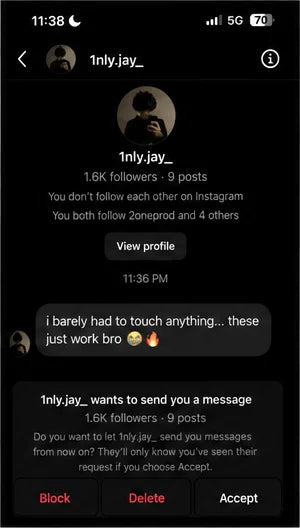
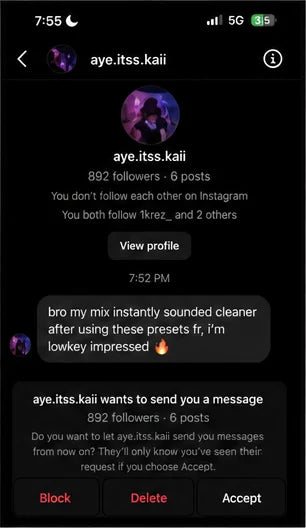
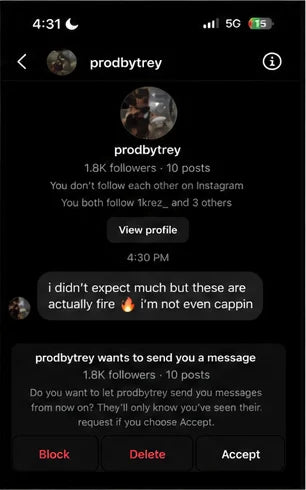
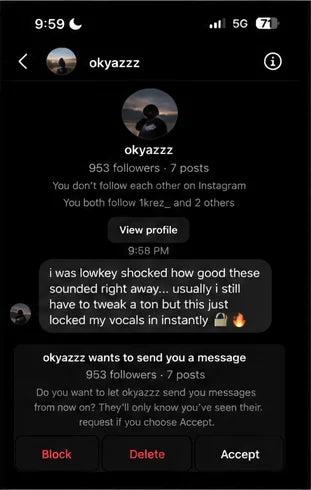
Preset DMs
Producers are finishing cleaner vocals faster.
These are real messages from people trying Rys Up vocal presets in their own DAW sessions.
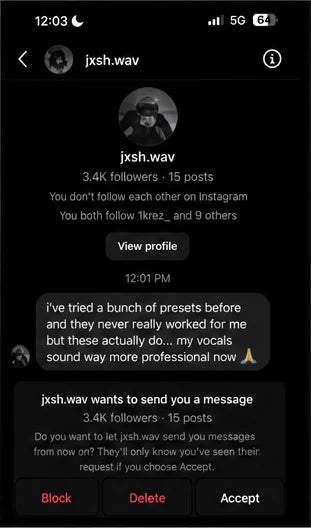
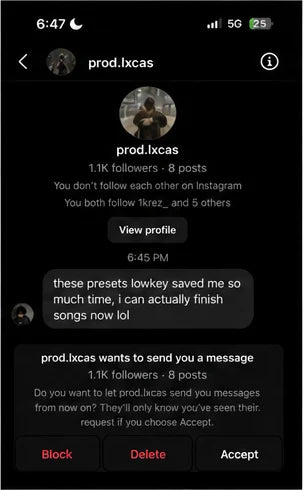
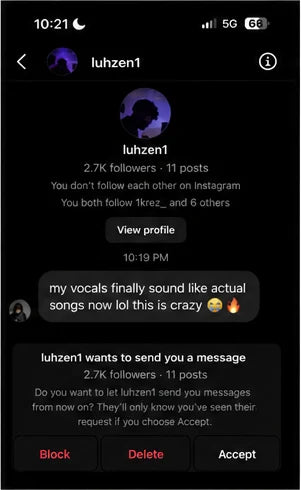
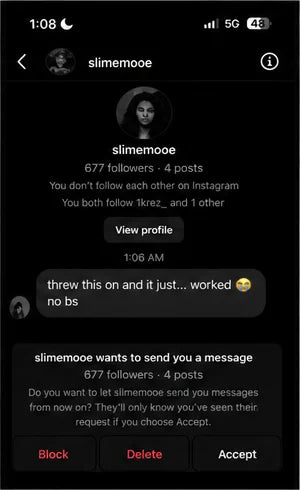
Compatible With Every Major DAW


See it in action
Works in every DAW
Drag, drop, done. Four quick clips showing how fast.
FL Studio
Logic Pro
Pro Tools
Before & After
Hear the difference
Preview our presets on real tracks — from rap adlibs to country ballads. Toggle BEFORE / AFTER and tap any track to play.
Before & After
Hear the transformation
- Example 1Body Singing0:00
- Example 2Do You Feel It0:00
- Example 3Do You Feel Loved0:00
- Example 4Losin It0:00
- Example 5Taste of Your Love0:00
Vocal Presets for Every DAW
Unlock professional, radio-ready vocals with our premium preset collections. Optimized for stock plugins in your favorite Digital Audio Workstation.
Logic Pro X
Unlock Logic Pro stock plugin vocal chains. Achieve professional, radio-ready mixes instantly.
Shop Logic Pro X →FL Studio
The ultimate FL Studio vocal presets. Drag-and-drop templates for rap, hip-hop, and pop vocals.
Shop FL Studio →Ableton Live
Premium Ableton Audio Effect Racks for crisp vocals. No third-party plugins required.
Shop Ableton Live →Pro Tools
Industry-standard Pro Tools vocal chains. Get that polished major label sound effortlessly.
Shop Pro Tools →GarageBand
Transform your recordings with GarageBand vocal presets. Professional mixing made simple.
Shop GarageBand →Studio One
Crystal clear Studio One vocal templates. Perfectly optimized for the PreSonus workflow.
Shop Studio One →Cubase
Professional Cubase vocal chain presets. Unlock the power of Steinberg’s mixing engine.
Shop Cubase →Reaper
Fully customizable Reaper vocal presets. Efficient, lightweight, and incredible sound quality.
Shop Reaper →Mixcraft
Easy-to-use Mixcraft vocal presets. Get polished results in minutes with Acoustica’s DAW.
Shop Mixcraft →Cakewalk
Classic Cakewalk by BandLab presets. Revitalize your mix with professional vocal chains.
Shop Cakewalk →Adobe Audition
Clean Adobe Audition vocal chains. Ideal for podcast, voiceover, and music production.
Shop Adobe Audition →BandLab
Mobile-ready BandLab vocal presets. Create studio-quality tracks directly in your browser.
Shop BandLab →The Vocal Vault
Pro vocal chains, handcrafted in Los Angeles.
Every preset in our library was built by mix engineers who have worked on chart-topping records. Drag & drop a chain, hit play, and your raw vocal sounds like it just came out of a major-label studio — no extra plugins, no guesswork, no learning curve.
From rap adlibs to country ballads, indie pop to trap hooks — pick your DAW, pick your sound, and start finishing songs faster than ever.
80,000+Producers
12DAWs Supported
10,000+5-Star Reviews
Why Use Vocal Presets?
Save Time & Money
Let the professionals take care of the mixing so you can keep creating. With drag-and-drop efficiency, your vocal will be sounding professional in seconds.
Learn from the Pros
Every preset was built by engineers who have worked on chart-topping records. Study the chains as you use them.
Frequently Asked Questions
What are Vocal Presets?
Vocal presets are a premade list of effects that all work together in order to upgrade your sound. Think of it like a filter for a photo that you can apply with one click. The preset will add plugins like noise gating, EQ, reverb, echo, compression, and more!
Are any extra effects required for the presets to work?
Choose your DAW version and no extra effects are required. The DAW-specific versions use the stock plugins already included with your software, so there is nothing else to buy. Only the RysUpAudio and Waves versions require plugin software outside your DAW.
Do I need to be a sound engineer to use these presets?
No, the whole purpose of vocal presets is to cut out the middle man so that you are less reliant on a sound engineer. We have sound engineers on our team that have created these presets so that you can use easily. Just simply download, drag n drop, and start sounding professional!
How are the vocal presets installed?
You will receive an email with a download link after purchase with an installation guide to follow based on the DAW you selected.
Are the presets customizable?
Yes you can adjust all of our presets to your liking. Furthermore, our vocal drip 2 bundle actually has custom knobs to make the customizing even easier!
What genre do these presets work best for?
Our presets were designed to work with all genres! The best way to decide which preset to get is to base it off the artist inspired.
Do these presets support adlibs, harmonies, and background vocals?
Yes, we have a preset for all vocals in a song. Our bundles are best if you have a lot of vocal tracks in a song.
What makes Rys Up Audio better than other presets online?
Listen to the before and after of our presets versus others and hear for yourself why we are better. Furthermore, we are based in Los Angeles and have met with engineers that have worked with today’s top artists and we sat down with them to craft each preset.
Is there a free vocal preset I can test out before buying?
Yes we offer a free vocal preset you can download here. Please be aware this free preset is not meant to be industry standard; it is meant simply to show you how presets work.