
Best Vocal Presets for Studio One 2026
If you produce music in Studio One, you already know the DAW punches way above its weight when it comes to vocal processing. But here's the thing most producers figure out the hard way: dialing in a polished vocal chain from scratch takes hours, and the difference between an amateur mix and a release-ready track usually comes down to how the vocals sit. If you're still figuring out how to mix vocals, that learning curve makes it even harder. That's exactly where vocal presets come in, and not all of them are created equal.

In this guide, we're breaking down the best Studio One vocal presets available in 2026, what separates a great preset from a mediocre one, and how to choose an FX Chain whose device requirements match the Studio One version and add-ons installed on your system. Whether you're recording hip-hop, R&B, pop, or anything in between, there's something here for you.
Compatibility check: PreSonus documents the current FX Chain folder and notes that third-party plug-ins must be installed and recognized separately. Verify the exact pack requirements, then compare the current choices in the Studio One vocal preset collection. FX Chain documentation · plug-in documentation
Why Studio One Is a Top Choice for Vocal Production
Studio One has come a long way since its early days. PreSonus built this DAW from the ground up with a modern workflow in mind, and it shows. For vocal production specifically, there are a few things that make it stand out from the pack.
First, the drag-and-drop workflow is genuinely faster than what you get in most other DAWs. You can load an entire FX Chain onto a vocal track in seconds. No menu diving, no hunting through plugin folders. Just drag, drop, and you're mixing.
Second, Studio One's native plugins are legitimately good. We're not talking about placeholder effects that you swap out for third-party stuff the moment you can afford it. The Pro EQ, Compressor, Room Reverb, and the Channel Strip can hold their own against plugins that cost hundreds of dollars on their own. PreSonus has continued refining these with each update, and in 2026, they sound cleaner and more flexible than ever.
Third, the FX Chain system is a game-changer for preset workflows. Unlike other DAWs where presets are locked to individual plugins, Studio One lets you save and load entire signal chains as a single unit. That means a vocal preset can include your EQ, compression, de-essing, saturation, and reverb all in one package, with every parameter already dialed in to work together.
And finally, Studio One is available in tiers that make it accessible. Current PreSonus support centers on Studio One Pro 7, while older Artist and Professional installations can expose different device sets. That matters because it means you don't need to drop $500 on plugin bundles before you can even start mixing vocals properly.
What to Look For in Studio One Vocal Presets
Not every preset pack is worth your money. Here's what separates the good from the forgettable.
100% Stock Plugin Compatibility
This is the big one. A lot of preset packs out there require third-party plugins like FabFilter, Waves, or iZotope. That means you could buy a $50 preset pack and then need to spend $300+ on the plugins it uses. That's a terrible deal, especially when Studio One's native effects are capable of professional results.
The best Studio One vocal presets use only stock PreSonus plugins. That means the moment you download and install the FX Chain, it works. No missing plugin errors, no compatibility issues, no extra purchases. Look for presets built around Pro EQ, Compressor, Channel Strip, Room Reverb, and other native effects.
Genre-Specific Tuning
A vocal preset designed for airy pop vocals is going to sound completely wrong on a hard-hitting rap verse. The best packs include genre-specific chains that are already tuned for the frequency ranges, dynamics, and spatial characteristics that define each style. You want presets that understand the difference between how an R&B vocal should breathe versus how a hip-hop vocal should cut through a dense 808-driven beat.
FX Chain Format
Studio One's FX Chain format is the gold standard for preset delivery in this DAW. It loads your entire signal chain at once, maintains the correct plugin order, and preserves all the routing. If a preset pack gives you individual plugin settings that you have to load one at a time, you're doing unnecessary work. Stick with FX Chain files.
Designed for Real-World Use
Presets made by actual mixing engineers sound different from presets made by people who just tweak knobs until something sounds interesting on their own voice. You want presets built by someone who has mixed hundreds or thousands of vocal sessions and understands what works across different microphones, rooms, and vocal timbres. That real-world testing is what makes a preset reliable enough to use as a starting point on any session.
Best Studio One Vocal Presets by Genre
Here's a breakdown of what to look for in each major genre, along with where to find presets that actually deliver.
Hip-Hop Vocal Presets
If this Studio One chain fits your session, compare the broader Hip Hop and Rap vocal preset collection for other vocal directions before choosing your host format.
Hip-hop vocals need to hit hard. The low-mids carry the weight and presence of the voice, but you also need clarity up top so the lyrics cut through heavy 808s, hi-hats, and layered production. A solid hip-hop vocal preset will typically include:
- Aggressive high-pass filtering to clean out low-end rumble without thinning the voice
- Controlled compression with a fast attack and medium release to keep the vocal upfront and consistent
- Presence boost in the 3-5kHz range for articulation and bite
- Subtle saturation to add grit and analog warmth
- Short, tight reverb or delay to add dimension without pushing the vocal back in the mix
For Studio One users, the Rys Up Audio Studio One Vocal Presets collection includes hip-hop-specific FX Chains built entirely with stock plugins. They're engineered to give you that upfront, aggressive sound without any third-party dependencies.
R&B Vocal Presets
R&B is all about warmth, smoothness, and intimacy. The vocal needs to feel close and personal without being harsh or sibilant. This genre demands more nuanced processing:
- Gentle EQ curves that enhance warmth in the 200-400Hz range while controlling muddiness
- Smooth compression with slower attack times to preserve the natural dynamics and emotion of the performance
- De-essing that's musical rather than aggressive, taming sibilance without making the vocal sound dull — for more advanced resonance taming, see the best free Soothe 2 alternatives
- Lush reverb with longer tails and pre-delay for that spacious, dreamy quality
- Subtle stereo widening on harmonies and ad-libs
Quality R&B presets understand that less is more. The processing should enhance the performance without drawing attention to itself. Check out the full vocal preset catalog for options tuned specifically for smoother, more melodic styles.
Pop Vocal Presets
Pop vocals are the most polished, upfront, and "produced" sounding of any genre. They sit right on top of the mix with crystal-clear clarity and controlled dynamics. A good pop vocal preset focuses on:
- Surgical EQ to remove problem frequencies and add sparkle in the 8-12kHz air band
- Multi-stage compression to achieve that hyper-consistent, radio-ready dynamic range
- Precise de-essing because pop vocals are bright and sibilance gets amplified
- Plate or hall reverb blended carefully to add polish without washing out the clarity
- Harmonic enhancement for that modern, sparkly top-end that makes vocals pop (pun intended) in earbuds and car speakers
Pop is probably the genre where presets save you the most time, because the processing chain is complex and every element has to be balanced precisely. Browse the artist vocal presets for chains inspired by specific modern pop production styles.
DIY Mixing vs. Vocal Presets: A Comparison
Still wondering whether presets are worth it? Here's a straightforward comparison to help you decide.
| Factor | DIY Mixing (From Scratch) | Professional Vocal Presets |
|---|---|---|
| Setup Time | 30-60 minutes per vocal chain | Under 30 seconds (drag and drop) |
| Skill Level Required | Intermediate to advanced mixing knowledge | Beginner-friendly; tweak from a professional starting point |
| Consistency | Varies session to session | Reliable baseline every time |
| Cost | Free (but time is money) | ~$49.99 for a full preset pack |
| Third-Party Plugins Needed | Often yes, for competitive results | None (100% stock plugin presets available) |
| Learning Value | High — you learn by doing | High — study the chain to learn why it works |
| Best For | Engineers who want full control from the start | Producers who want release-ready vocals fast |
Here's the thing most people miss: presets aren't a replacement for learning to mix. They're a shortcut to a professional starting point. Even experienced engineers use templates and presets to speed up their workflow. The difference is they know how to tweak from there. Understanding the best vocal chain order helps you know which plugin to adjust when something isn't quite right. If you're still learning, presets let you hear what a well-mixed vocal sounds like and reverse-engineer the decisions that went into it.

How to Install FX Chain Presets in Studio One
If you've never installed FX Chain presets in Studio One before, the process is refreshingly simple. Here's the step-by-step.
-
Download your preset pack and unzip the files. You'll typically get
.fxchainfiles, possibly organized into folders by genre or vocal type. - Open Studio One and load a song with a vocal track (or create a new one).
- Open the Browser panel on the right side of the screen (press F5 if it's not visible).
- Navigate to the FX Chains tab within the browser. You can find it under the Effects section.
-
Drag the
.fxchainfile directly from your file manager (Finder on Mac, Explorer on Windows) into the FX Chains folder in Studio One's browser. Alternatively, you can place the files manually in Studio One's preset directory. - To use a preset, simply drag the FX Chain from the browser onto your vocal track's insert section. The entire chain loads instantly with all plugins configured and in the correct order.
- Fine-tune to taste. Adjust individual plugin settings within the chain to match your specific vocal, microphone, and room.
That's it. No installer to run, no authorization to deal with, no restarts. For a more detailed walkthrough with screenshots, check out our full preset installation guide — it covers every DAW including Studio One step by step.
Quick Tips for Getting the Most Out of Your Presets
- Record clean. Presets can't fix a bad recording. Use proper gain staging, a pop filter, and record in a treated space (or at least away from reflective walls).
- Adjust the compressor threshold. Every voice is different in volume. The compressor threshold is usually the first thing you'll want to tweak so it responds correctly to your specific vocal level.
- Tweak the EQ to your voice. If the preset boosts 3kHz for presence but your voice is naturally bright there, pull that back. Presets are starting points, not set-it-and-forget-it solutions. Our vocal EQ guide explains every frequency range so you know exactly what to tweak and why.
- Use the bypass button. A/B your vocal with and without the preset chain to make sure it's actually improving the sound, not just making it louder.
Studio One Native Plugins vs Third-Party VSTs
This is one of the most common debates in the Studio One community, and honestly, it's less of a debate than people think.
Here's the reality: Studio One's stock plugins are professional-grade tools. The Pro EQ is transparent and precise, with a real-time spectrum analyzer built in. The Compressor offers multiple styles and is clean enough for vocals without adding unwanted coloration. The Channel Strip combines EQ, compression, and expansion in a single interface that's fast to work with. And the Room Reverb gives you usable, musical spaces without eating your CPU.
Could you get marginally different results with a $200 FabFilter Pro-Q or a $150 Waves CLA-76? Sure. Different tools have different characters. But the difference is smaller than most people think, and for vocal processing specifically, Studio One's native plugins cover every stage of the chain without any gaps.
The real advantage of sticking with stock plugins goes beyond sound quality:
- Zero additional cost. Your installed Studio One version still needs every stock device referenced by the FX Chain.
- Perfect integration. Native devices avoid separate licenses, but availability and recall still depend on the Studio One version and installed content.
- Preset portability. A stock-device FX Chain is portable only when the receiving Studio One system includes and authorizes every device referenced by that chain.
- No subscription traps. Third-party plugins increasingly use subscription models or annual update fees. Stock plugins are updated for free with the DAW.
This is exactly why the best vocal presets for Studio One are built with 100% native plugins. When you grab a preset pack like the ones available in the Studio One vocal presets collection, you can verify its listed devices against your own Studio One installation before purchase.
That said, there's nothing wrong with adding third-party plugins to your toolkit as you grow. Many producers eventually pick up a dedicated pitch correction plugin, a specialty compressor, or a convolution reverb for specific use cases. The point is that you don't need them to get professional vocal sounds in Studio One.
Free vs Paid Studio One Vocal Presets
Let's talk about the elephant in the room. There are free vocal presets floating around on YouTube, forums, and producer blogs. Are they any good?
Some of them are decent starting points. But here's what you'll typically run into with free presets:
- They're generic. Free presets are usually one-size-fits-all, designed to sound "okay" on most vocals rather than "great" on a specific genre or style.
- They require third-party plugins. A surprising number of free Studio One presets are built around Waves, Slate Digital, or other paid plugin suites. So "free" isn't actually free.
- They lack professional testing. Most free presets are made by hobbyists who tested them on one microphone in one room. They often fall apart when you apply them to a different recording setup.
- No support or documentation. If something doesn't work or sound right, you're on your own.
- Limited variety. You might get one or two generic chains. A professional pack gives you multiple chains for different vocal styles, genres, and recording scenarios.
Paid presets from professional engineers are a different story. At around $49.99 for a full preset pack, you are buying editable starting points for specific genres. Confirm the exact pack contents, device requirements, and current price on the product page, then decide whether the saved setup is worth it for your workflow.
If you're just starting out and want to experiment, there's no harm in trying free presets to get a feel for how FX Chains work — our roundup of the best free vocal presets is a good place to start. But when you're ready to release music that sounds competitive, investing in a professional preset pack is one of the highest-value purchases you can make. Browse the complete vocal preset collection to see what's available for your genre.
FAQ: Studio One Vocal Presets
- Do Studio One vocal presets work with Studio One Artist?
- Compatibility depends on the Studio One version and every device referenced by the FX Chain. Current PreSonus support centers on Studio One Pro 7, while older Artist and Professional installations can expose different stock-device sets. Check the exact preset listing and confirm that all required stock and third-party plug-ins are installed and authorized before purchase.
- Do I need third-party plugins to use vocal presets?
- Not if you choose presets specifically designed for Studio One's native plugins. The Rys Up Audio Studio One presets use only stock PreSonus effects, so you don't need to purchase anything else. Always check what plugins a preset requires before buying, because many packs on the market do require third-party software.
- Can I customize a vocal preset after loading it?
- Absolutely, and you should. Vocal presets are designed to be a professional starting point, not a final mix setting. Every voice, microphone, and room is different. After loading an FX Chain, you'll want to fine-tune parameters like the compressor threshold, EQ frequency boosts and cuts, and reverb levels to match your specific recording. That's where the real magic happens.
- How do I install FX Chain presets in Studio One?
- The simplest method is to drag the
.fxchainfiles directly into Studio One's browser panel under the FX Chains tab. From there, you can drag any preset onto a track to load the full chain instantly. For a detailed walkthrough, read our step-by-step installation guide. - Will one vocal preset work for every song?
- Realistically, no. Different songs have different instrumentation, tempos, and energy levels, all of which affect how a vocal should sit in the mix. That's why quality preset packs include multiple chains for different scenarios. You might use a brighter, more compressed chain for an uptempo track and a warmer, more dynamic chain for a ballad. Having a selection of genre-specific presets lets you start closer to the right sound every time.
- Are vocal presets cheating?
- Not even a little. Every professional studio has templates, default channel strips, and go-to signal chains. Presets are the same concept in digital form. They save time on the technical setup so you can focus on the creative decisions that actually make your music unique. Knowing when and how to adjust a preset is a skill in itself.
- What's the difference between an FX Chain and a single plugin preset?
- A single plugin preset only saves the settings for one effect, like an EQ curve or a compressor setting. An FX Chain saves your entire signal chain: multiple plugins, their individual settings, and the order they're loaded in. For vocal mixing, an FX Chain is far more useful because the plugins in a vocal chain interact with each other. The EQ affects how the compressor responds, the compressor affects the reverb level, and so on. An FX Chain preserves all of those relationships.
Wrapping Up
Getting a useful vocal starting point in Studio One does not require an oversized third-party chain, but the recording and mix still need informed adjustments. A compatible preset can speed up setup, while the final result still depends on the recording, gain staging, arrangement, and mix decisions.
The key is choosing presets that are purpose-built for Studio One's ecosystem, genre-specific so they match your style, and designed as a starting point you can tweak rather than a rigid one-size-fits-all solution.
If you're ready to level up your vocal production workflow, explore the Studio One vocal preset collection at Rys Up Audio. Check the exact product listing for its Studio One version, FX Chain format, included devices, and any third-party requirements before purchase. Load the chain, match its input level, and adjust it against the beat before committing the sound.
Want to understand exactly what's happening inside a preset chain? Our guide to what vocal presets are and how they work breaks it down from the ground up. And to get more from each plugin in the chain, our vocal compression guide and pop vocal mixing guide cover the Studio One–relevant settings in full detail.
If you also use other DAWs, see our preset guides for FL Studio vocal presets, Logic Pro vocal presets, Ableton vocal presets, and Cubase vocal presets. For artist-specific vocal chains, explore our breakdowns of Lil Baby, R&B vocal presets, and the full vocal preset library.
Pair Your Vocals With RysUp Plugins
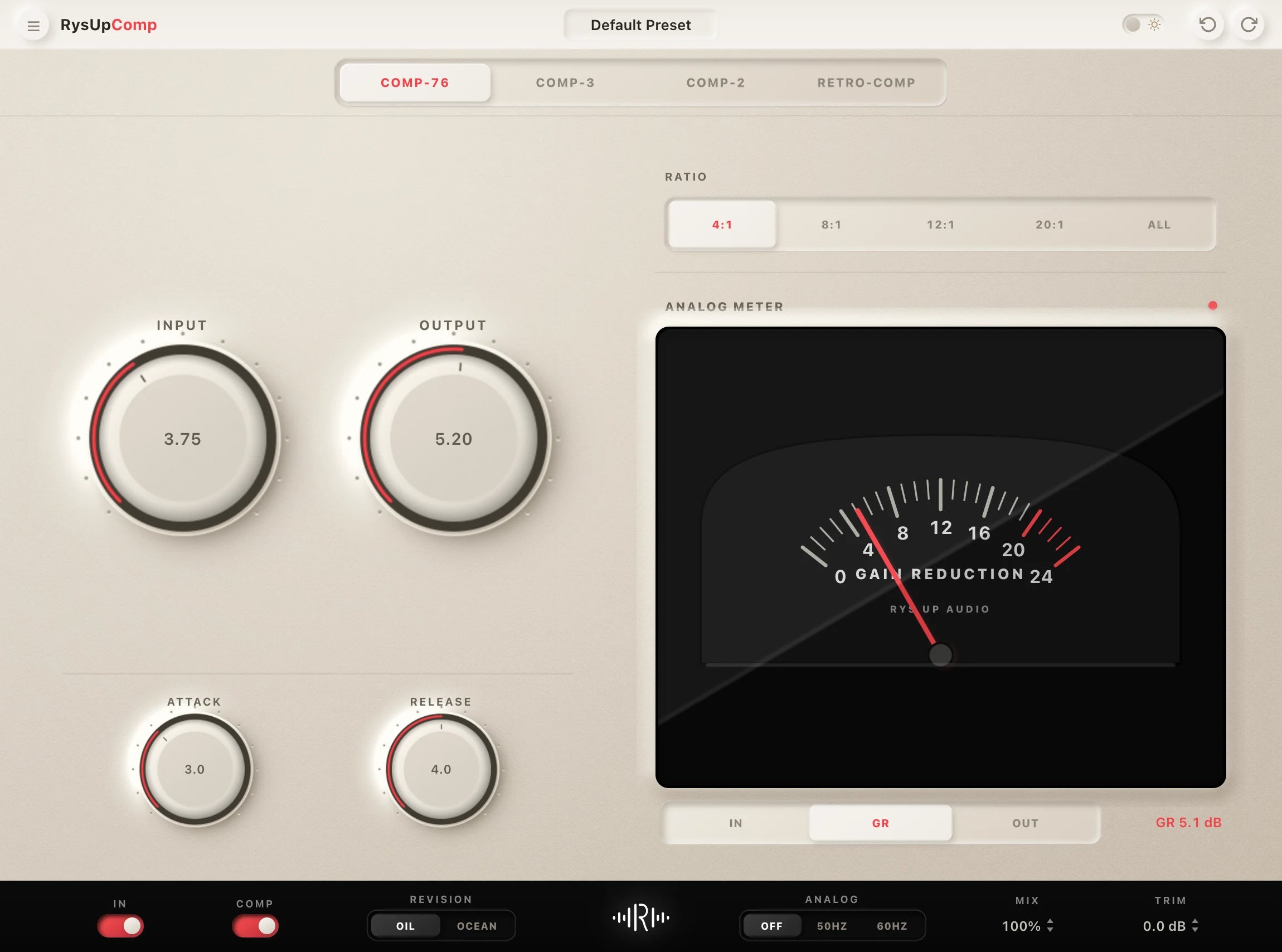
If you want to upgrade your vocal chain, every plugin in the RysUp collection is built specifically for vocal production — modern codebase, weekly updates, no iLok, and a fraction of the cost of legacy software.

Guide or preset collection
Use the guide to choose, then use the collection to compare
This article explains what matters inside a Studio One vocal chain. The Studio One preset collection is the commercial library where you can compare complete downloadable chains for different vocal roles and sounds.
Guide or complete collection
Learn the Studio One workflow, then compare every vocal preset
Use this guide to understand FX Chains and stock processing. Open the dedicated Studio One vocal preset collection when you want current compatibility, the full catalog, product details, and checkout.
Build a chain or load a Studio One preset?
- Build from scratch to learn the signal flow. Use the guide when you want to set every stock effect and routing choice yourself.
- Load a preset when the session needs speed. Start from a complete .multipreset FX Chain, then fit the compression, de-essing, and ambience to the recording.
- Choose by format before sound. Confirm whether the session runs Fender Studio Pro 8 or a legacy Studio One version before comparing packs.
The dedicated collection keeps compatible Studio One and Fender Studio Pro chains together, so the article can stay focused on the tutorial.