

The best vocal layering app depends on whether you need to record takes, arrange a full song, or sketch a loop on your phone. BandLab gives you a cloud project with multiple tracks. Splice Mic turns a short recording into a Stack. GarageBand for iPhone is a track based option if you want an Apple project you can keep editing.
Those are different jobs. A phone app can help you catch a harmony idea, record a double, and send it to your next session. It does not automatically replace a full vocal arrangement or the mix you do after the takes are chosen.
Disclosure: Rys Up Audio makes RysUpDoubler, a desktop audio plugin mentioned near the end. It is not a phone recording app. App features below were checked against their providers' official pages on September 30, 2026.
What to look for in a vocal layering app
Before you install anything, decide what you want to leave with. If you need to stack full length takes, look for separate tracks you can mute, move, and balance. If you only need a quick hook idea, a loop based app may be faster. If you need to send work to an engineer, check the export format and whether the app lets you keep separate audio files.
For a real vocal stack, ask four questions: can I keep each take separate, can I hear the layers together while recording, can I move or trim a take, and can I get the files into the next tool I use? If an app only makes a finished mixdown, you may have less control when it is time to edit the lead.
BandLab for a full multitrack project
BandLab Studio is the most direct starting point here when you want one project with several vocal tracks. Its current guide says projects can hold up to 16 audio and MIDI tracks and record for up to 15 minutes. You can add a Voice or Audio track, record into the project, and build your arrangement in the same place.
BandLab also documents mixdown and individual track exports. One limit matters if you are handing work off: its help page says exporting a segment or section of a project is not supported. If you need a full take stem, use its track export. If you need just a short phrase from the middle, check how you will trim or render that portion before building the whole session there.
For a simple stack, record the lead, make a second pass for a double, then record any harmony or ad libs on their own tracks. Keep them separate while you balance them. That gives you more options than blending every part into one phone recording.
Splice Mic for a fast loopable idea
Splice Mic is designed for capturing a short sound on your phone and hearing it inside a Stack. Its current help guide says you can record up to 60 seconds, then choose an 8 bar part to use as a layer. You can sing a phrase, try a harmony, or capture a rhythm idea without first opening a full multitrack session.
The catch is the handoff. Splice's help center says exporting a Stack for a DAW requires a paid plan. If you only want to share or play with a sketch, the Stack format is convenient. If you need separate audio files for a mixing session, check the export access before you build a whole vocal arrangement there.
Use it for the idea, then export the material you are allowed to keep and move it into the DAW where you will finish the song. Do not treat a loop preview as a final vocal session.
GarageBand for iPhone for track based editing
GarageBand for iPhone makes sense when you already use Apple devices and want to record and arrange tracks in a familiar song project. Apple's guide shows that you can add and edit tracks, then share a song as either an audio file or a GarageBand project. That project handoff is useful when the next step is another Apple device or a later GarageBand session.
GarageBand is an Apple route, so it will not be the right fit for every phone or collaborator. Check that everyone who needs to open the editable project has a compatible device. If the engineer only needs a finished reference, an audio file may be enough. If they need to change the balance of the lead and doubles, keep the project or export individual tracks where your workflow supports it.
Which app fits the job?
| App | Best fit | Check before you commit |
|---|---|---|
| BandLab Studio | A cloud project with several audio and MIDI tracks on mobile or web. | Section export is not supported. Use track export or plan another way to trim a phrase. |
| Splice Mic | A short recorded idea placed into a loop based Stack. | DAW export requires a paid plan. Check the handoff before recording a full arrangement. |
| GarageBand for iPhone | Recording and arranging in an Apple song project. | Confirm collaborators can open the GarageBand project, or share a rendered audio file. |
If you are unsure, export a ten second test with one lead and one double. Open it on the computer or send it to the person who will mix the song. It is much cheaper to catch a format or access issue on one short test than after building the full vocal arrangement.
A simple vocal layering workflow
- Record a clear lead first and keep it on its own track.
- Record the double as another take instead of copying the lead. Small performance differences are what make a real double.
- Record harmonies and ad libs separately. Keep the lyric and role of each part obvious in the track names.
- Balance the lead before adding width or heavy effects to the support parts.
- Export a short test and reopen it in your intended DAW before you record the rest.
The existing vocal layering guide goes deeper on how to arrange doubles, harmonies, and ad libs without crowding the hook. If the goal is just to make the supporting parts wider, the vocal widening guide covers that separate mix decision.
Where a vocal doubler fits
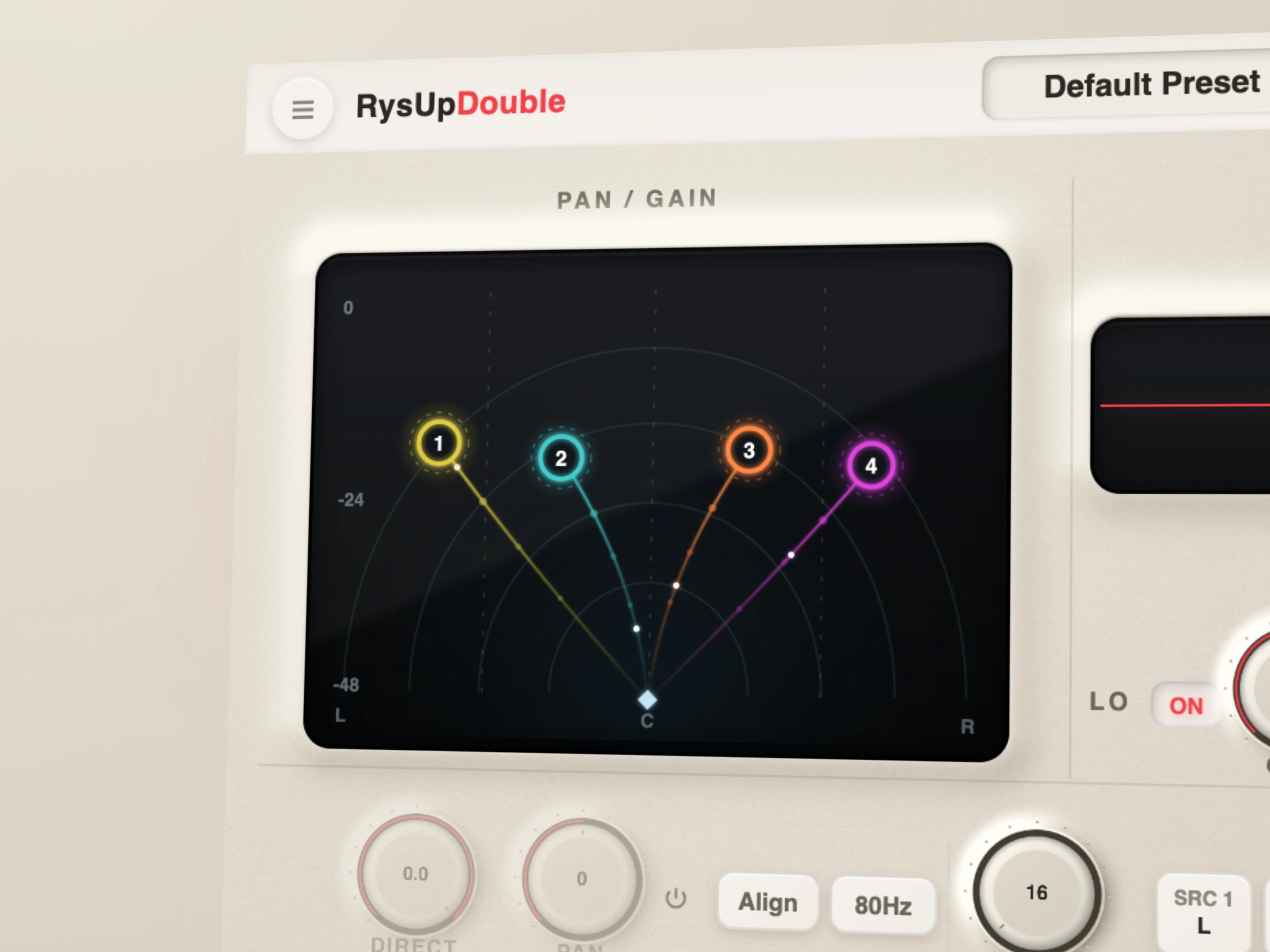
A mobile app helps you capture or arrange parts. A vocal doubler processes a part after it is inside a DAW. RysUpDoubler is a four voice stereo effect with separate pitch, timing, movement, pan, and level controls. Use it when you want to widen or thicken a recorded lead or support part. It is not a replacement for recording an actual double take.
If you are choosing a processor for that finishing stage, see the vocal doubler plugin comparison. For the rest of the current lineup, check Rys Up plugins, the installer hub, and RysUpSuite.
Sources checked September 30, 2026: BandLab Studio setup and BandLab audio exports; Splice Mic recording and Splice Stack export; Apple's GarageBand for iPhone guide; and the live RysUpDoubler product page and update feed. Features and plan access can change, so check the provider before recording a long session.
Looking for a rhythmic vocal part, not another full stack? Learn how to make vocal chops from a phrase you recorded or have permission to edit.