
To make vocal chops, start with a short, cleared vocal phrase, slice it at musical syllables, map the pieces to notes or pads, then build a new rhythm from the slices. The groove comes from what you leave out as much as what you trigger. Do not auto-slice the whole take and keep every marker just because the DAW made them.
Quick answer: isolate one phrase, duplicate it, cut clean syllable-sized pieces, audition every slice, then sequence the keepers against the beat. FL Studio's Slicex and Ableton Live's Simpler can map slices for MIDI playback. RysUpBeat is another current route when you want to load or capture audio, detect slices, and play the slices as an instrument.
Disclosure: Rys Up Audio makes RysUpBeat. The DAW workflows in this guide work without it. Host steps and product details were checked October 2, 2026.
Build the chop from a phrase, not from random cuts
A clean, cleared line with useful syllables
Duplicate one phrase so the source stays safe
Keep attacks and vowels; trim dead space
Trigger one slice per note or pad
Write a new rhythm and keep the gaps
A slice is a playable piece of the source. A stutter effect repeats one captured piece. They can work together, but they solve different jobs.
Start with a vocal phrase that can survive the edit
Use a vocal you recorded or a sample you have permission to edit and release. A phrase with a clear consonant and a steady vowel gives you more useful slice points than a breathy tail or a word buried under reverb. One or two bars is plenty for a first pass.
Listen once for the syllables you want to keep. A phrase such as “come alive” may give you two strong attacks and two vowels. You can use the attacks for rhythm and the vowels for held notes. Avoid chopping the only copy of a take. Duplicate or consolidate a working version and keep the source muted nearby.
If the source is part of a larger arrangement, make the copy unique before slicing. This prevents a sample edit from changing another instance of the original phrase.
Cut by syllable, then clean the slice boundaries
Zoom in until you can see where each word begins and ends. Place a cut just before the attack without leaving a long breath, then keep enough of the vowel for the note to feel complete. Consonants such as “t” and “k” give a chop a crisp start; a little space after the vowel lets the sound breathe.
Auto-detection is a starting point, not the arrangement. A threshold that works on a loud word can miss a soft syllable or split a sustained vowel in the middle. Move, add, or remove markers by ear. Play every slice by itself. If a slice clicks, move its boundary into a quieter crossing or use a short fade supported by the sampler or audio editor.
Do not cut every consonant into a separate hit unless you want a staccato effect. A slice should contain enough of the word to sound intentional when triggered once.
Make vocal chops in FL Studio with Slicex
Image-Line's Slicex can split a sample into regions that are triggered by notes. Load a duplicate vocal phrase in Slicex and inspect the markers before you write MIDI. Its manual documents creating and moving slice markers, assigning trigger notes, renaming regions, and using click-free editing at slice points.
- Open the sample in Slicex and play through the phrase once.
- Keep the useful syllable markers. Move a marker that cuts into the consonant or splits a vowel.
- Use the marker's trigger note to check how each slice maps to the keyboard.
- Rename a few keeper regions if the phrases are hard to remember while sequencing.
- Use click-free editing or adjust the boundary if a cut clicks. Then write a short Piano roll pattern with only the keeper slices.
Slicex regions are the source material. The Piano roll pattern is the new performance. Change their order, skip a beat, repeat a word, or hold a vowel on a longer note to make a phrase that was not in the original take.
Make vocal chops in Ableton Live with Simpler
Ableton Live's Simpler has a Slice playback mode. Live's manual describes automatic and manual slice points, sensitivity adjustments, and a “Slice to Drum Rack” option that places the current slices onto separate Drum Rack pads. This gives you a fast start while keeping a path to manual cleanup.
- Drop the duplicated vocal into Simpler and choose Slice mode.
- Pick a slicing method that follows the phrase, then audition each marker against the audio.
- Switch weak automatic markers to manual points or move the existing point so the syllable stays intact.
- Use Slice to Drum Rack if you want each slice on its own pad and a separate chain to trigger.
- Record or draw a short MIDI pattern, then keep only the notes that make a clear rhythm.
Live's slicing presets and edition availability can vary. Check the features included in your edition before planning around a particular conversion command. The same musical method still works with hand-cut audio clips if you do not have the sampler feature you expected.
Use RysUpBeat when you want to capture and play the slices
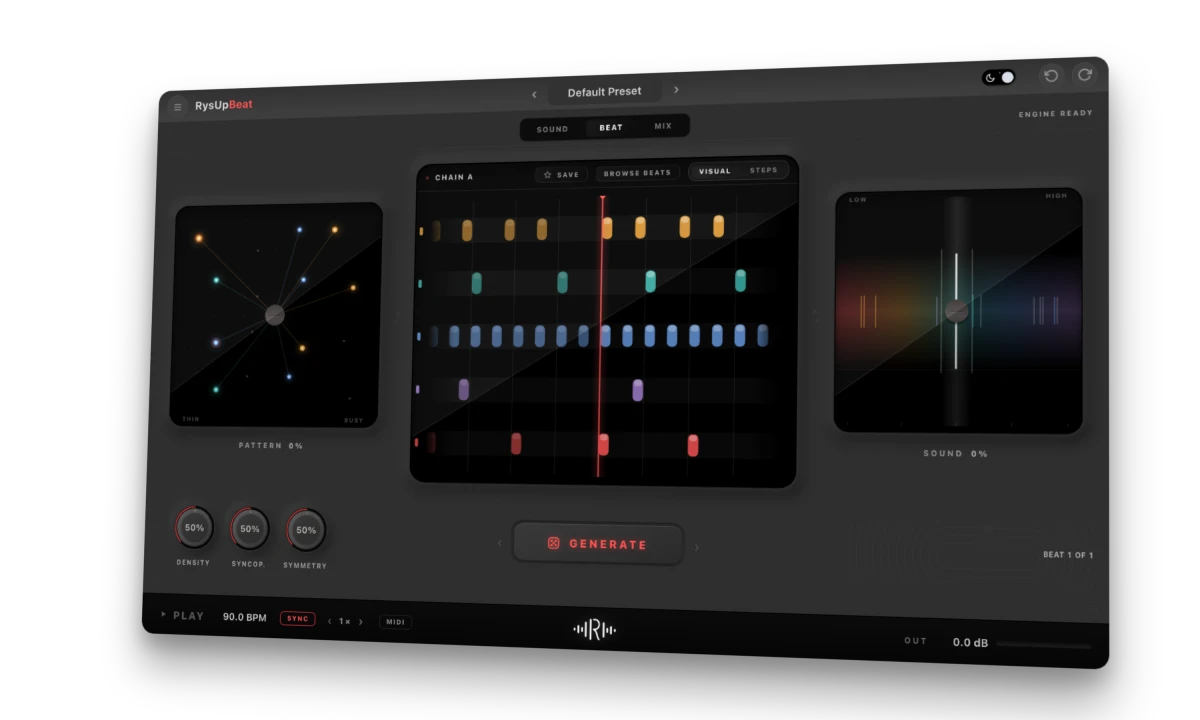
RysUpBeat is a current instrument route for turning a vocal into playable slices. Its product documentation says you can load supported audio, record into the instrument, or capture the last 15 seconds of audio. The resulting slices appear on pads. In Chop mode, one slice plays on each key. Pitch mode plays the selected slice across the keyboard.
- Load or record a short vocal phrase. For a fast idea, capture the last 15 seconds after playing the phrase in your DAW.
- Adjust Sensitivity and Min Gap, then re-slice until the pads contain useful syllable-sized pieces.
- Use Chop mode to trigger separate slices from separate keys. Use Pitch mode when you want to play one selected slice at different notes.
- Write a MIDI pattern in the DAW, or use the instrument's documented 16-step pattern page to make a quick rhythm. Keep the rhythm simple before adding sound changes.
- Use the lane controls to adjust volume, pitch, pan, tone, filter, envelope, and reverb or delay sends after the pattern works.
RysUpBeat's current product description documents slice detection with Sensitivity and Min Gap. It does not promise hand-drawn boundaries for individual chops. If one syllable needs a precise custom cut, edit that copy in the DAW or use a sampler that exposes manual markers.
Sequence a new phrase instead of replaying the whole line
Start with a one-bar loop and put one slice on each strong beat. Then remove one hit, move another to an offbeat, and repeat the syllable that carries the hook. A short pattern with a clear pocket usually reads better than a grid full of notes.
- For a rhythmic accent: use a crisp consonant on a backbeat and leave room around it.
- For a melodic hook: trigger a stable vowel on several pitches and change the order of the words.
- For a call and response: place a short chop between the lead's phrases instead of stacking it over every line.
- For a one-shot: let one slice land at the end of the bar, then leave the next downbeat open.
Keep note lengths and gaps deliberate. If every note is the same length and the whole phrase starts on beat one, it may sound like a chopped sample rather than a new performance.
Pitch the slice without turning every word into a siren
Pitch can make a one-word slice feel like a playable instrument, but a large shift also changes the voice character. Move one or two semitones at a time, then compare a held vowel with a consonant-heavy slice. The vowel may tolerate more movement than the consonant.
If the note needs to land in a musical key, use the song's scale as a limit rather than drawing random notes. Keep the original slice available and compare the transposed version at the same level. Time stretching can change the texture too, so decide whether you want a pitched-up voice, a stretched syllable, or a new rhythmic placement.
Process the chop after the rhythm works
Get the timing right before adding a chain. A short filter or tone adjustment can help the chop sit behind a lead, while reverb or delay can push the ending into the next phrase. Use one effect at a time and keep the dry version easy to compare.
If the slice should repeat as a transition, a stutter effect can capture and repeat one incoming segment. That is a separate move from creating several keyed chops. See the vocal stutter workflow for the repeat effect and how it differs from building a playable set of chops.
Fix clicks, weak timing, and muddy patterns
- A slice clicks: move the start or end into a quieter crossing, shorten the cut, or use a short fade when the tool supports it.
- The phrase sounds chopped but not musical: keep fewer notes and add rests. Place the remaining hits against the kick and snare.
- A word is hard to recognize: keep more of the consonant and vowel together, reduce extreme pitch moves, or use a different source phrase.
- Every automatic slice is too short: adjust the threshold or minimum gap and re-slice, then audition the whole phrase again.
- The loop feels crowded: remove overlapping slices and leave space for the lead vocal.
- The chops sound like a different singer: use smaller pitch shifts and shorter processing tails, or choose a phrase whose vowel already fits the track.
Choose between hand-cut audio, a sampler, and a capture instrument
| Route | Best for | What to verify |
|---|---|---|
| Audio clip edits | Exact timing and custom boundaries | No clicks at each cut |
| Slicex or Simpler | Key or pad playback from a sample | Markers preserve each syllable |
| RysUpBeat | Fast capture, slice detection, and playable patterns | Sensitivity and Min Gap produce usable slices |
Keep the vocal source and the chop pattern reversible
Save the source phrase, the edited sample, and the MIDI or step pattern as separate parts of the project. If the hook stops working after effects or pitch changes, go back to the clean slices instead of rebuilding the phrase from memory. Print a final audio version only when the timing and sound both work in the full arrangement.
For a supporting part, place the chops around the lead rather than over every word. The backing-vocal mix guide covers how supporting parts can sit around the lead.
RysUpBeat details and next steps
RysUpBeat is an instrument for loading or capturing audio, slicing it into playable parts, and building a beat around those slices. The RysUpSuite includes the current paid plugin lineup. Browse the Rys Up plugin lineup or install through RysUpHub.
Official sources and checked product details
- Image-Line FL Studio Manual: Slicex Wave Editor, checked October 2, 2026.
- Ableton Live Manual: Simpler, checked October 2, 2026.
- Ableton Live Manual: Slice to New MIDI Track, checked October 2, 2026.
- RysUpBeat official product page, checked October 2, 2026.
- RysUpBeat live update feed, latest version 1.1.1, checked October 2, 2026.