
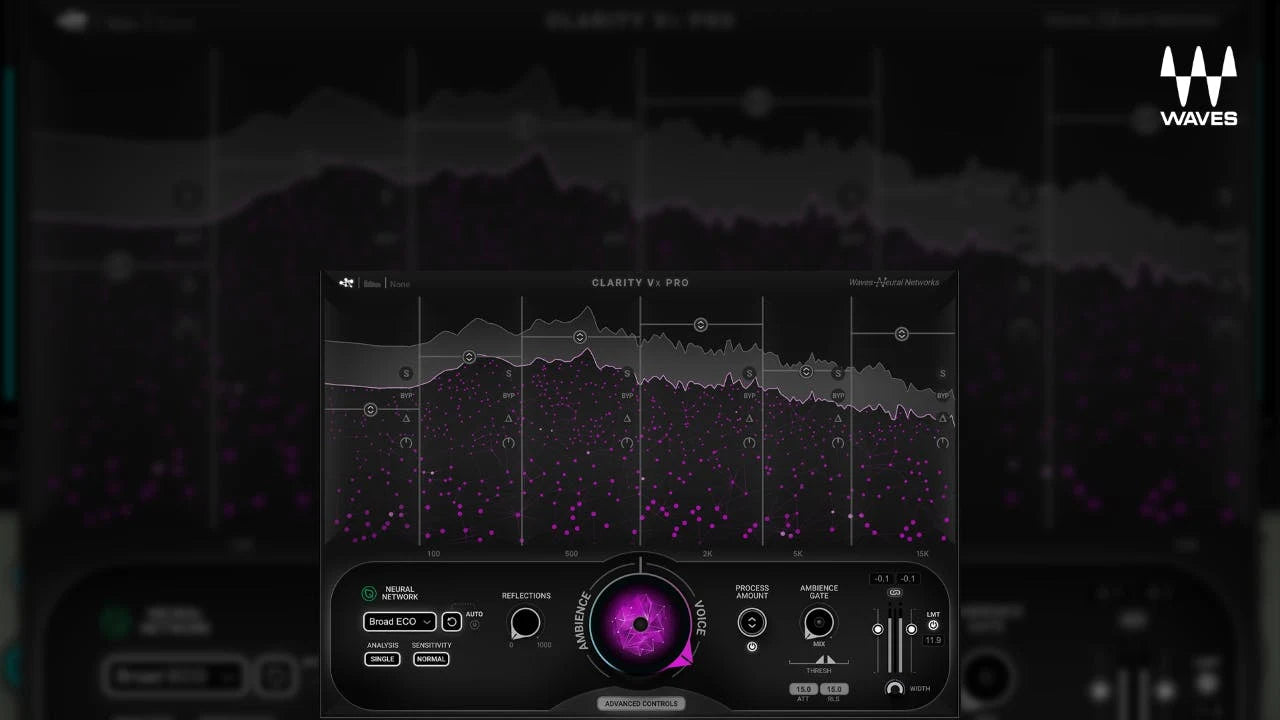

Disclosure: Rys Up Audio makes RysUpNoise Pro. We checked Clarity Vx Pro details and pricing against the official Waves product page on August 24, 2026. Waves prices and subscription inclusion move often, so recheck the product page and cart before buying.
The strongest Waves Clarity Vx alternatives are RysUpNoise Pro for a focused Live and HQ Transfer workflow, Supertone Clear for simple separate voice, ambience, and reverb controls, and NoiseWorks VoiceAssist Advanced for a wider vocal preparation chain. Clarity Vx Pro remains a valid choice if its advanced real time workflow and the Waves ecosystem are the reason you are buying. We did not run a controlled listening test, so this is not a claimed sound quality ranking.
Why people look for Waves Clarity Vx alternatives
Clarity Vx Pro is a specific advanced real time voice tool. People look for an alternative for different reasons: they want a lower perpetual price, a reviewable render path, a separate room-reverb control, or a broader preparation workspace. Start with the job you need rather than a logo you recognize.
The alternatives at a glance
| RysUpNoise Pro | Waves Clarity Vx Pro | |
|---|---|---|
| Checked price | $49.99 perpetual, also included with active or perpetual RysUpSuite | $249 observed price, $699 MSRP |
| Core job | Focused vocal background noise reduction | Advanced real time AI voice noise reduction |
| Real time workflow | Live mode with a Strength control | Waves real time plugin workflow |
| Higher quality render workflow | HQ Transfer captures playback, Denoises, auditions, and exports WAV | Use the workflow provided by the current Waves product and host |
| Activation | RysUpHub and Rys Up license | Waves ecosystem and current account terms |
| Current formats | Universal macOS AU, VST3, AAX plus Windows 64 bit VST3 and AAX | Verify current formats and OS support on Waves' official requirements page |
| Native Apple Silicon Logic | Use HQ Transfer. ARA is not promised there. | Clarity Vx Pro is a standard plugin workflow, not an ARA claim on this page. |
- RysUpNoise Pro: $49.99 focused vocal cleanup with Live and HQ Transfer.
- Supertone Clear: $69 displayed for voice, ambience, and voice reverb separation.
- NoiseWorks VoiceAssist Advanced: $299 for wider cleanup, breath, sibilance, and restoration work.
1. RysUpNoise Pro: the focused alternative
One focused cleanup decision
RysUpNoise Pro stays close to the actual problem: remove distracting background noise from a vocal without turning the cleanup pass into a full restoration session. Live mode gives you a direct Strength control during playback. When you want to make a deliberate render, HQ Transfer captures the playback pass, runs Denoise, lets you audition the result, and exports a WAV when you are ready.
Price and Suite value
RysUpNoise Pro is $49.99 to own and is included with active or perpetual RysUpSuite. The official Waves page showed Clarity Vx Pro at $249 against a $699 MSRP when checked. The price gap is substantial, but it is not the whole decision. If Clarity Vx Pro's advanced workflow is what you need, buy that workflow. If you mainly need focused vocal cleanup, a larger price tag does not create a larger problem to solve.
Audition before you export
HQ Transfer makes the review step explicit. Capture the vocal playback, Denoise it, listen to the resulting take in the plugin, and export only after checking it in the track. That is a sensible way to judge whether noise reduction preserved quiet consonants and phrase endings.
When Clarity Vx Pro is still the right purchase
You need its advanced real time toolset
Waves positions Clarity Vx Pro as advanced AI powered real time noise reduction for voice. If you already have Waves tools in your standard session template, depend on their ecosystem, or need the specific advanced controls provided by Clarity Vx Pro, that is the honest reason to choose it.
You already pay for the relevant Waves plan
The official page lists Waves Creative Access tiers and individual pricing. Subscription inclusion, promotions, and account eligibility change, so evaluate the live plan terms rather than assuming a past sale or a third party price applies. If you already have access through an eligible current plan, the purchase decision is different from buying a single plugin.
How to compare alternatives honestly
Use the same ten to twenty second vocal clip in both plugins. Match the processed output level, then listen in the track. Check quiet word endings, breaths, hard consonants, and pauses. Do not award a winner because one plugin makes the signal louder or because soloed silence sounds impressive. The useful question is whether the vocal stays believable when the music returns.
Which alternative should you choose?
Choose RysUpNoise Pro when a focused Live control and HQ Transfer render are the workflow you want, especially if you want a $49.99 perpetual option or RysUpSuite inclusion.
Choose Clarity Vx Pro when its advanced real time voice noise reduction workflow and your existing Waves setup are more valuable than a focused alternative.
Frequently asked questions
Is RysUpNoise Pro a Clarity Vx Pro alternative?
Yes, for creators whose actual job is focused vocal noise cleanup. Voice noise reduction is an established plugin category. RysUpNoise Pro is differentiated by its Live control and HQ Transfer capture, Denoise, audition, and export workflow. This page does not claim feature for feature parity or a sound quality win.
Can I use RysUpNoise Pro and Clarity Vx Pro in the same project?
Yes. They are separate plugins. Use one light cleanup pass at a time and keep output level matched so you can hear what each process is actually doing.
Clean the vocal, then get back to the record
RysUpNoise Pro combines Live cleanup with an HQ Transfer render you can audition before export.
Source checked August 24, 2026
See the full AI vocal noise reduction roundup for every researched cleanup workflow.
Compare the other researched workflows: VoiceAssist alternatives, Supertone Clear alternatives, iZotope RX alternatives, and dxRevive Pro alternatives.
Prices, promotion terms, subscription inclusion, formats, and compatibility can change. Confirm current official information before buying.