

Disclosure: Rys Up Audio makes RysUpNoise Pro. We checked Supertone Clear details and pricing against Supertone's official product page on August 24, 2026. We did not run a controlled listening test, so this page compares published workflow, scope, price, formats, and compatibility instead of claiming a sound quality winner.
The strongest Supertone Clear alternatives are RysUpNoise Pro for focused vocal background noise cleanup, NoiseWorks VoiceAssist Advanced for a wider vocal and dialogue preparation system, and iZotope RX 12 Standard for a multi-tool repair workflow. Supertone Clear is still a strong choice when its separate Voice, Ambience, and Voice Reverb controls are exactly what the recording needs.
Why people look for Supertone alternatives
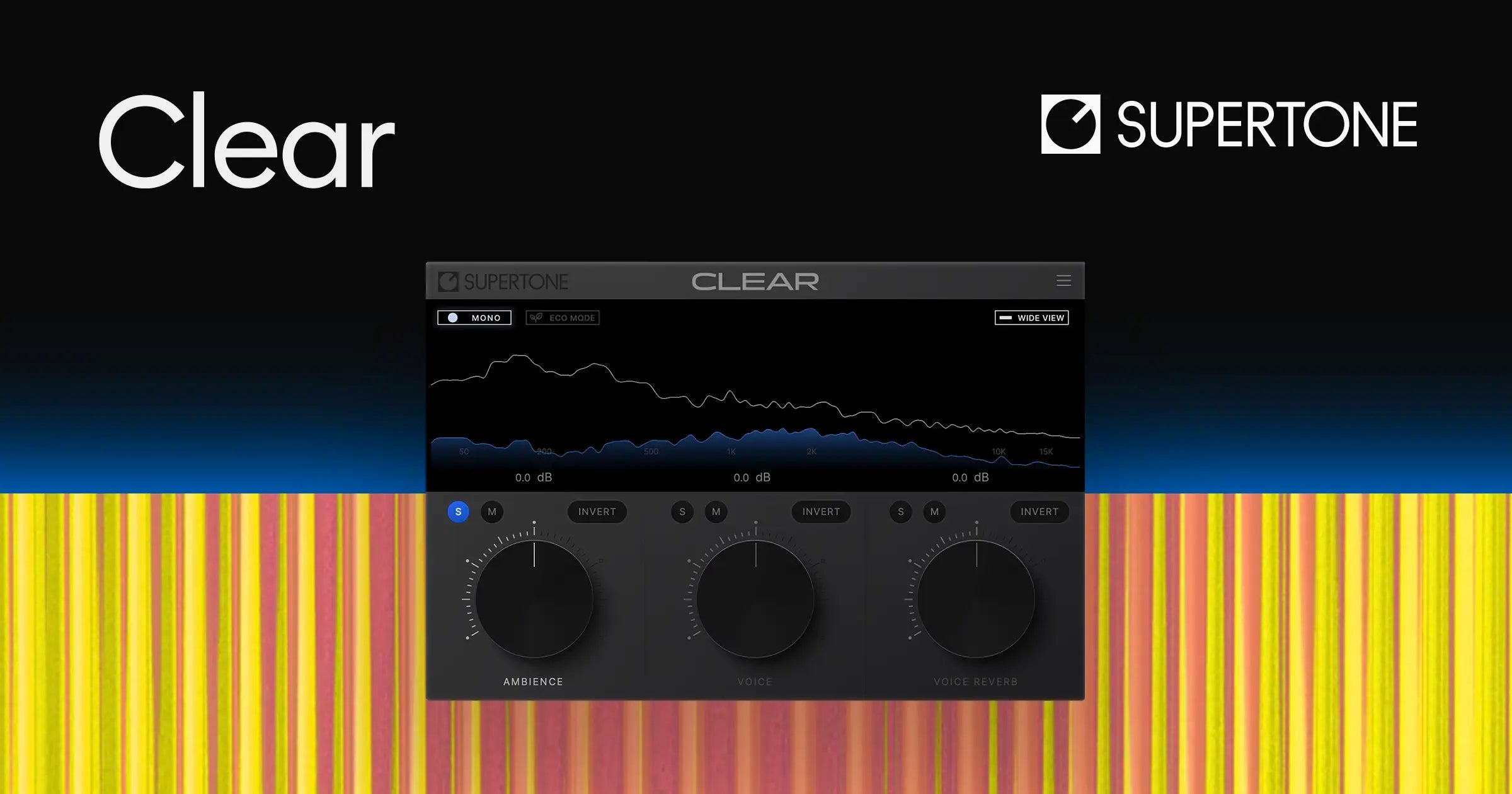
Clear is intentionally compact. Its official page presents three main controls for voice, ambience, and voice reverb. That is helpful when a reflective room and background noise need separate decisions. An alternative makes more sense when you only need vocal noise cleanup, need a reviewed render before export, or need a broader restoration chain than three controls provide.
Supertone Clear alternatives at a glance
| Alternative | Checked price | Choose it for | Main tradeoff |
|---|---|---|---|
| RysUpNoise Pro | $49.99 | Focused vocal noise cleanup with Live and HQ Transfer modes | Not presented as a dedicated separate reverb-control product |
| NoiseWorks VoiceAssist Advanced | $299 | Broad vocal and dialogue cleanup including denoise and dereverb | Its Clean module and restoration tools are Advanced only |
| iZotope RX 12 Standard | $399 | Audio repair beyond a single noise and reverb workflow | More tools and decisions than a focused cleanup pass |
| Supertone Clear | $69 displayed | Direct Voice, Ambience, and Voice Reverb control | Official page showed stale sale-date text, so recheck checkout |
1. RysUpNoise Pro: the focused vocal alternative
RysUpNoise Pro is designed for the repeated music-session problem: a vocal has distracting background noise and needs to sit in the song without turning the session into a restoration project. Live mode gives you a real time Strength control. HQ Transfer gives you a more deliberate route: capture a playback pass, Denoise, audition the processed result in the plugin, then export a WAV once it is right.
Choose RysUpNoise Pro if noise is the main issue and you want to review the render before it leaves the plugin. It is $49.99 to own and included with active or perpetual RysUpSuite. It ships on Universal macOS for Apple Silicon and Intel, plus Windows 64 bit. In native Apple Silicon Logic, use HQ Transfer rather than relying on an ARA promise.
2. NoiseWorks VoiceAssist Advanced: the broad preparation alternative
VoiceAssist Advanced has a wider scope than Clear. NoiseWorks lists denoise and dereverb in its Advanced Clean module, alongside frequency restoration, spectral editing, low-end processing, and a standalone app. Standard adds breath and sibilance control, gate work, and other preparation tools. Choose it when those jobs belong together in your workflow.
VoiceAssist Advanced costs $299. That is a fair price comparison only if you actually need its whole cleanup chain. If you only want a vocal denoise pass, RysUpNoise Pro is the simpler and lower-cost alternative.
3. iZotope RX 12 Standard: the repair-suite alternative
RX 12 Standard is the better alternative when the recording has several issues at once. iZotope lists a larger repair ecosystem, standalone editor, and AU, AAX, AAX AudioSuite, VST3, AU ARA, and VST3 ARA formats. That is useful for clicks, clipping, hum, and detailed repair work that sits outside a focused vocal noise workflow.
Choose RX if you use a repair suite every week. Choose RysUpNoise Pro if you mainly clean music vocals and want to stay close to the mixing session.
When Supertone Clear is still the better choice
Clear's key distinction is its separate Voice, Ambience, and Voice Reverb controls. If the room itself is a recurring part of the problem and you want to make those three decisions directly, Clear is the reasoned choice. Supertone lists real time processing plus AU, VST3, VST, and AAX support on macOS and Windows, including native Apple Silicon support.
The official page displayed $69 when checked, but it also carried dated sale text. Treat $69 as a current page display, not a permanent promotion, and check the cart before buying.
Which should you choose?
- Choose RysUpNoise Pro for focused music vocal noise cleanup, Live control, and an HQ render you can audition before export.
- Choose VoiceAssist Advanced for a larger vocal and dialogue cleanup chain with restoration and manual editing tools.
- Choose RX 12 Standard when multiple repair categories and a standalone editor are part of the job.
- Choose Supertone Clear when separate voice, ambience, and voice reverb controls are the main reason you are buying.
Frequently asked questions
Is RysUpNoise Pro a Supertone Clear alternative?
Yes, for focused vocal background noise cleanup. It does not claim to recreate Clear's separate Voice, Ambience, and Voice Reverb control layout. Pick the product whose workflow matches the problem in the recording.
Can I use Clear and RysUpNoise Pro in one session?
Yes, but use one light process at a time and level match the result. Stacking two aggressive denoisers can remove the noise and the life from a vocal at the same time.
Clean the vocal without losing the take
RysUpNoise Pro is $49.99 for focused Live cleanup and an HQ Transfer render you can audition before export.
Source checked August 24, 2026
See the full AI vocal noise reduction roundup for every researched cleanup workflow.
Compare the other researched workflows: VoiceAssist alternatives, Clarity Vx alternatives, iZotope RX alternatives, and dxRevive Pro alternatives.
Prices, promotion terms, formats, and compatibility can change. Confirm the official product page and checkout before buying.