

The useful DynAssist alternative is the one that replaces your actual editing job. For live vocal leveling and separate sibilance control, RysUpRider plus RysUpDS gives you a focused modular route. It does not recreate DynAssist's integrated breath detection, content aware gate, or editable preparation environment.
Already own DynAssist? Check your existing entitlement before spending anything. NoiseWorks currently lists a no cost move from DynAssist to VoiceAssist Standard and says installing VoiceAssist does not replace DynAssist. That ownership fact belongs at the start of this decision.
Disclosure: Rys Up Audio makes the Rys Up products in this guide. NoiseWorks does not participate in this article. This is a comparison of documented workflows and current product facts, not a published listening test or a claim that the processors sound identical. Sources and Rys Up prices checked September 6, 2026.
DynAssist alternatives start with four jobs
DynAssist combines gain leveling, breath detection, sibilance control, and voice aware pause cleanup. That is a preparation system, not simply a compressor with a moving fader. Decide which parts you actually use before comparing prices.
If the problem is loud and quiet phrases, start with a level rider. If sharp consonants hurt, add a de esser. If breaths need individual decisions, keep an editing pass. If a fan runs beneath the words, investigate denoising separately. A silent gap and a clean sung phrase are different outcomes.
| Your job | Rys Up route | Boundary to understand |
|---|---|---|
| Uneven vocal level | RysUpRider | Processes gain in real time; does not write a DAW automation lane. |
| Sharp S and T sounds | RysUpDS | Dedicated sibilance processing; no automatic breath region tagging claim. |
| Breaths and gaps | Manual clip gain, fades, and editing in your DAW | Requires your judgment; not a replacement for DynAssist's region classification. |
| Noise beneath the voice | RysUpNoise Pro when needed | Denoising is separate from detecting pauses. Avoid processing clean recordings unnecessarily. |
Check the upgrade you already own
The current official VoiceAssist page lists DynAssist to Standard as free. It also says DynAssist remains yours to keep and that VoiceAssist does not replace it when installed. Check the entitlement associated with your existing license instead of assuming a replacement requires another purchase.
We are not assigning a current purchase price to legacy DynAssist. Its public product page still describes the original workflow, while the current VoiceAssist page explains the upgrade paths. Existing project compatibility and your actual entitlement matter more than an old price copied into a roundup.
This article covers the legacy preparation jobs. For denoise, dereverb, hardware requirements, and broader restoration decisions, use our separate VoiceAssist alternatives comparison.
Replace leveling with a focused rider
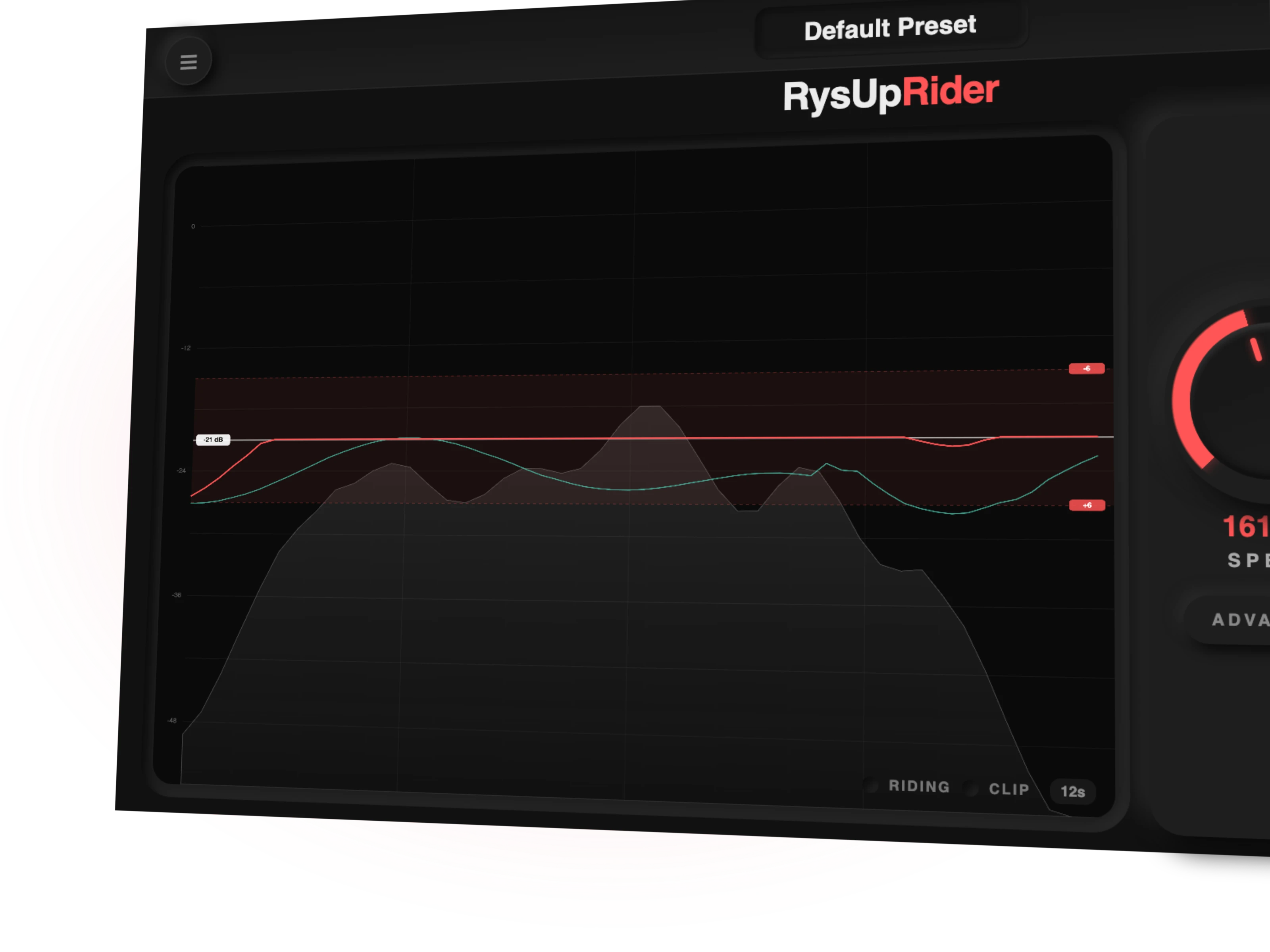
RysUpRider costs $24.99 outright at this check. Version 1.0.12 raises and lowers vocal level around your chosen target. Independent up and down ranges let you control how far it can move instead of trusting every quiet sound to deserve a boost.
Place it before compression. Start with a restrained ride range, listen to a loud phrase followed by a quiet phrase, and adjust the target so the compressor receives a steadier performance. The aim is intelligible words, not identical loudness on every syllable.
Watch the history to understand its decisions, but do not mistake that display for an automation editor. The Ride fader and history are read only. RysUpRider does not write DAW automation. Our leveling before compression guide explains the gain staging job in more detail.
Give sibilance its own control
RysUpDS costs $49.99 outright. Version 1.3.12 provides a dedicated de esser when sharp consonants need control independently of the vocal's overall level.
Loop a phrase with obvious S sounds and another with quieter consonants. Lower the threshold until the painful moments soften, then back off if diction becomes dull or lispy. Check again after any brightness boost because extra top end can reveal a different problem.
A de esser should not become your breath editor or a substitute for fixing the whole tone. Keep those decisions separate. Read how to de ess vocals for a practical threshold and listening workflow.
Keep breaths as musical decisions
Breaths announce effort, pace, and emotion. Removing every inhale can make a close vocal sound assembled instead of performed. A loud inhale before a delicate line may need attenuation; a breath driving an energetic entrance may belong exactly where it is.
In a modular setup, use clip gain and short fades for those individual decisions. Listen through the phrase boundaries after each edit. Do not cut the beginning of a word because its first consonant was quieter than the vowel.
DynAssist's documented breath detection and visible classification are a distinct convenience. This Rys Up chain does not claim to reproduce them. If those editable regions are central to your process, account for the manual time before changing workflows.
Separate pause cleanup from denoising
A gate can quiet the space between phrases while leaving the fan beneath the singing untouched. A denoiser addresses a different problem. Neither decision should begin with the promise of total silence.
RysUpNoise Pro costs $49.99 outright. Version 1.0.2 offers Live processing and an HQ Transfer workflow, with optional ARA where the host binds it. Choose the supported workflow for your actual host instead of assuming ARA works everywhere.
Add cleanup only when the recording needs it. Compare word endings, breaths, and sustained notes as well as the gaps. The vocal background noise guide covers the broader diagnosis without confusing noise reduction with editing pauses.
ARA and live inserts solve different problems
DynAssist documents ARA integration and a Transfer Mode for hosts without ARA. Its official transfer instructions explain capturing playback into the plugin, then editing the captured waveform. New takes require another capture.
RysUpRider works on the signal as it plays. That suits ongoing recording and normal insert processing, but it does not create DynAssist's editable analysis environment. RysUpNoise Pro's optional ARA or HQ Transfer path is its own cleanup workflow, not a shared editor for Rider and DS.
Before switching, name the thing you need to recall: plugin settings, processed audio, or editable regions. Those are different deliverables. Pick the workflow that preserves the right one.
Build only the chain you need
For a reasonably clean vocal with uneven phrases and sharp consonants, start with Rider and DS around your existing compression workflow. Their current outright total is $74.98. Adding Noise Pro brings those three tools to $124.97, but spending more does not improve a recording that did not need denoising.
Check RysUpSuite first when you need several tools or already have Suite access. Then compare individual ownership against the current terms. Do not treat a modular total as the price of an identical DynAssist replacement: automatic breath tagging and integrated region editing remain outside this chain.
Browse the live plugin lineup and use RysUpHub for installation. Verify the format supported by your host before opening an important session.
Run this replacement checklist yourself
Duplicate the session and preserve the original plugin state. Pick one passage containing a loud line, quiet line, breath, sharp consonant, and pause. Use the same source for every comparison and match listening level so louder does not win automatically.
- Listen with processing bypassed and write down the actual problems.
- Set a restrained ride range and check whether quiet breaths rise too far.
- Tune sibilance control without losing consonant clarity.
- Edit one breath and one gap manually, including fades.
- Use denoising only if noise remains beneath the performance.
- Save, close, and reopen the duplicate session to verify recall.
- Export a short pass and check it against the session playback.
This is a test you can perform, not a claim that we ran a controlled DynAssist shootout. Keep the original setup until the replacement passes your own session checks.
The practical choice
Choose the Rys Up modular route when you want focused live leveling, independent sibilance control, and optional cleanup inside a broader vocal production toolkit. Keep manual breath edits visible and intentional. Buy for the jobs you need, not the length of a feature list.
If your existing DynAssist license already covers the editing workflow you rely on, preserve it while evaluating changes. Rys Up can handle complementary processing without demanding that you rebuild a working session.
Sources checked September 6, 2026
Primary references: NoiseWorks DynAssist capabilities, VoiceAssist tiers and DynAssist upgrade terms, and DynAssist Transfer Mode instructions. Rys Up prices were checked against current product variants and shipping versions against current update feeds. Live product pages and checkout control future pricing and availability.