
Best Vocal Presets for Reaper 2026
Reaper is one of the most powerful DAWs on the planet, and it costs less than a night out. But when it comes to vocal production, a lot of producers hit a wall. The stock plugins look intimidating. The routing is deep. And finding quality vocal presets that actually work with ReaPlugs? That used to be nearly impossible.

Not anymore. In this guide, we are breaking down the best vocal presets for Reaper in 2026 — presets with clearly documented dependencies that load as FX chains and give you a practical starting point. Whether you are recording rap vocals, singing R&B hooks, or producing pop tracks, there is a Reaper preset pack built for your workflow.
Why Reaper Is the Most Underrated DAW for Vocal Production
Let's address the elephant in the room: Reaper does not get the credit it deserves. While producers on social media argue about FL Studio versus Ableton, Reaper offers a flexible recording and mixing workflow. Check its discounted and commercial license options and their eligibility requirements before choosing.
For vocal production specifically, Reaper has some serious advantages that other DAWs simply cannot match:
- Fully customizable FX chains. You can build, save, and recall entire signal chains in seconds. No menu diving, no complicated templates. Just drag, drop, and record.
- ReaPlugs are genuinely good. ReaEQ, ReaComp, ReaDelay, ReaVerbate, and the JS effects library are not just "good enough." They are studio-quality processors that rival many paid plugins.
- CPU efficiency that is hard to beat. Reaper runs lean. You can stack ten instances of ReaComp on a session and your CPU meter barely moves. Try that in some other DAWs and watch your laptop sweat.
- Routing flexibility. Parallel compression, mid-side processing, sidechain routing — Reaper handles all of it natively. No workarounds needed.
- Scripting and automation. ReaScript and SWS extensions let you automate nearly every aspect of your workflow. Power users can build custom actions that would take ten clicks in other DAWs.
The challenge has always been the learning curve. Reaper gives you ultimate control, but it does not hold your hand. That is exactly where vocal presets come in. If you're still learning how to mix vocals, a well-designed FX chain preset gives you a professional starting point so you can focus on the performance, not the processing.
What Makes a Good Reaper Vocal Preset
Not all presets are created equal. A lot of so-called "vocal presets" floating around the internet are just random EQ curves saved as individual plugin settings. That is not a preset — that is a screenshot of someone's guesswork.
A genuinely useful Reaper vocal preset should check every one of these boxes:
1. Uses Documented Dependencies
A reliable preset names every plug-in it needs. Some files can use bundled ReaPlugs and JS effects only; others may use an optional third-party AU/VST such as RysUpAir. RysUpAir is not a stock Reaper plug-in, so it must be listed as a requirement when a file uses it. Check the exact file manifest and your installed Reaper version before loading. That is the approach Rys Up Audio takes with every Reaper preset pack we build.
2. Complete FX Chain, Not Just a Single Plugin
A great vocal sound is not about one plugin. It is about the entire signal chain working together: subtractive EQ feeding into compression, then saturation, then additive EQ, then spatial effects. A proper preset loads the full chain with every parameter dialed in and ready to go.
3. Plan for CPU in the Real Session
Reaper is efficient, but CPU use still depends on the exact plug-ins, instance count, convolution, oversampling, sample rate, and project settings. Check the chain on the session and hardware you actually use before multiplying instances.
4. Genre-Specific Tuning
A hip-hop vocal does not need the same processing as an R&B vocal. The compression ratios, EQ curves, reverb characteristics, and saturation levels all differ by genre. Good presets are designed with a specific sound in mind, not a one-size-fits-all approach.
5. Fully Customizable
Presets are a starting point, not a destination. The best presets load with clearly labeled parameters so you can tweak the compression threshold, adjust the EQ to match your voice, or dial back the reverb — all without guessing what each knob does.
Best Reaper Vocal Presets by Genre
Here is where it gets practical. Let's break down the best Reaper vocal presets available in 2026, organized by genre so you can find exactly what fits your sound.
Hip-Hop and Rap Vocal Presets for Reaper
The Reaper section explains the host setup. Compare the Hip Hop and Rap vocal preset collection for the genre direction, then choose a compatible Reaper version.
Hip-hop vocals need to hit hard. The low-mids need to be controlled without sounding thin. The compression needs to be aggressive enough to keep the vocal upfront in a dense mix, but transparent enough to preserve the natural delivery. And you usually want a short, tight delay or a subtle room reverb — not a cathedral wash.
For a rap starting chain, try moderate compression with ReaComp, a ReaEQ cut only where the recording sounds muddy, and a restrained ReaDelay slapback. If you add JS saturation, begin with low drive and check the extra harmonics against the dry vocal. Compare the Reaper vocal preset collection and check the chosen download’s actual contents before loading it.
What makes these presets work for rap specifically is the way the dynamics are handled. Rap delivery is highly dynamic — you go from a whisper to a shout in the same bar. The compression staging in these presets uses serial compression (two lighter compressors instead of one heavy one) to catch those peaks without pumping.
R&B Vocal Presets for Reaper
R&B vocals live in a different world. The goal is smoothness, warmth, and space. You want the vocal to float on top of the mix, not punch through it. That means gentler compression, more emphasis on the low-mids for body, and lush reverb tails that blend naturally with pad-heavy instrumentals.
For R&B, try gentle compression and a controlled reverb tail that leaves room for the next phrase. ReaVerbate is a simple algorithmic reverb; ReaVerb can use an appropriate impulse response when you want a particular room, hall or plate character. Use these ideas to choose and adjust a starting chain from the vocal preset collection. For targeted harshness, see the resonance-control guide.
Pop Vocal Presets for Reaper
Pop vocals need to be polished, present, and larger than life. This is the genre where every decibel counts, where the vocal needs to sound "expensive" even on a budget setup. Heavy compression (often parallel), bright and crispy EQ, tight doubling effects, and reverb that adds dimension without pushing the vocal back.
The best Reaper pop vocal presets use parallel compression routing (which Reaper handles natively through its channel routing) to achieve that loud, in-your-face sound while keeping the dynamics intact. Combined with ReaEQ's precision high-shelf boosts and a carefully configured ReaVerbate with pre-delay, you get that commercial pop vocal sound using nothing but stock plugins.
Comparison: Reaper Vocal Presets by Genre
| Feature | Hip-Hop / Rap | R&B | Pop |
|---|---|---|---|
| Compression Style | Aggressive, serial (two stages) | Gentle, slow attack | Heavy parallel compression |
| Typical Ratio | 4:1 to 6:1 | 2:1 to 3:1 | 4:1 + parallel blend |
| EQ Focus | Cut mud (200-400 Hz), boost presence (3-5 kHz) | Warm low-mids, airy high shelf | Bright, crispy top end, tight low cut |
| Reverb Type | Short room or slapback delay | Lush plate or hall, medium-long tail | Plate with pre-delay, moderate tail |
| Saturation | Moderate grit for edge | Subtle warmth | Light harmonic excitement |
| De-Essing | Moderate | Gentle, preserve airiness | Aggressive, control sibilance tightly |
| Best For | Rap verses, aggressive hooks, trap vocals | Smooth melodies, falsetto, harmonies | Lead vocals, radio-ready mixes |
| Stock Plugins Used | ReaComp, ReaEQ, ReaDelay, JS Saturation | ReaComp, ReaEQ, ReaVerbate, JS De-Esser | ReaComp (x2), ReaEQ, ReaVerbate, JS Effects |
All of these genre-specific presets are available in the Rys Up Audio Reaper Vocal Preset collection. Check each file's dependency list before loading it; stock-only files use bundled ReaPlugs and JS effects.

How to Load FX Chain Presets in Reaper
One of the biggest advantages of Reaper is how simple it is to load FX chain presets once you know the process. If you have never done it before, here is the step-by-step walkthrough:
Step 1: Download and Locate Your Preset Files
After purchasing your preset pack, download the files and unzip them. A Reaper FX chain normally uses the .RfxChain file extension, but verify the exact files supplied with the pack. A track template is a different scope: it can include routing, sends, automation, media, and track settings in addition to plug-ins. For a detailed walkthrough with screenshots, check out our complete preset installation guide.
Step 2: Copy Files to Your Reaper FX Chains Folder
Navigate to your Reaper resource path. You can find this by opening Reaper and going to Options > Show REAPER resource path. Inside that folder, look for the FXChains directory. If it does not exist, create it. Copy your .RfxChain files into this folder. You can organize them into subfolders (e.g., FXChains/Rys Up Audio/Hip-Hop/) for easy browsing.
Step 3: Load the FX Chain on a Track
Back in your Reaper session, click the FX button on your vocal track . In the FX window, click the FX dropdown menu at the top left and select Load FX chain . Browse to your preset file and select it. The entire chain — EQ, compression, reverb, delay, saturation, and all settings — loads instantly.
Step 4: Customize to Taste
Once the FX chain is loaded, every plugin in the chain is accessible and fully adjustable. Start by adjusting the compressor threshold to match your vocal level, then tweak the EQ to complement your specific microphone and voice. Use the saved settings as a starting point, then adjust them to the voice, microphone and arrangement.
ReaPlugs vs Third-Party VSTs for Vocals
This is a debate that comes up constantly in the Reaper community, so let's settle it with some honesty.
Third-party plugins like FabFilter Pro-Q, Waves CLA-2A, or Soundtoys Decapitator are excellent tools. Nobody is arguing that. But the question is not whether they sound good — it is whether you need them to get professional vocal results.
The answer, frankly, is no.
Where ReaPlugs Hold Their Own
- ReaEQ is an unlimited-band IIR equalizer with spectrum analysis. It is a practical stock option, but it is not the same processor as a linear-phase EQ and this guide does not claim identical results to Pro-Q. If linear-phase processing is required, ReaFIR has a separate linear-phase mastering-EQ mode.
- ReaComp is a transparent, versatile compressor that handles everything from gentle leveling to aggressive limiting. It lacks the "character" of analog-modeled compressors, but for clean, precise dynamic control, it is outstanding.
- ReaVerb includes convolution and other reverb-building options; ReaVerbate is the lighter algorithmic reverb. Choose the exact plug-in named by the preset instead of treating them as interchangeable.
- JS Effects are Reaper's secret weapon. The built-in JS plugin library includes de-essers, saturators, stereo wideners, limiters, and dozens of other processors that most Reaper users never even discover.
Where Third-Party Plugins Have an Edge
- Analog character and coloration. If you want that specific "Neve console" warmth or "LA-2A optical compression" feel, you need a plugin that models those circuits. ReaComp is clean by design.
- Advanced algorithms. For convolution reverb, spectral processing, or AI-powered vocal tools like free vocal plugins, third-party options are ahead.
- Workflow and GUI. Some producers simply work faster with a visual interface like FabFilter's. That is a valid preference.
The Bottom Line
If you already own Reaper, start with the stock tools that match the exact file: ReaEQ, ReaComp, ReaDelay, ReaVerb/ReaVerbate, ReaFIR, and JS effects can cover many vocal jobs. If a file names a third-party plug-in, install it or choose a stock-only alternative; do not assume the tools are interchangeable.
Compatibility Decision: Existing Reaper Owner or New Chain?
If you already own Reaper, start by checking the exact preset file and its requirements. A normal .RfxChain stores an FX chain for a track. A track template can also carry routing, sends, automation, media, and track settings. Those are different tools with different loading behavior.
- Want a portable vocal chain? Choose an FX chain and confirm every required plug-in is available on your system.
- Want routing and session structure? Use a track template only when you intentionally want its sends, folders, automation, or media settings.
- Want stock-only compatibility? Use a file whose requirements list bundled ReaPlugs and JS effects only. RysUpAir is a third-party plug-in, not a stock Reaper effect, so any file that uses it must say so.
- Need a specific sound or feature? ReaEQ is IIR; ReaFIR has a separate linear-phase mastering-EQ mode; ReaVerb supports convolution; ReaVerbate is the lighter algorithmic reverb. Select the file that matches the job.
That check takes less time than troubleshooting a missing plug-in or a template that changed your routing. It also lets an existing Reaper owner keep the workflow they already trust while adding only the chain they actually need.
Free vs Paid Reaper Vocal Presets
There are free Reaper vocal presets floating around forums, YouTube descriptions, and Reddit threads. Should you use them? Let's weigh the pros and cons honestly.
Free Reaper Vocal Presets
Pros:
- No financial commitment to test the concept
- Good for learning how FX chains are structured in Reaper
- Some community presets are genuinely creative — see our best free vocal presets roundup for curated picks
Cons:
- Often require third-party plugins you may not own
- Rarely genre-specific — usually one generic "vocal" preset
- No documentation, no support, no updates
- Quality varies wildly — some are unusable, and you waste time finding that out
- Frequently built by hobbyists, not professional engineers
Paid Reaper Vocal Presets (Rys Up Audio)
Pros:
- Engineered by professionals with real studio experience (Rys Up Audio was founded in 2015 by audio engineer Jordan Rys)
- Dependency-labeled files: stock ReaPlugs/JS where stated, with any third-party plug-ins named explicitly
- Genre-specific chains for hip-hop, R&B, pop, and more
- Includes multiple presets per pack (lead vocals, ad-libs, hooks, doubles, backing vocals)
- Full documentation and installation guides
- Editable chains with dependency notes and practical session-level CPU checks
- Regular updates and customer support
Cons:
- Pricing varies by pack; check the current collection
Quick Comparison
| Criteria | Free Presets | Rys Up Audio Presets |
|---|---|---|
| Plugin Requirements | Often requires third-party VSTs | Dependencies listed per file; stock-only files use bundled ReaPlugs/JS |
| Genre Coverage | Usually one generic preset | Genre-specific chains (hip-hop, R&B, pop, etc.) |
| Preset Variety | 1-3 presets | Multiple presets per pack (leads, doubles, ad-libs, hooks) |
| Compatibility | Varies, may break with updates | Check exact Reaper version, platform, and required plug-ins per file |
| CPU Usage | Depends on plugins used | Depends on plug-in count, convolution, oversampling, and project settings |
| Documentation | Rarely provided | Full installation guide and usage tips |
| Support | None | Direct customer support |
| Price | Free | Check current pack price |
| Designed By | Hobbyists (usually) | Professional audio engineer (since 2015) |
The useful comparison is the exact chain and its declared dependencies. A Reaper FX chain can cover EQ, compression, saturation, de-essing, reverb, and delay, but the loaded plug-ins and routing must be checked per file.
Explore the full range of vocal presets at Rys Up Audio, including packs for every major DAW and genre.
FAQ: Reaper Vocal Presets
Do Reaper vocal presets work without third-party plugins?
For Rys Up Audio Reaper presets, check the exact file. Stock-only files use bundled ReaPlugs/JS; a file that names RysUpAir or another third-party plug-in requires that dependency. Check the included requirements and installed Reaper version before loading.
What version of Reaper do I need for these presets?
Check the exact preset file against your installed Reaper version and platform. Stock plug-in availability, parameter names, and third-party requirements can vary; this guide does not guarantee every file loads unchanged on every major version.
Can I customize the presets after loading them?
Absolutely. The presets load as standard FX chains in Reaper, which means every plugin in the chain is fully accessible and adjustable. You can tweak compression thresholds, adjust EQ curves, change reverb decay times, or add and remove plugins from the chain. The presets are designed as professional starting points that you customize to match your voice and microphone.
How do I install FX chain presets in Reaper?
For a normal FX chain, confirm the supplied file is .RfxChain, copy it to the resource path's FXChains folder, and load it from the FX menu. A track template is different and may carry routing, sends, automation, media, and track settings. Check which scope the file uses before loading. For a full walkthrough, visit our preset installation guide.
Are these presets CPU-heavy?
CPU use depends on the exact plug-ins, number of instances, convolution, oversampling, sample rate, and project settings. Measure the supplied chain in your session before committing to multiple instances, especially on older hardware.
What genres are covered in the Reaper vocal preset packs?
Rys Up Audio offers Reaper vocal presets optimized for hip-hop, rap, R&B, pop, and trap. Each genre gets its own tailored FX chains with compression settings, EQ curves, reverb configurations, and effects tuned for that specific style. You can browse genre-specific options in the Reaper vocal preset collection or explore the full vocal preset catalog for presets across all supported DAWs.
Can I use these presets to sound like a specific artist?
While no preset can perfectly replicate another artist's vocal sound (since every voice, microphone, and recording environment is different), the genre-specific presets are designed to achieve the production style and tonal characteristics associated with modern professional recordings. For presets inspired by specific production styles, check out the artist vocal preset collection at Rys Up Audio.
Start Making Better Vocals in Reaper Today
You chose Reaper because you value power, flexibility, and value. Your vocal presets should reflect that same philosophy. Clear dependency notes, editable FX chains, and a practical starting point for existing Reaper owners. Check the exact file before loading it.
Whether you are recording your first demo or mixing your hundredth track, the right preset gets you to a professional sound faster — so you can spend less time tweaking knobs and more time making music.
Browse the full Reaper Vocal Preset collection at Rys Up Audio and hear the difference a professionally engineered FX chain makes.
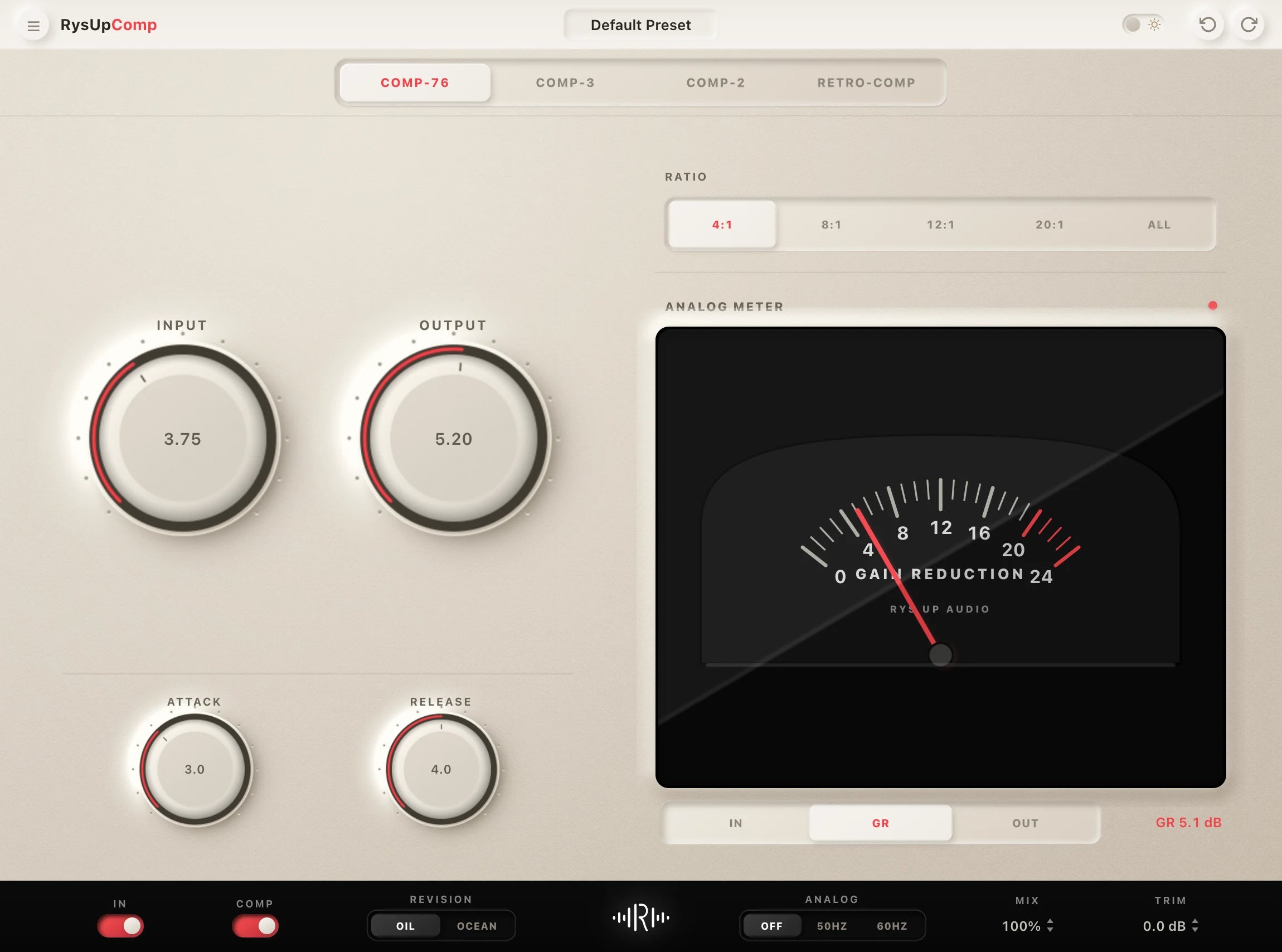
Pair Your Vocals With RysUp Plugins
If you want to upgrade your vocal chain, every plugin in the RysUp collection is built specifically for vocal production — modern codebase, weekly updates, no iLok, and a fraction of the cost of legacy software.

Reaper collection
Compare the guide, then choose the editable Reaper chain
This guide explains what makes a useful starting point. The dedicated Rys Up Reaper collection is the commercial home for lightweight, editable FX chains built around the Reaper workflow.
Guide or preset collection
Use the guide to learn, then use the collection to compare
This article explains the Reaper workflow. When you are ready to compare complete downloadable chains for leads, hooks, doubles, and background vocals, use the Reaper preset collection.
Guide or complete Reaper catalog
Learn the workflow, then compare every Reaper vocal preset
Use this guide to understand Reaper routing, stock effects, and preset setup. Open the dedicated Reaper vocal preset collection when you want the current catalog, compatibility details, sound options, and checkout in one place.
Building a robot vocal or playable hook in REAPER? Use this REAPER vocoder setup guide before saving the route as a track template.