
The best vocal mixing software is the type that fills the gap in your setup. Need somewhere to record and edit? You need a DAW. Already have one and want a focused vocal processor? Start with RysUpVox. Want separate tools for different jobs? Explore RysUpSuite. Want a saved starting sound? Choose a vocal preset built for your DAW and installed plugins.
Once the host is chosen, keep note correction and character effects separate. Our pitch and formant processor comparison helps you pick the in-DAW effect for a changed vocal texture.
The take comes first. Edit the vocal before mixing it when comping, timing, pitch, or restoration is unfinished.
Disclosure: Rys Up Audio makes the plugins and presets linked here. This is our buying framework for choosing the right software format, not an independent ranking. Product information checked September 6, 2026.
Best vocal mixing software starts with the job
Shopping gets expensive when every product is described as a complete solution. A recording application, an effect plugin, a plugin subscription, and a preset can all help you mix vocals. They do different jobs, and buying one does not automatically supply the others.
Write down the first thing your setup cannot do. If you cannot record a take beside the instrumental, your missing piece is a host. If you already record and edit comfortably but keep opening multiple windows, a focused processor may be the better purchase. If you like your tools but hate rebuilding settings, look at presets.
Choose the category first. A huge feature list cannot rescue a purchase that solves the wrong problem.
Use this four way workflow selector
No audio timeline yet?
Choose a DAW host. This is where the song session lives.
DAW ready, vocal workflow feels scattered?
Choose a vocal processor. Load it on the vocal track.
Need different processors across sessions?
Choose a modular collection. Use the tools each song needs.
Have the host and required effects?
Choose a compatible preset. Recall settings, then adapt them.
These choices can work together. A preset can run inside a DAW using plugins accessed through a subscription. The diagram tells you which missing layer to buy first, so you do not pay for settings you cannot open or effects you have nowhere to load.
Choose a DAW when you need a recording home
A digital audio workstation holds the session: recorded takes, edits, track levels, automation, and the finished export. Its effect slots host compatible plugins. The plugin changes the audio passing through it; the DAW manages the song around it.
Before shopping for extra processing, check whether your current recording application already gives you the editing and mixing functions you need. Learn to record an input, move or trim a region, save the project, and export the result. Those are the foundation of finishing a vocal.
This article does not rank recording applications. Stay with a host you can operate confidently unless a specific missing function blocks your work. Switching the entire session environment to fix one tonal problem adds a learning curve that a focused effect may avoid.
Choose one processor when speed matters
A vocal processor makes sense when your DAW is already sorted and you want a concentrated place to work. You still record and edit in the host, but you spend less time moving between separate processor windows.
RysUpVox is our recommendation for that format. It is a vocal processing plugin, with an outright purchase listed at $49.99 when checked. It is not a recording application, and purchasing it does not provide a DAW.
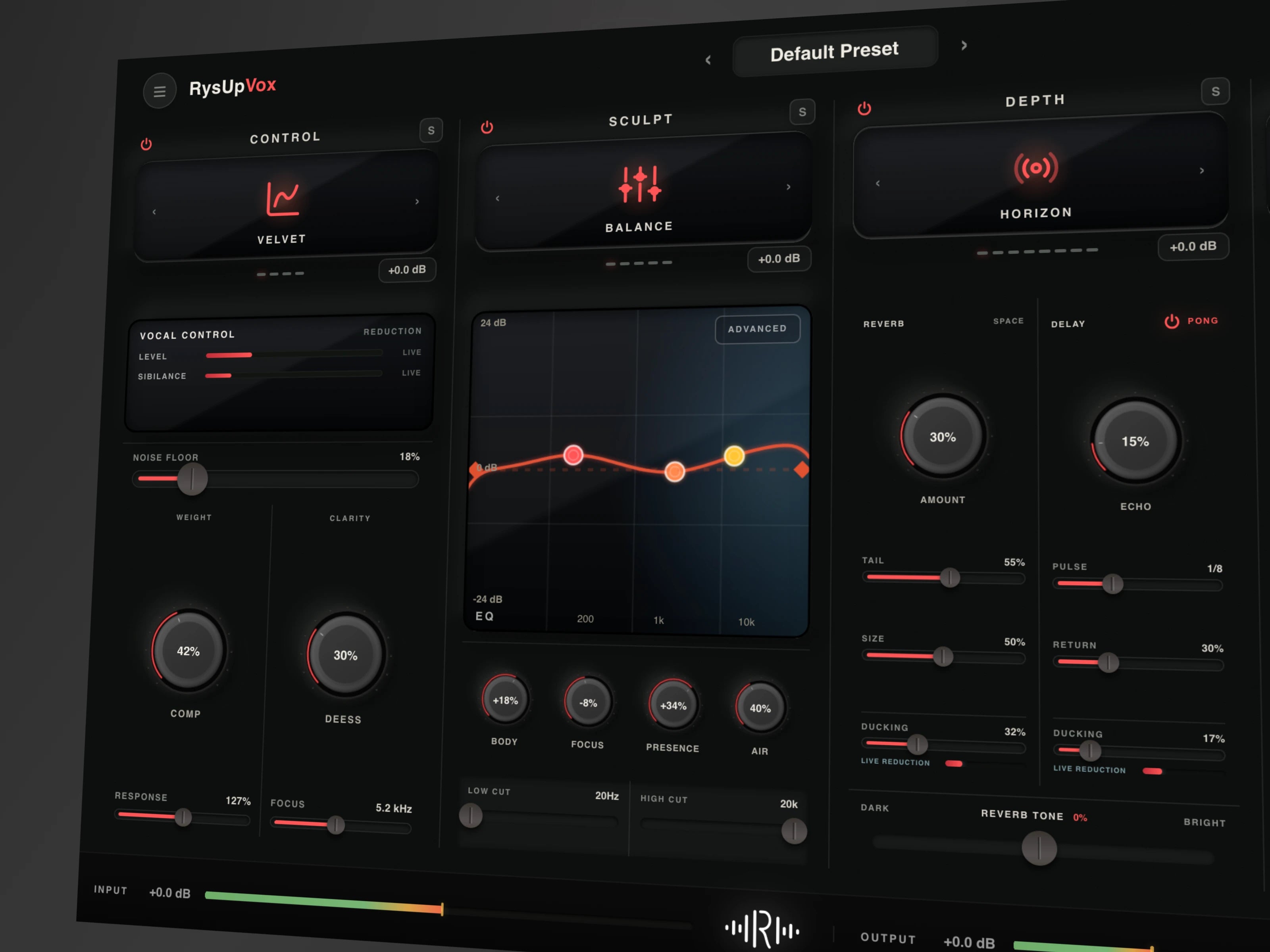
Choose this route when one main vocal sound is your priority. If you have already decided on a single processor and want a deeper buying guide, use our guide to complete vocal processors. That page handles the individual product decision.
Choose a modular Suite for a wider toolkit
A modular collection suits someone who wants to choose tools separately across different tracks and sessions. You may want one processor for a lead, another for a vocal stack, and a different treatment for a creative section.
RysUpSuite provides subscription access to the paid Rys Up plugin lineup while active. It is a software access option, not a DAW or a promise that every track needs every plugin. Review the current plan and terms before choosing it over an individual purchase.
Use the plugin lineup to identify tools you will actually use. If your shopping list contains one processor, compare that outright purchase with the ongoing plan. If you regularly need several different tools, the broader collection deserves a closer look.
For processing stages and how separate plugins fit together, continue to our vocal chain plugins guide. This page stays focused on choosing the software format before you build the chain.
Choose presets when setup is the bottleneck
A vocal preset saves settings or a configured chain. It is a starting point for software you already have, not a substitute for that software. A file built for a particular DAW does not automatically load in another host.
Before buying, check the exact DAW, supported version, required plugins, and installation instructions. Also check whether the advertised example uses stock effects or a separate plugin chain. A preset purchase should never be treated as a license for every processor it references.
Browse vocal presets by recording software after checking those dependencies. Your recording level, microphone, delivery, and beat will still change how the starting settings behave. Plan to adjust input level and effect amounts rather than expecting a different voice to match the demo automatically.
Do not confuse a rack host with a DAW
RysUpRack is a free plugin chain host. It organizes compatible VST3 processors and recalls rack setups inside your DAW. It does not replace the recording timeline, take editing, or song export workflow.
The free rack also does not unlock paid plugins. Those processors need their own licenses or eligible active Suite access. Think of the rack as a reusable container for processing, with the DAW providing the surrounding session.
This distinction matters when a preset uses a rack. Check both the container and the processors inside it. Installing the container is only part of making the saved sound available.
Check compatibility before checkout
Confirm your operating system, processor architecture, DAW version, and supported plugin format. AU, VST3, and AAX identify different plugin formats; they are not interchangeable files. Use the format your host supports on your operating system.
RysUpVox is offered for macOS and Windows in the relevant supported formats. Read its current requirements against your own setup rather than interpreting a broad compatibility statement as a guarantee for every old computer or host version.
Review the RysUpHub installation path and confirm how to activate the purchase. For presets, make a second compatibility check against the listed dependencies. A working host alone does not establish that a saved chain can load every required effect.
Compare the complete cost of your setup
Write down the host cost, the plugin cost or subscription, and any preset dependencies. Then cross out everything you already own. Compare the remaining total, not the lowest number on one product card.
Keep the time cost visible too. A preset may save setup time but still require learning its controls. A modular collection offers flexibility but gives you more choices. A focused processor may suit someone who wants fewer windows while mixing.
Also check what happens when access ends. An outright purchase and an active subscription are different arrangements. Keep your original recordings, save the session, and export the finished mix so your delivered audio does not depend on reopening the project later.
Run one session test before adding more
Use a short section containing a quiet phrase, a loud phrase, and the instrumental. Confirm that your host records and exports correctly. Then load the processor or preset and listen to what it changes in the actual song.
Match the listening level when comparing processing on and off. Check whether the words become easier to hear without losing the delivery. Save, close, and reopen the session to confirm that settings and dependencies recall correctly.
Once the software opens reliably, follow our vocal mixing guide for the musical work. Buy another category only when you can name the limitation in this test. Finishing a convincing vocal is a better target than filling the plugin menu.
Buy the missing layer and finish the song
No recording home means start with a DAW. A working DAW plus a desire for one focused vocal interface points to RysUpVox. A need for separate tools points to Suite. A compatible setup that takes too long to rebuild points to presets.
Source notes, September 6, 2026: Product role, price, installation, and licensing references: RysUpVox, RysUpSuite, RysUpRack, and RysUpHub. Host architecture reference: official recording and production application documentation.
For a quick character effect outside the recording host, see our online formant shifter versus DAW plugin guide. It separates one file experiments from a vocal chain that stays editable in your song.