
The best vocal editing software fixes the performance before the mix chain starts. Use your DAW for comping, timing, fades, and clip gain. Use a note editor for pitch, drift, and formants. Use restoration software for noise, clicks, clipping, and room problems.
One app does not automatically win every job. A fast comping lane can be better than an expensive pitch editor when the singer delivered six good takes. A specialist cleanup tool can be better than another EQ when the file contains fan noise or reflections.
Rys Up Audio makes RysUpPitch and RysUpNoise Pro. This guide separates editing jobs first, then shows where our tools fit. Current host and product facts were checked September 21, 2026.
The fast answer
Edit in the right order
Choose the performance first. Fix clip boundaries second. Correct timing and level third. Tune only the notes that need it. Clean noise and artifacts before heavy compression makes them louder. Then start the mix.
Reversing that order wastes time. Tuning six unused takes is wasted work. Compressing a noisy vocal makes the noise harder to remove. Adding reverb before clip fades hides clicks until the final bounce.
Comping software: build the performance
Comping combines the strongest moments from multiple takes. Logic Pro uses take folders and Quick Swipe Comping. Pro Tools uses playlists and a target playlist. Ableton Live and other modern DAWs expose their own take lanes or comping systems.
The feature names differ, but the decision stays the same. Choose an anchor take with the best emotion, then replace only the lines that are clearly weaker. Keep breaths believable. Add short fades at every edit. Do not build a technically perfect performance that no longer sounds like one person singing.

Timing and clip editing: fix the joins
Timing edits should protect the groove. Move a late consonant when it hides the lyric. Tighten a double when it smears the lead. Leave small variation when it creates human width or attitude.
Use clip gain before reaching for a compressor. Bring one loud phrase closer to the rest of the performance. Pull down a sharp breath. Then let the compressor shape the already organized vocal instead of reacting to every edit problem.
Pitch editing: correct notes, not confidence
Graphical pitch editors show notes across time. That makes them useful for flat or sharp centers, drift inside a held note, timing, vibrato, and formant changes. Real-time correction belongs to a different workflow because it reacts as the vocal plays.
Start with the notes listeners notice. Move the center first. Reduce drift only when it distracts. Preserve slides, scoops, and vibrato that define the singer. A straight line is not automatically a better vocal.
Noise and restoration: solve the source problem
Steady fan noise, room reflections, clicks, hum, clipping, and headphone bleed are different problems. A single noise reduction knob may help one and damage another. Diagnose the artifact before choosing the tool.
Use local restoration when privacy or upload time matters. Keep the unprocessed recording. A denoised file can be useful, but it should never become the only copy of the take.
Vocal editing software types compared
| Software type | Best job | Strength | Boundary |
|---|---|---|---|
| DAW comping lanes | Take selection, timing, fades, clip gain | Already inside the session | May not offer specialist pitch or restoration depth |
| Waveform editor | Simple cuts, cleanup, export | Fast and often free | Weak arrangement, MIDI, and full production workflow |
| Graphical pitch editor | Note pitch, drift, vibrato, timing, formants | Detailed note-level control | Does not replace comping or noise restoration |
| Restoration suite | Noise, clicks, clipping, hum, room problems | Artifact-specific repair | Can damage speech detail when pushed too far |
| Mix processor | EQ, dynamics, tone, space | Finishes the edited vocal | Cannot choose takes or restore missing samples |
Run one real edit before buying
Import the same verse into every serious candidate. Build a comp from four takes. Crossfade one phrase. Pull down one breath. Correct one flat note. Remove a short noise section. Close and reopen the project.
Time the work. Count the irreversible steps. Check whether the plugin or app keeps the original available. The best vocal editor is the one that makes the correction obvious without making the session fragile.
Choose native tools or a specialist plugin
Start with the DAW. Native comping, clip gain, fades, and timing tools already understand the session timeline. They save file transfers and keep every edit beside the arrangement. If they solve the problem cleanly, another purchase adds no value.
Add a specialist only when the native workflow stops at the wrong boundary. A graphical pitch editor earns its place when individual note drift and formants matter. Restoration software earns its place when the recording contains a specific artifact. The purchase should remove a repeated obstacle rather than create a second version of a tool you already own.
Check format support, host integration, and whether edits remain reversible. A powerful editor that forces every revision through a destructive export can slow a fast session. A simpler editor that stays attached to the track may win the daily workflow.
Protect the original and the handoff
Keep the raw take, the edited comp, and the processed print as separate files or playlists. Name the revision. Consolidate from a clear bar position when another engineer needs the audio. Include a dry export when the mix will continue somewhere else.
When the editor uses ARA or another host connection, verify that the receiving system supports the same workflow. If it does not, render a safety copy and keep the original session. Portability is part of editing quality because a correction that disappears on another machine is not finished work.
Where Rys Up fits

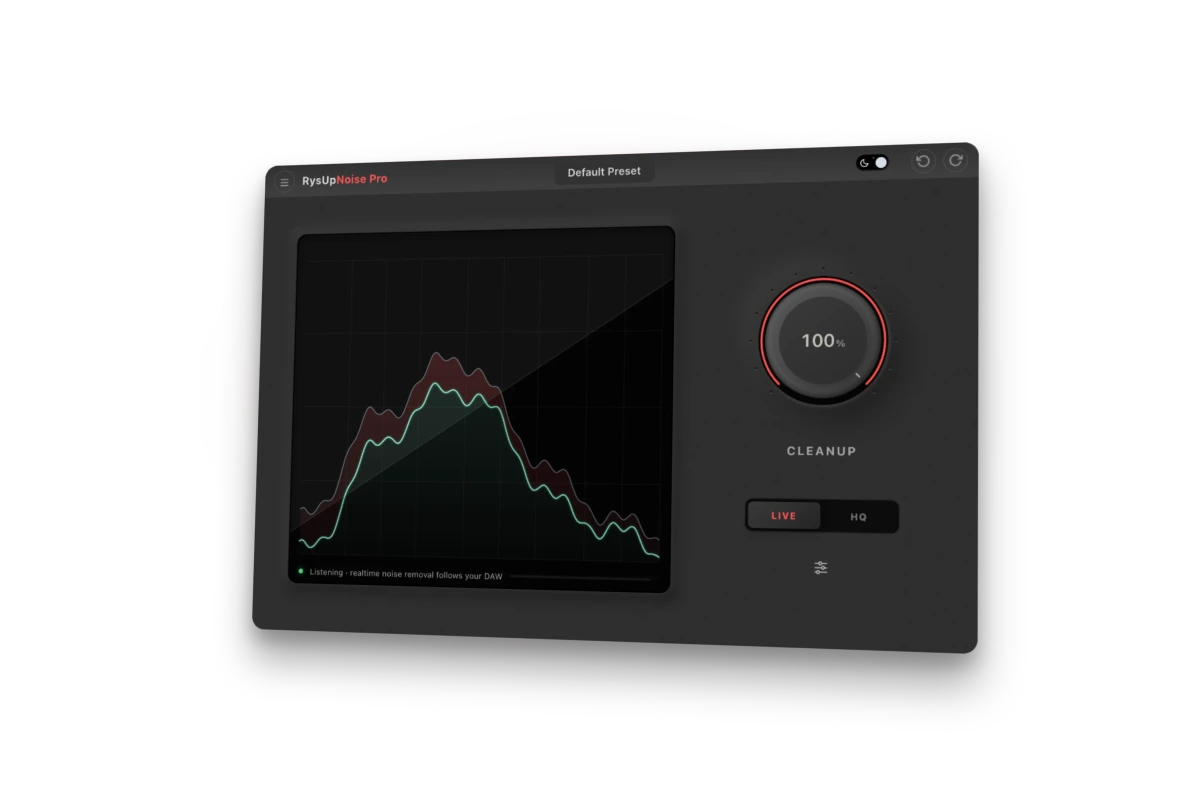
RysUpPitch 1.0.4 provides note-level pitch, timing, and formant editing with ARA support for vocals and harmonic material. RysUpNoise Pro 1.0.2 is the cleanup path. Check the current product page and RysUpHub catalog for host and format availability before installation.
Use the host for take selection and clip edits. Use RysUpPitch for note work. Use RysUpNoise Pro only when the recording needs cleanup. RysUpSuite includes both for active subscribers.
Vocal editing checklist
- Back up the raw recordings.
- Choose takes before tuning.
- Add short fades at every edit.
- Use clip gain before heavy compression.
- Fix obvious timing without erasing the groove.
- Correct pitch only where the performance needs it.
- Use artifact-specific cleanup and compare against the original.
- Render a safety copy before moving into the final mix.
The final rule
Comping builds the performance. Timing and clip gain make the joins believable. Pitch editing fixes the notes. Restoration solves recording damage. Mixing finishes the result. Choose software by the edit in front of you instead of asking one tool to do every job.
Primary sources checked September 21, 2026: Apple Logic Pro comping guide, Avid Pro Tools documentation, Ableton Live edition comparison, Audacity FAQ, and the current Rys Up Hub catalog.