
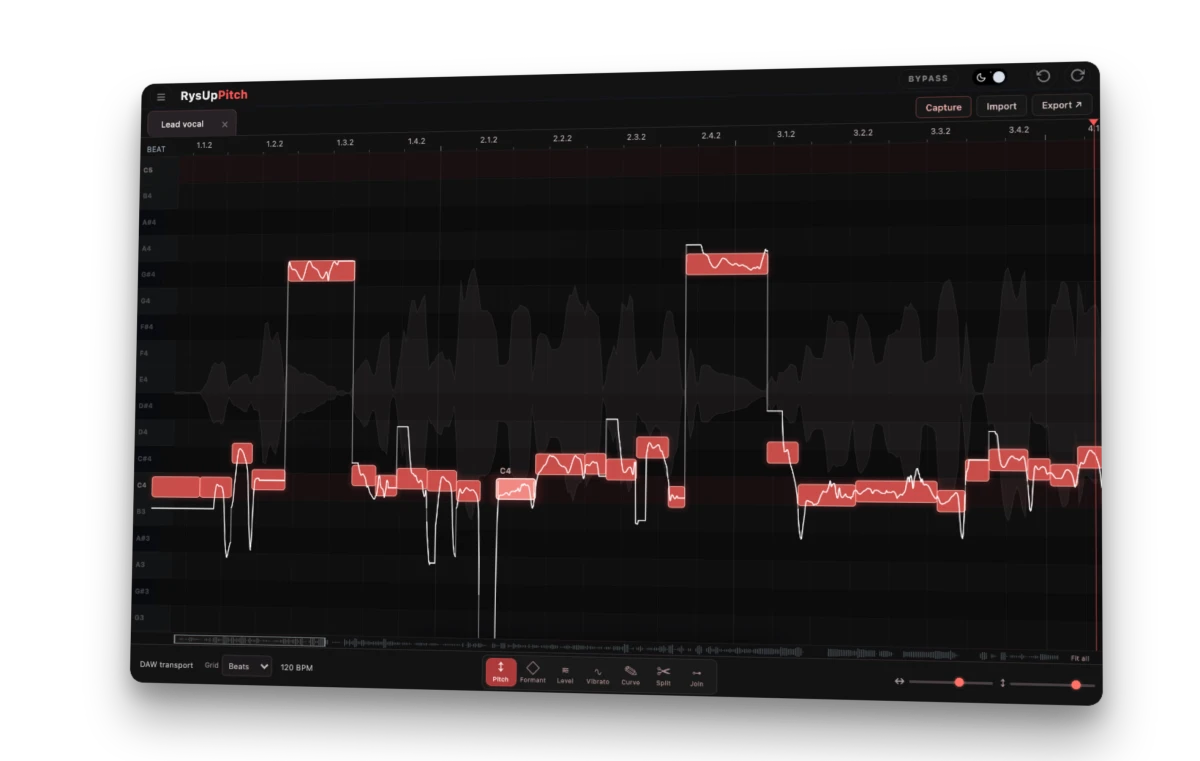
RysUpPitch · $49.99
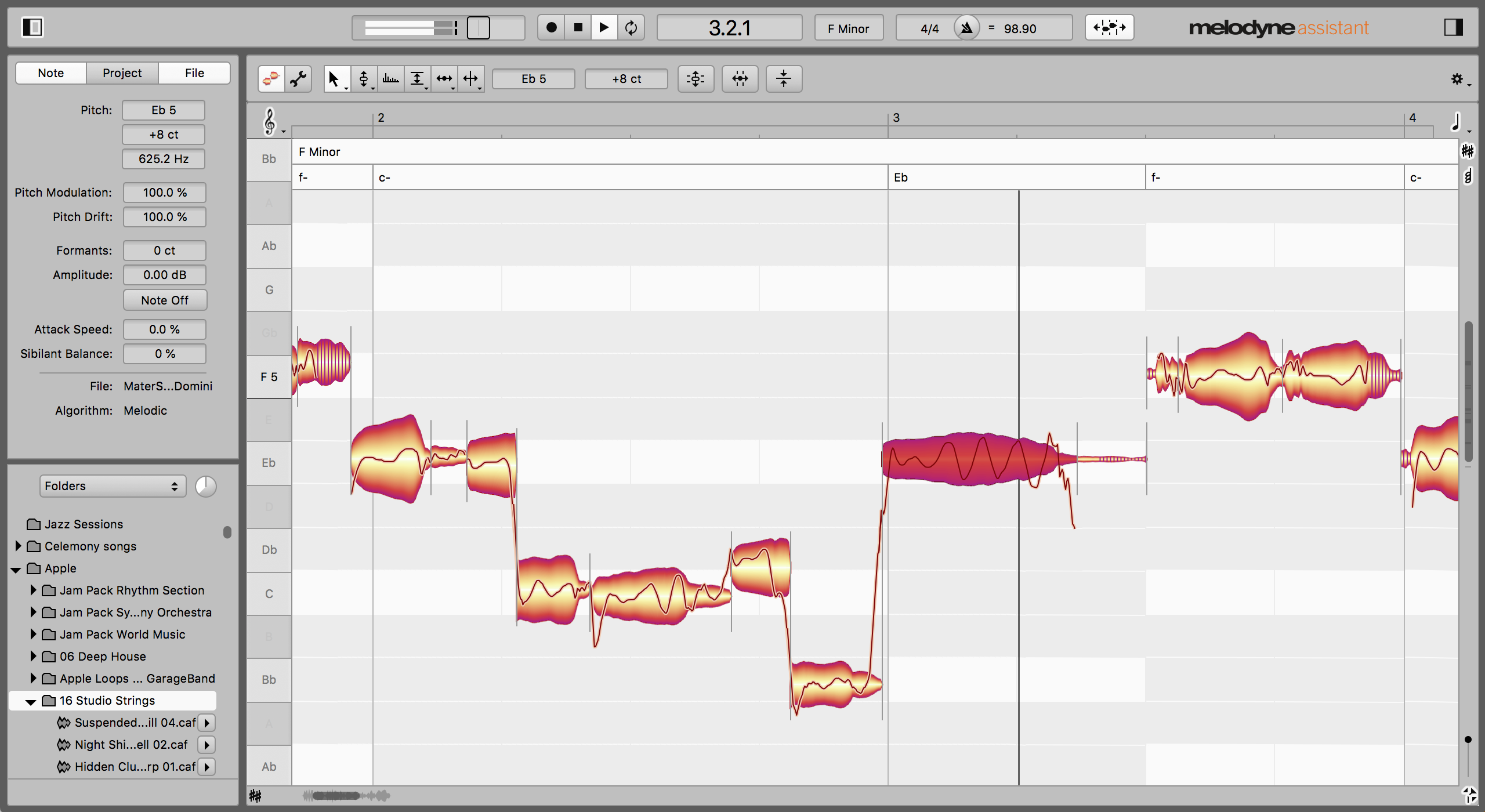
Melodyne 5 assistant · View full screenshot
Published by Rys Up Audio, the makers of RysUpPitch. Prices and competitor features checked September 19, 2026.
MELODYNE ALTERNATIVE · VOCAL PITCH EDITING
Your vocal needs a few notes fixed. Your budget does not need a $249 hit. RysUpPitch gives you a visual vocal editor for $49.99: select the note, move its pitch, refine its drift and vibrato, and hear the change in your session. If you are looking for a Melodyne alternative for hands-on vocal tuning, that is the comparison that matters.
Melodyne 5 assistant currently costs $249 in Celemony’s US web shop. RysUpPitch is $199.01 less—about 80% lower—while covering the note-by-note vocal workflow this article focuses on. The products have different feature sets; the price comparison is not a claim that every Melodyne function has an equivalent here.
See every note.
Shape the performance.
Watch the moving playhead split the take: raw pitch wanders on the left, corrected notes lock into place on the right.
An animated illustration of note editing, not an audio comparison. Try the interactive preview in this article to explore the actual interface.
Why look for a Melodyne alternative?
A good take can have one flat landing, a held vowel that wanders, and a phrase that needs a little less wobble. Those are specific edits. You want to see the performance clearly and work on the part that needs attention without losing everything that made the take worth keeping.
That is where RysUpPitch belongs. It is a dedicated editor for recorded vocals, with note blobs, pitch traces, a piano roll, and direct controls on the note. The clean layout is part of the product: the performance gets the space, and the editing tools stay close to what you selected.
This is different from asking for automatic tuning while recording. For that job, see RysUpTune. RysUpPitch is for the deliberate pass after you have a take: this word needs lifting; this held note needs calming; leave that slide alone.
RysUpPitch vs Melodyne: compare the vocal tools and the price
Assistant is the useful Melodyne reference for detailed vocal work. Essential covers basic edits; assistant adds the full toolkit. Editor brings polyphonic note editing, while studio adds multitrack editing. Those are meaningful differences, not four names for the same package. Source: Celemony edition comparison.
| What you are comparing | RysUpPitch | Melodyne 5 assistant |
|---|---|---|
| Current US outright price | $49.99 | $249 web shop; $299 suggested retail |
| Note-based pitch editing | Pitch blobs, fine pitch, pitch curve editing | Pitch tools and parameter inspectors |
| Vibrato and drift | Organic vibrato amount, Magic synthetic vibrato, drift controls | Pitch modulation and pitch drift tools |
| Further note controls | Formant, level, Split and Join | Formants, amplitude, timing, sibilants and more |
| Getting audio into the editor | ARA2 where the host binds it; Capture otherwise | ARA in compatible hosts; transfer workflow otherwise |
| Subscription required? | No—individual ownership available | No—individual purchase available |
| Activation | Rys Up license; one machine at a time, transferable | Computer activation or optional supported iLok USB |
Prices checked September 19, 2026, on the RysUpPitch product page and Celemony’s official shop. Other Melodyne web-shop prices: essential $99, editor $399, studio $699. Prices, promotions and taxes can change.
Do more than drag the whole note into tune
Moving a note up a semitone is easy to understand. Finishing a vocal usually takes more judgment. Where does the note settle? Does it drift at the end? Is the vibrato expressive, or is it distracting from the lyric?
RysUpPitch puts those decisions on the note itself. Fine pitch handles small corrections. Drift controls address the movement around the note. Formant and level give you separate ways to shape its character and balance. Split lets you separate a section that needs its own treatment; Join helps when adjacent segments should behave as one phrase.
For example, imagine a singer hits a note correctly, then falls flat on the last vowel. Moving the whole blob could disturb the good opening. Inspect the pitch trace, isolate the part that needs work, and adjust that section. Play the phrase against the instrumental before deciding whether the edit is finished.
Organic and Magic give vibrato a clear choice
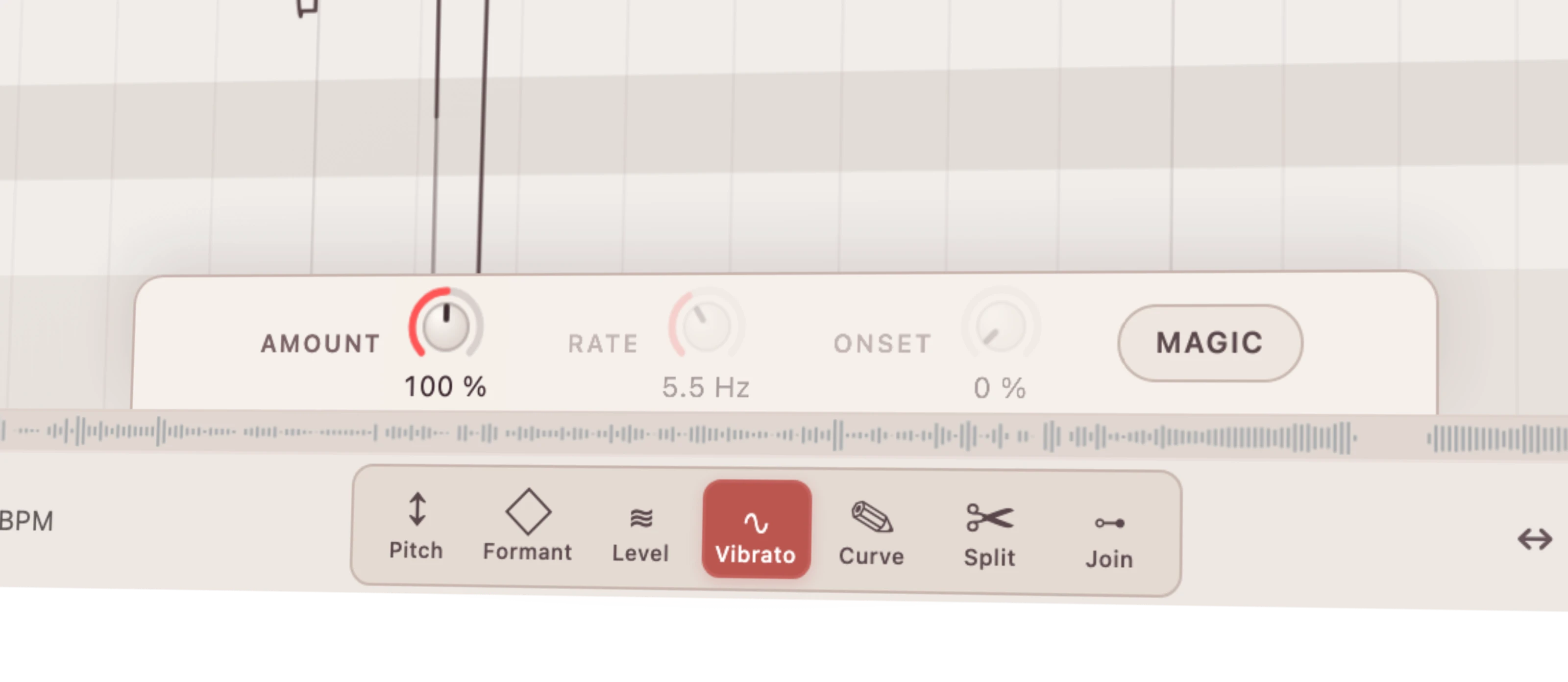
Organic retains the singer’s recorded vibrato and lets you scale its amount. Magic replaces that movement with a controllable sine-shaped vibrato. You can make that decision per note rather than forcing every word into the same treatment.
Start with the singer’s own movement. A smaller amount can be enough to settle an exposed note. Try Magic when you deliberately want a more regular motion, then listen through the transition into the next word. The target is the performance you want, not the straightest-looking line.
The boundaries matter before you switch
RysUpPitch’s case is focused vocal control at a much lower entry price. This article does not claim replacement of Melodyne editor’s DNA chord-note editing or studio’s shared multitrack window. A vocal editor and a complete polyphonic editing environment are different scopes. Celemony documents those edition-specific functions here.
Likewise, the animation on this page explains the interface. It is not a blind listening test or evidence that either product sounds better. Judge edits on an actual phrase, including breaths, consonants, slides and the join between notes. A cheap purchase is only useful if it fits the way you work.
Try the controls before you decide

Capture, ARA and your DAW
In an ARA2 host that supports and binds RysUpPitch, the plugin can access the timeline audio through that integration. Otherwise, use Capture: insert it on the vocal track, capture the passage while the DAW plays, and edit the analyzed notes. Playback belongs to the DAW.
ARA is host-dependent. In particular, Celemony’s current documentation says Melodyne ARA in Logic on Apple Silicon requires running Logic under Rosetta. That is distinct from ordinary native plugin use. If you want to keep Logic native, RysUpPitch’s Capture workflow gives you a way to edit without relying on ARA. Source: Celemony’s Logic integration guide.
How to move a vocal workflow to RysUpPitch
- Keep the original session. Save a copy before changing your tuning chain. Preserve any completed edits you might want to revisit.
- Start from the clean vocal. Bypass existing tuning for a fresh pass. Do not accidentally judge two pitch editors processing the same note.
- Install through RysUpHub. Load the supported plugin format in your DAW, then use its ARA workflow or Capture.
- Work on one exposed phrase. Correct the obvious pitch issue first. Adjust drift or vibrato only where the performance calls for it.
- Check the whole line. Compare with the original in context, save the session, and print a finished vocal when your delivery workflow requires it.
This is an audio workflow change, not a Melodyne project-file conversion. Do not expect existing Melodyne note edits to arrive as editable RysUpPitch blobs.
Melodyne alternative FAQ
Is RysUpPitch a free Melodyne alternative?
No. RysUpPitch costs $49.99 outright. It is also included with an active RysUpSuite subscription. Individual ownership does not require subscribing.
Does RysUpPitch run on Windows and Mac?
Yes. The published requirements list macOS 11 or later with AU, VST3 and AAX, plus Windows 10 or later with VST3 and AAX. Check the format your DAW supports before installing.
Does Melodyne require an iLok dongle?
No. Celemony supports computer-based activation. A supported iLok USB is optional for eligible editions; essential uses computer activation. Source: official activation requirements.
What if I am comparing RePitch too?
Read our RePitch alternative comparison for that separate workflow and price comparison.
Put the money into the record. Keep control of the notes. If your job is editing recorded vocals, RysUpPitch gives you a focused place to do it for $49.99.