
If you've ever heard Goodbye & Good Riddance on shuffle and felt like Juice WRLD was talking directly to you, you already know what makes his voice different. There's something raw and emotionally charged about his delivery — that melodic trap style that blurs the line between singing and rapping, drenched in pitch correction and reverb, but never losing the human feel underneath. This breakdown covers the full Juice WRLD vocal chain — every plugin, every setting, every trick — so you can build his sound in your own DAW from scratch.

.jpg)
What Makes Juice WRLD's Voice Unique
Juice wasn't just a rapper or a singer. He freestyled entire albums off the top, which means his vocal energy is always slightly unpredictable — and that's a feature, not a bug. His tone is nasally and mid-forward, not deep or polished. It sits in the mix with attitude.
The pitch correction on his vocals is dialed up but not robotic. You can hear it working — it's part of the aesthetic, not something being hidden. Paired with that lush room reverb and subtle delay, every note feels like it's floating.
His compression is relatively light too. His dynamics stay intact so the emotional peaks and valleys in his delivery still hit. That's what gives it that "unfinished but perfect" quality that producers like Nick Mira and Sidepce locked in.
Step 1 — Recording Setup
You don't need an expensive studio to get this sound. Juice recorded a lot of early work in home setups and on the road. The rawness is intentional.
Use a condenser mic — something like an AT2020, Rode NT1, or Audio-Technica AT4040 all work great. If you've got a Neumann U87 or similar, even better, but it's not required. The key is recording in a treated space. Egg crate foam in the corners, a reflection filter behind the mic, or even a closet full of clothes all help reduce that boxy, harsh room sound.
Record at -18 to -12dBFS peak. Leave headroom. You want clean gain staging before any processing hits. Don't clip going in — fix it at the source, not in post.
One more thing: Juice often tracked standing up, getting close to the mic and then backing off during loud parts. That natural mic technique adds organic variation you can't fake with a compressor alone.
Step 2 — The Juice WRLD Vocal Chain
Here's the full chain in order. Keep it in this signal flow and it'll sit the way it should.
Pitch Correction
This is the centerpiece of the Juice sound. Use Auto-Tune (or Melodyne in note-based mode). Set the key and scale correctly — most of his tracks are in minor keys, so get that right first or the pitch correction will fight the notes.
For that signature melodic trap feel, set retune speed to around 20. That's fast enough to lock notes into pitch without going full T-Pain robotic. If you want to push it harder — really lean into that pitch correction artifact — drop it down to 10 or even 0. Some of his most emotional moments have the pitch correction cranked all the way up and it works because of how he's delivering the line.
Set humanize to 0 and flex-tune off. You want the correction working constantly, not just on sustained notes. His fast melodic runs need consistent correction throughout.
Keep vibrato off in Auto-Tune — his natural vibrato comes through in the performance. Don't add artificial vibrato on top of it.
EQ Settings
Start with a high-pass filter at 80–100Hz. His vocals are mid-forward, not bassy. Clean up anything below 100Hz to give the 808 and kick room to breathe.
Apply a slight dip around 300–400Hz — maybe -1.5 to -2dB — to clean up any muddiness or boxiness. This is especially important if you recorded in an untreated space.
Boost 3–5kHz by about +2 to +3dB with a medium Q for presence and cut-through. That's where his forward nasally tone lives. Don't overdo it or it'll get harsh.
Add a gentle high shelf boost around 12–16kHz, +1.5 to +2.5dB for air and brightness. Use a wide, smooth shelf — not a sharp peak. This opens up the vocal without adding sibilance.
Compression
Keep this light-to-moderate. You're not squashing the life out of it — you're just gluing it together slightly and controlling the loudest peaks.
- Ratio: 4:1
- Attack: 15–20ms (let the transient through first)
- Release: 50–60ms
- Knee: Soft
- Threshold: Set for -18 to -20dBFS input, targeting 4–6dB of gain reduction
- Makeup gain: Bring output back up to match input level
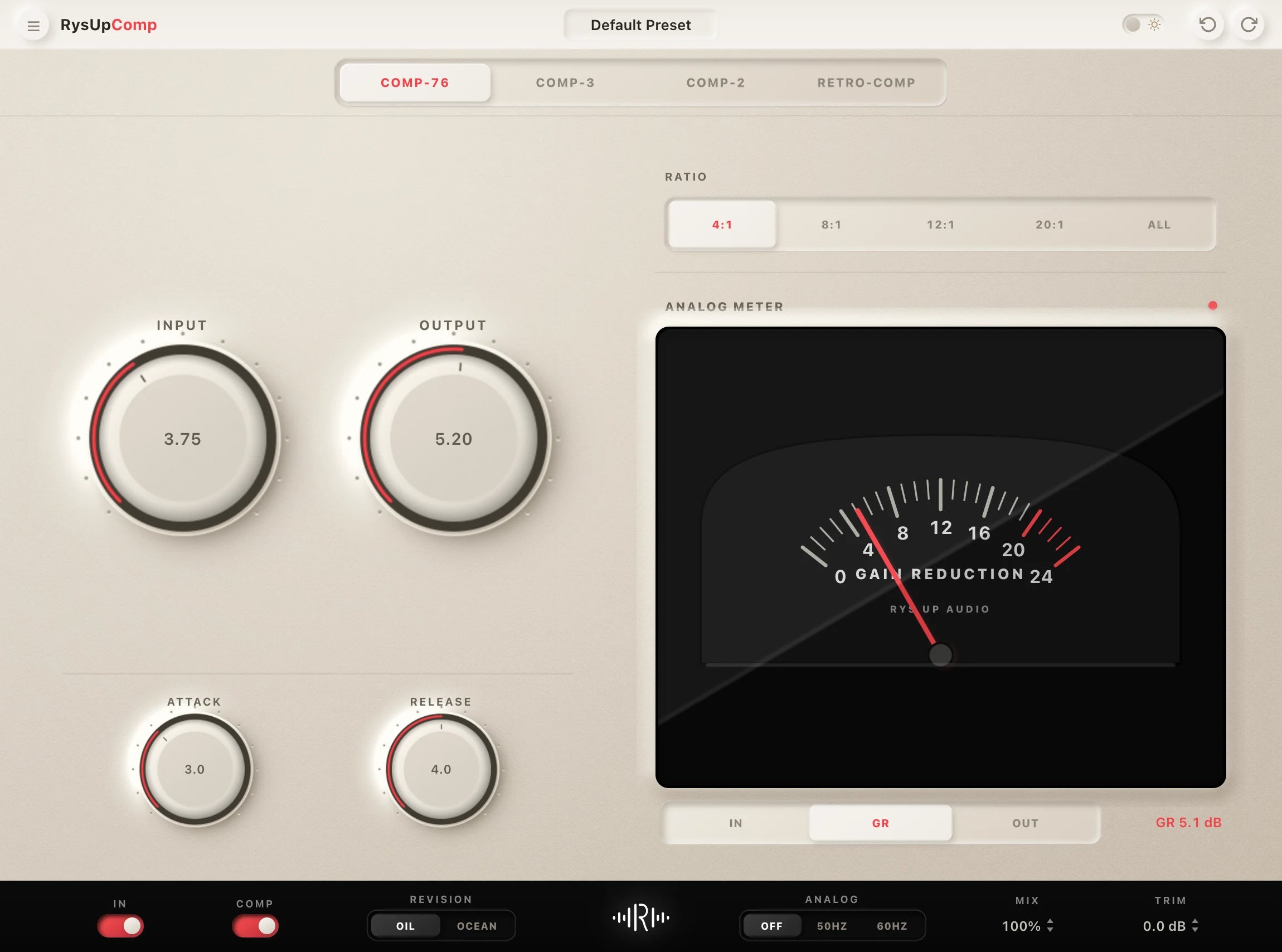
If you're using an 1176-style compressor, try the 4:1 ratio with a slightly slower attack (~20ms) and faster release (~40ms). That punchy character suits the melodic rap style well. Our RysUp vocal mixing plugins include an 1176-style comp built specifically for vocal chains like this one.
De-Esser
Keep it subtle. Set the de-esser to work in the 7–8kHz range and only knock down the sibilance by about 3–4dB max. You're not eliminating the "s" sounds — you're just keeping them from jumping out when the EQ air boost is active.
Use a wideband or split de-esser if you have the option. Multiband de-essers that only process the high-frequency content tend to sound more transparent on melodic vocals.
If you're hearing lispy or thin-sounding vocals after the de-esser, you've gone too hard. Back off the threshold.
Reverb
This is where the emotional depth comes from. Juice's vocals have a lush, slightly washed-out quality — like they're floating in a big room but still sitting up front in the mix.
Use two reverbs in parallel:
- Room reverb: Short decay (~0.8–1.2 seconds), pre-delay 20–25ms, wet at around 15–18%. This creates the sense of space around the voice without pushing it back in the mix.
- Short plate reverb: Decay ~1.5–2 seconds, pre-delay 25–30ms, wet at 12–15%. Adds shimmer and sustain on the tails of melodic phrases.
Running both on a send/return rather than inline gives you way more control. Automate the reverb sends up on emotional hooks and pull them in on verses for clarity.
Delay
Add a tempo-synced delay — either eighth note or quarter note depending on the tempo and feel of the track. Set feedback at 1–2 repeats max so it doesn't pile up and muddy the low-mids.
Wet signal at 20–25%. Use a high-pass filter on the delay return to cut anything below 200Hz — this keeps the delay from competing with the 808. A low-pass filter rolling off at 8–10kHz on the delay return also helps it sit back in the mix rather than poking out.
Ping-pong delay on the wide channel adds dimension on hooks. Keep it subtle — this is seasoning, not a main ingredient.
Saturation and Warmth
Juice's vocals have a slight grit and warmth that comes from light tape saturation. After your compressor, run the vocal through a tape saturation plugin — Softube Tape, Waves J37, UAD Studer A800, or even just a light pass through Decapitator with the tone cranked down.
For a modern saturation option in your own session, audition RysUpDistortion lightly and compare it with the clean vocal at matched loudness.
Drive it barely into saturation. You're adding 2nd and 3rd harmonic content to thicken the tone slightly and give it that analog warmth. If you can hear distortion clearly, you've gone too far. It should just make the vocal feel richer when you A/B it.
Getting Juice WRLD's Delivery
The chain above sounds great on paper, but if the performance isn't there, no plugin will save it. Here's what separates a Juice impression from the real thing.
Melodic freestyling mindset. Juice was famous for creating full songs in the booth with zero written lyrics. That freestyle mentality gives his takes a spontaneous, slightly off-the-cuff energy. Record multiple takes and use the ones where you weren't overthinking. First takes hit different for this sound.
Ride the melody, don't fight it. His bars land on unexpected notes — he'll hit a flat or minor 7th where you'd expect something resolved and it somehow feels right. Let yourself go off-key in the interesting direction, not the "safe" one.
Lean into the crack and break in your voice. Juice regularly let his voice crack on emotional lines. Don't tune that out in post. Those moments are the whole vibe. Auto-Tune on those breaks sounds incredible — it's trying to correct something unfixable and the tension in that is everything.
Dynamics in the hook vs. verse. Verses are lower energy, more conversational. Hooks go up in pitch, volume, and intensity. That contrast is critical. If both sections sit at the same energy level, the song won't have the emotional arc that Juice's music always had.
Fast runs and falls. Listen to songs like "Legends" and "All Girls Are the Same." Notice how he does quick melodic runs down the scale at the end of phrases. Practice those — they're not random, they follow the chord underneath.
DAW-Specific Tips
The chain works in any DAW, but here's how to set it up fast in the three most common ones.
FL Studio: Route your vocal to a mixer track. Insert Auto-Tune or Pitcher first, then your EQ (Parametric EQ 2), then a compressor (third-party comp like Xfer OTT lightly, or any 1176-style plugin), then your de-esser, then send to reverb and delay busses. FL's Mixer is clean — this chain runs perfectly in it. Check out our professional vocal presets built for FL Studio.
Logic Pro: Use Logic's built-in Pitch Correction plugin (set to fast retune speed) or Auto-Tune if you have it. Channel EQ first, then Logic's Vintage VCA for compression (great 1176-style response), then Multipressor for de-essing (or a third-party). Send reverb via Space Designer set to a medium room or short plate IR. Logic's stock plugins are genuinely solid for this chain.
Ableton: Stack your devices on the vocal channel in this order: Pitch plugin or Waves Tune, EQ Eight, Glue Compressor (works great at 4:1), then route to a return track with reverb and delay. Ableton's routing via return tracks makes it easy to automate reverb and delay levels across sections.
For any DAW, check out our how to mix trap vocals guide for more on buss compression and mix-level processing once the vocal chain is set.
Skip the Setup — Use a Preset
Building this chain from scratch takes time, and dialing in every plugin parameter by ear takes even longer. If you want Juice WRLD's vocal sound without spending two hours in plugin menus, presets are the move.
At RysUpAudio, we build artist vocal presets that replicate the exact chain breakdowns described in guides like this one — every plugin, every setting, already dialed in for your DAW. Drop it on your vocal, make minor adjustments for your voice, and you're done.
We've got trap vocal presets built for that melodic rap sound and hip-hop vocal presets covering the full spectrum. You can even grab some free vocal presets to test the quality before committing. Installation takes about two minutes — there's a step-by-step installation guide on the site if you need it.
Want to browse everything? Browse our vocal presets — organized by DAW and genre so you can find exactly what you need fast.
FAQ
What Auto-Tune settings does Juice WRLD use?
Juice WRLD used fast Auto-Tune with a retune speed around 10–20. The key thing is matching the correct key and scale for the track, then letting the Auto-Tune work constantly — not just on held notes. He didn't hide the Auto-Tune effect, so don't be afraid to push it.
What mic did Juice WRLD record on?
Juice used high-end studio condensers like the Neumann U87 and AKG C414 in professional sessions. But a lot of his early work was recorded on more accessible gear. The mic matters less than gain staging, room treatment, and the processing chain after it. A clean, treated recording with great processing beats an expensive mic in a bad room every time.
How do I get that melodic rap flow like Juice WRLD?
Practice thinking in melody over the instrumental rather than writing bars first. Juice famously freestyled full songs without writing lyrics — he was reacting to the beat emotionally. Try humming or singing nonsense syllables over a beat to find a melodic hook, then fit words to it. The melody leads, the words follow.
What reverb does Juice WRLD use on his vocals?
The signature Juice WRLD reverb is a blend of a short room and a short-to-medium plate — both running on parallel sends. Pre-delay of 20–30ms keeps the vocal upfront even with the reverb active. Wet signal stays around 15–20% total so it adds depth without washing the vocal back in the mix.
Can I get Juice WRLD's vocal sound in FL Studio or Logic Pro?
Yes — the chain works in any DAW. FL Studio and Logic Pro both have solid stock plugins that cover every stage: EQ, compression, pitch correction, de-essing, reverb, and delay. You can also use third-party plugins like Auto-Tune, Waves, or FabFilter on top. If you want to skip building it manually, RysUpAudio makes DAW-specific vocal presets with the chain already set up.
Want to skip the build and get straight to the sound? The Get the Juice WRLD vocal preset for your DAW has the full chain pre-configured — pitch correction, compression, reverb, delay — already dialed in for FL Studio, Ableton, Logic Pro, and Pro Tools. Drop it in, adjust for your voice, done.
For more melodic trap and rap vocal inspiration, check out our breakdowns on how to sound like Travis Scott and the full guide to The Weeknd's vocal chain — both cover adjacent territory with different textures.
Ready to lock in this sound? Browse our artist vocal presets and get your Juice WRLD-inspired chain installed in your DAW in under two minutes. No cap — it's the fastest way to go from reading this guide to actually hearing the results on your track.
If you're chasing that emotional melodic rap sound, also check out our guides on Lil Baby's vocal preset and Tory Lanez's R&B sound — both built for the same era of melodic rap.
Pair Your Vocals With RysUp Plugins
If you want to upgrade your vocal chain, every plugin in the RysUp collection is built specifically for vocal production — modern codebase, weekly updates, no iLok, and a fraction of the cost of legacy software.

Session ready
Choose a preset for your DAW
Use the guide for the decisions behind the sound, then pick a Rys Up chain made for your recording software and shape it around your performance.
Build the sound in FL Studio
When you want the complete chain saved instead of rebuilding each stage, compare an editable Logic Pro vocal preset and adjust tuning, cleanup, tone, and ambience to the recording.
Turn the artist breakdown into an editable FL Studio chain
Use this guide for the tone and performance decisions. Compare complete FL Studio vocal preset chains when you want mixer state starting points for leads, hooks, doubles, and adlibs.