
Different DAWs
Logic on one side, FL Studio on the other. Pick the two projects to link.
Included with the Suite · local
Link two projects. Keep working. Changes flow both ways.
Pick a project in each DAW. Or pick yours and a shared cloud folder.
Work in your DAW. Hit save. That is the whole job.
Your changes show up in the other project, in its own DAW.
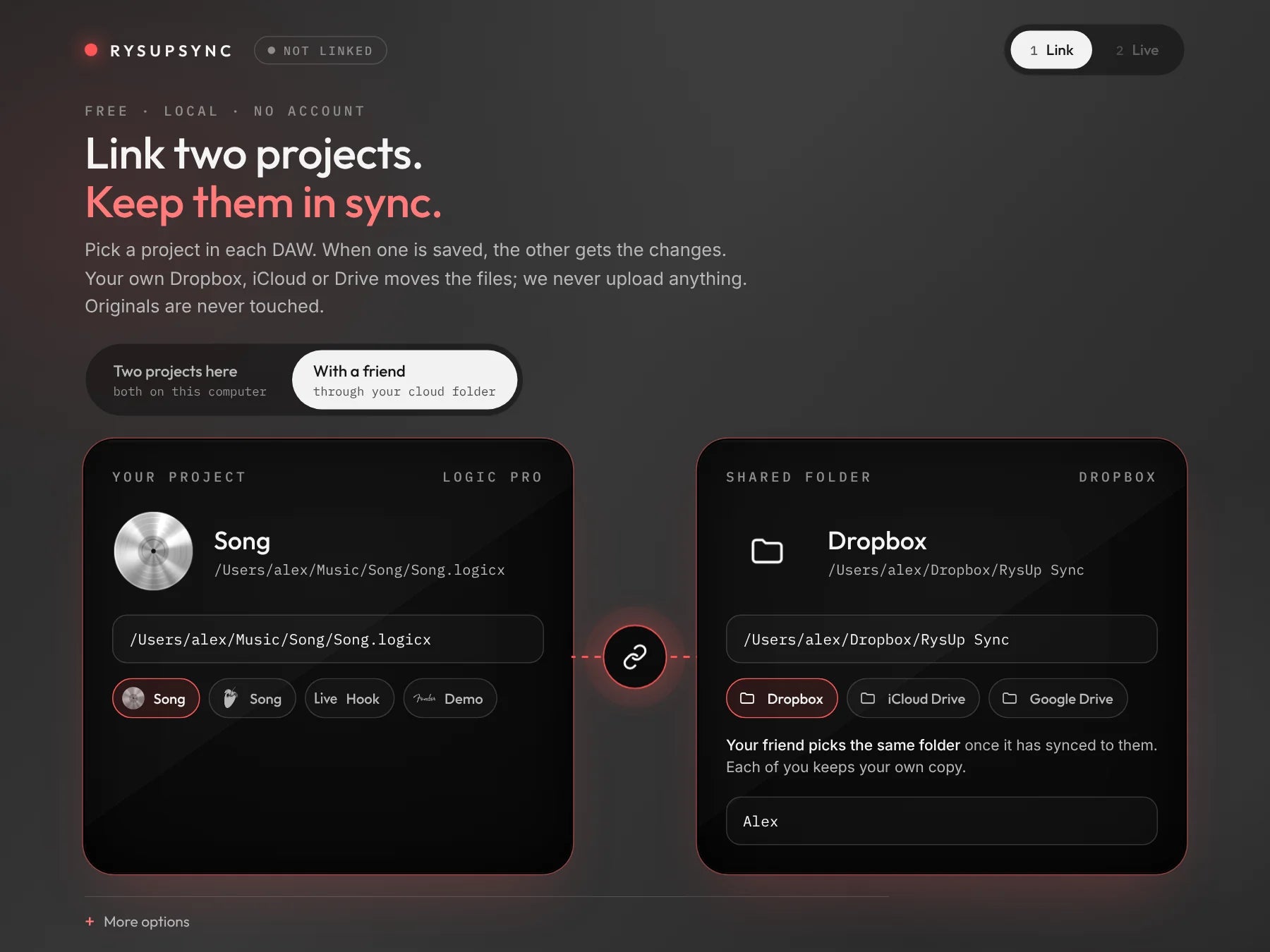
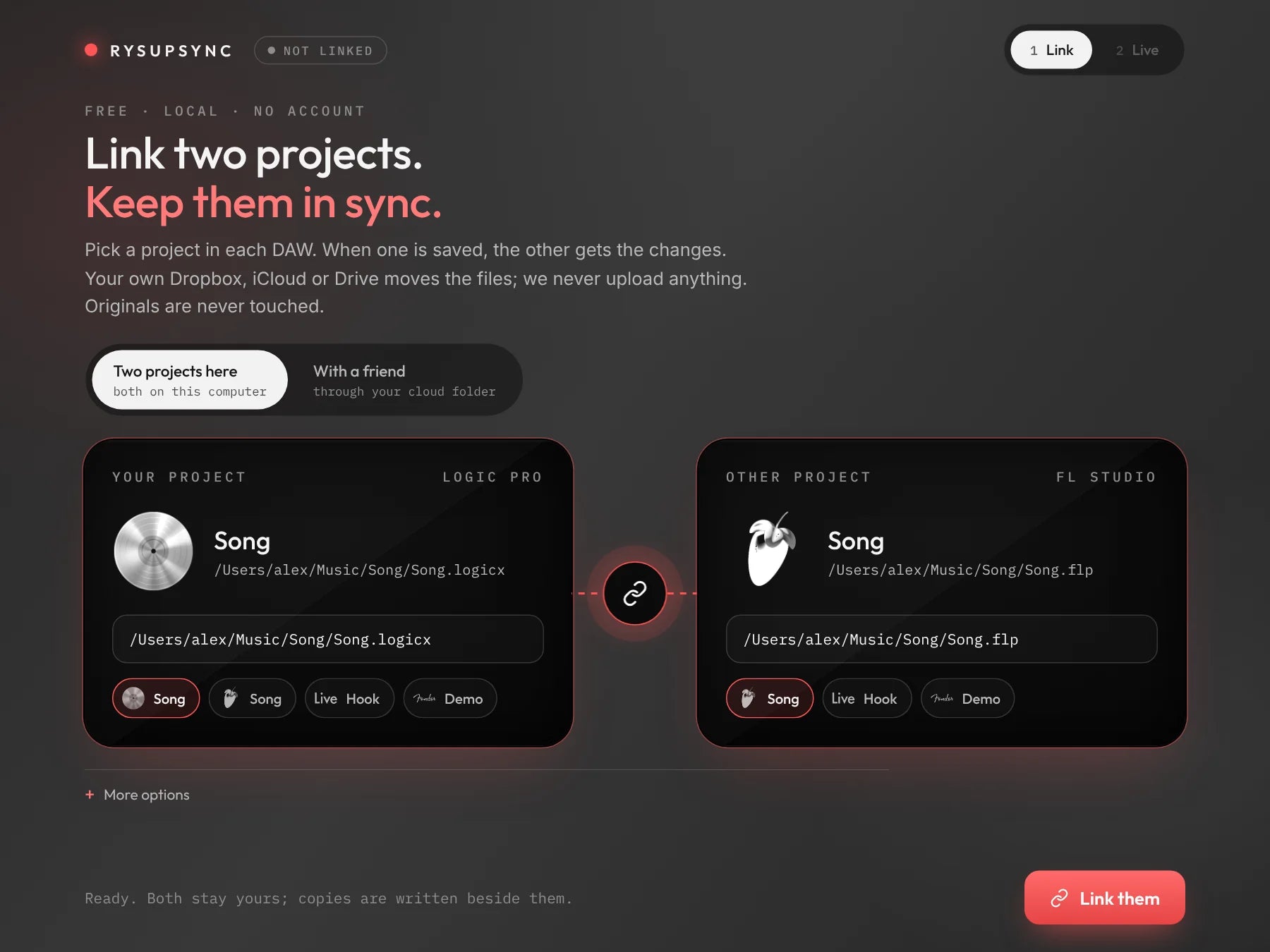
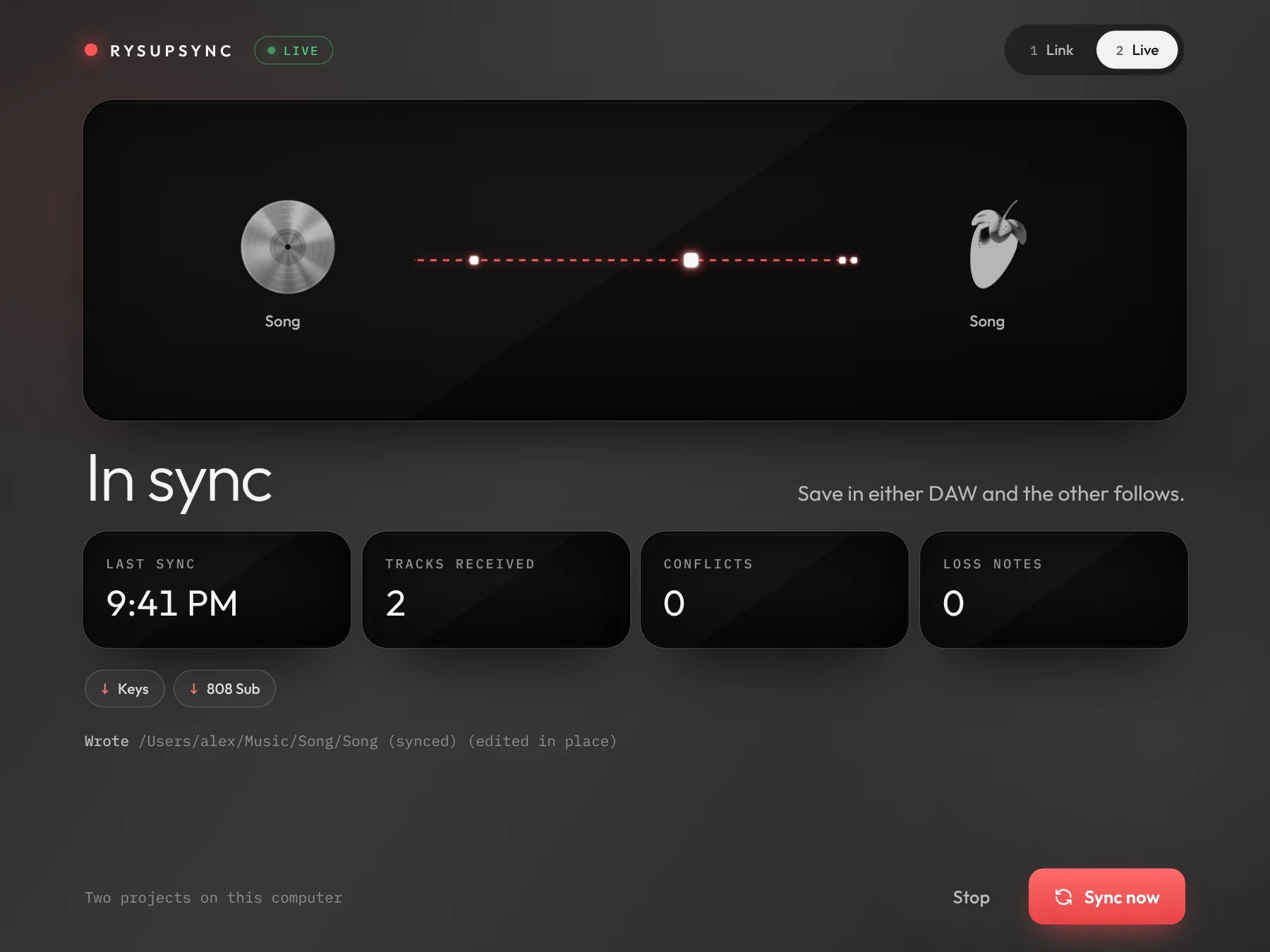
Two ways to link: with a friend through your cloud folder, or two projects on this computer. Then the Live screen shows every sync.
Two people can edit at the same time. As long as you are not on the same track, both sets of changes land together. No one has to do anything.
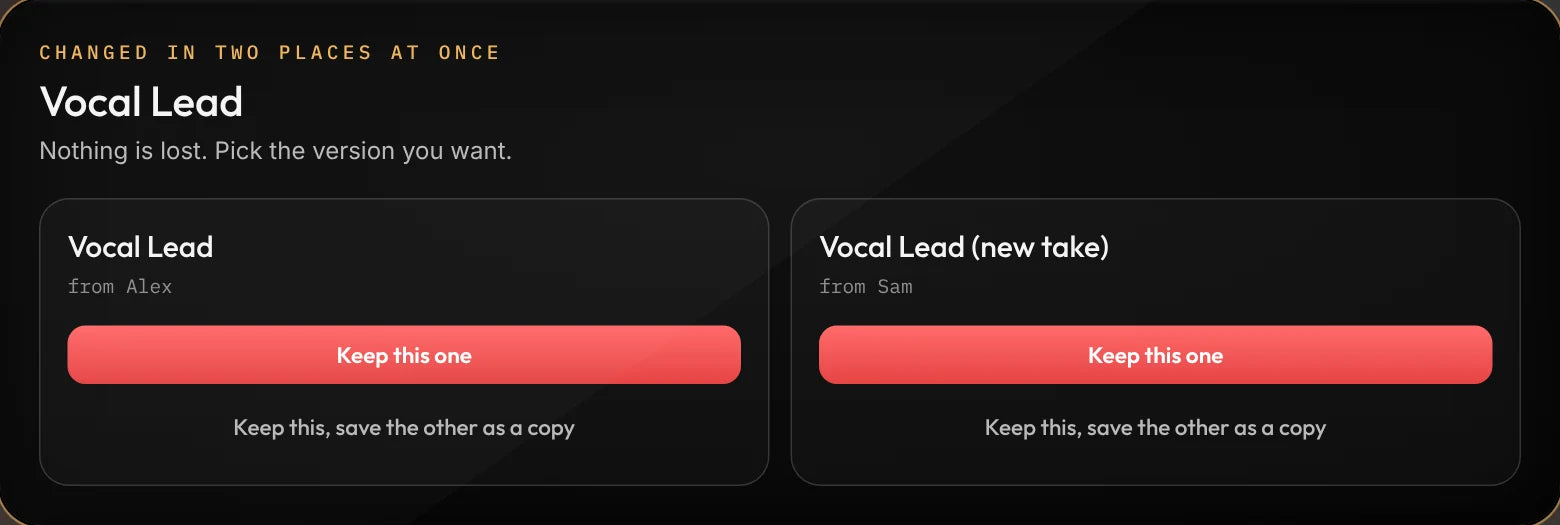
If you both changed the same thing, RysUpSync shows both versions side by side. Nothing is lost. Pick one, or keep one and save the other as a copy.
Same engine as RysUpConvert.
Logic on one side, FL Studio on the other. Pick the two projects to link.
Part of the RysUp Suite. Sign in to the RysUp Hub to install it.
Dropbox, iCloud Drive, Google Drive or OneDrive. We run no servers.
Updated copies are written beside your project. Yours never changes.
Each save sends only changed tracks and new audio.
Files are read only once fully copied. No half-synced surprises.
RysUpSync is included with the RysUp Suite. Sign in to the RysUp Hub to install it. Your own cloud folder carries the files and we run no servers.
No. Files move through your own Dropbox, iCloud Drive, Google Drive or OneDrive folder. Rys Up Audio runs no sync server.
No. That is the point. One person can be in Logic and the other in FL Studio, or you can link two of your own projects on one computer.
Yes. Each person runs it and links their own project to the shared folder.
You choose: keep this one, or keep this one and save the other as a copy. Either way nothing is lost.
No. Your original is never modified. Updated copies are written beside it.
Ableton Live, Logic Pro, FL Studio, Studio One, REAPER, Cubase, Pro Tools and GarageBand projects are edited in place. For any other DAW you can allow rewriting the updated copy, never the original, and a loss report lists anything the copy could not keep. Without that switch you get a plain copy of the changed tracks.