Open a session from one DAW and get a real, editable project in another. Tracks, regions, crossfades, plug-in chains, automation and colors. No stems. No bounces. Your session, rebuilt.
Outright is $199 one time with unlimited conversions. The Suite includes RysUpConvert and every RysUp plug-in. See everything it keeps. Mac with Apple silicon.
Three screens between your old DAW and your new one.
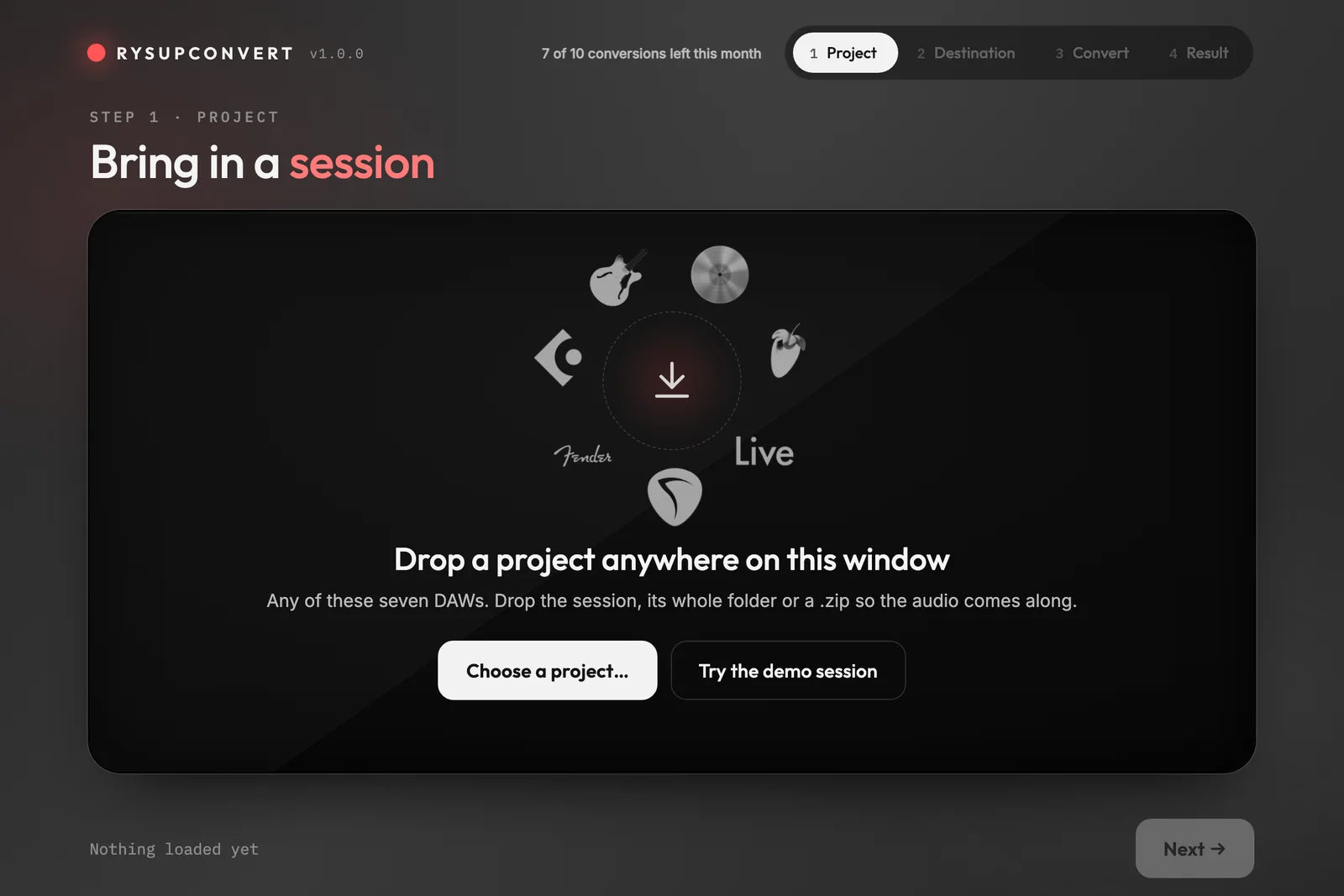
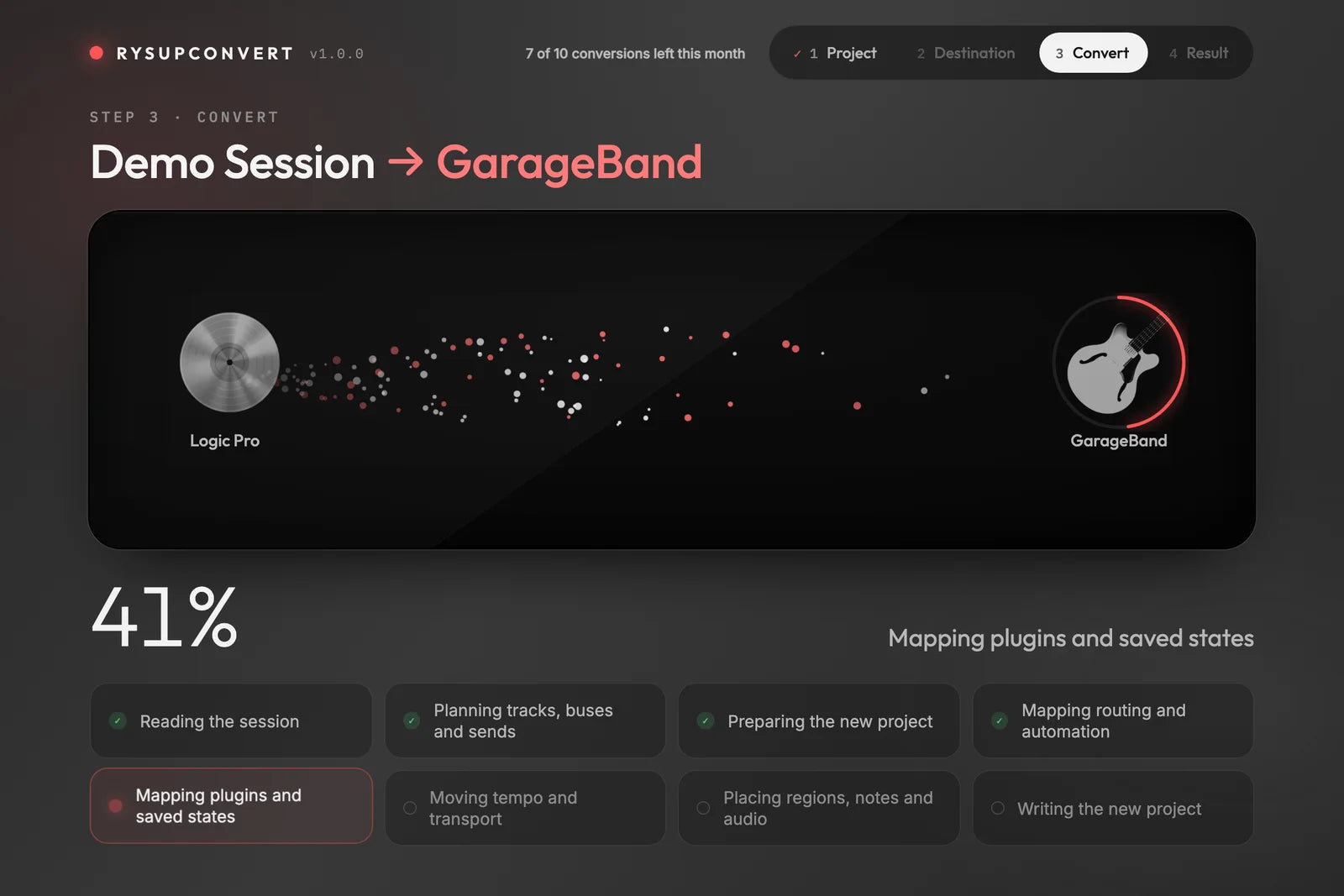
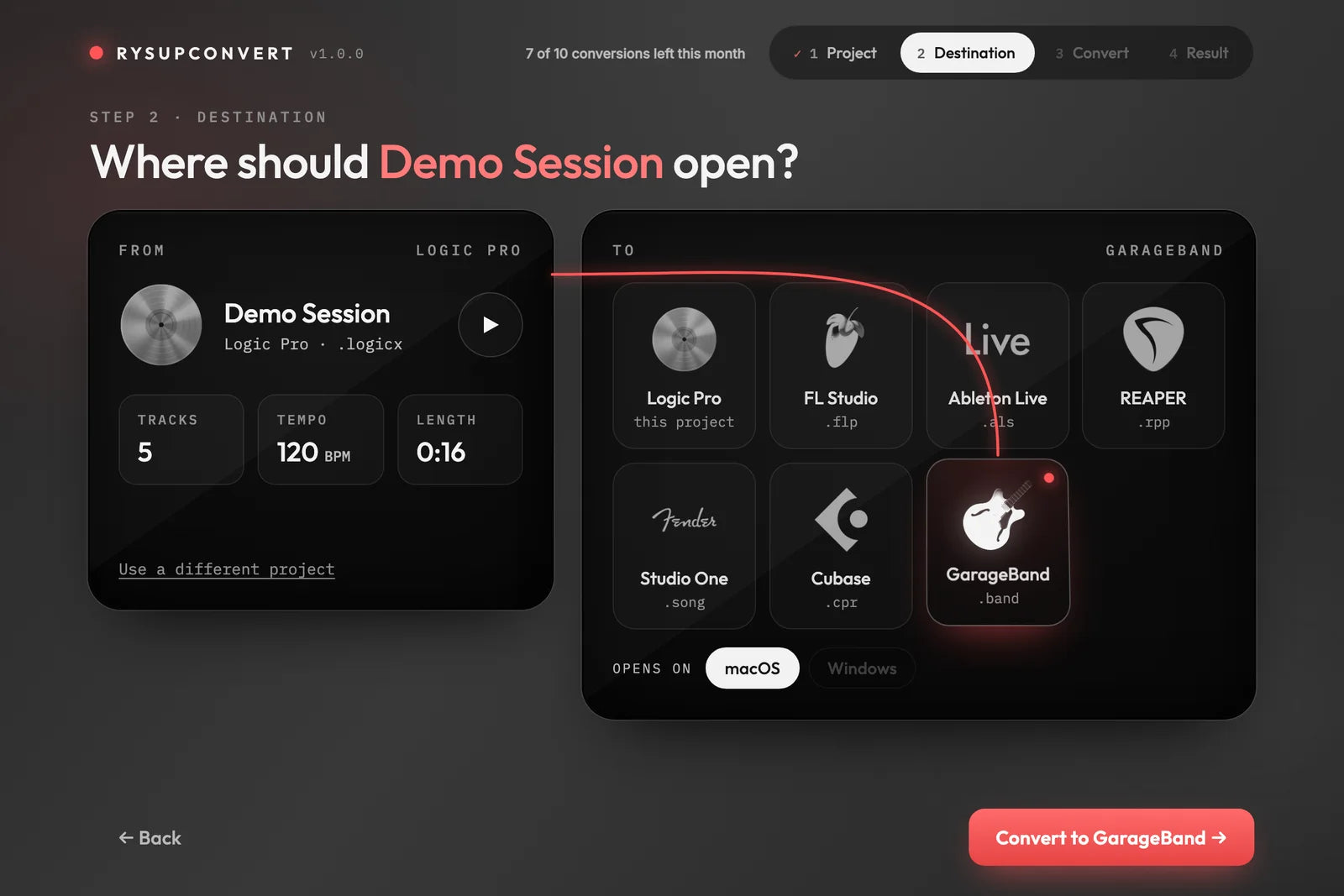
1 · Drop in your sessionLogic, FL, Live, Cubase, Studio One, REAPER, GarageBand or DAWproject.2 · Pick where it opensChoose the DAW. See tracks, tempo and length before you convert.3 · Watch it rebuildPlug-ins, saved states, routing and automation are mapped into a native session.
Screens from RysUpConvert 1.0 converting its built-in demo session. The conversion counter shows sample numbers.
Same session. Different DAW.
What you hear in one DAW is what opens in the other.
Logic Pro · source
→
Ableton Live · converted
Illustration of a converted session. Every pair of the eight formats works, in both directions.
The deep dive
Everything that survives the trip
Nine areas of your session, and exactly what comes across in each.
01 · Structure
Tracks, order, names, colors, folders and groups
Open the new session and your project looks like your project. The same tracks, in the same order, with the names and colors you picked.
Track order and track names
Track colors, so your drums are still the color you chose
Folders and groups, nested the way you built them
Buses, aux and return tracks
02 · Audio
Your actual audio, not a bounce
Every audio region points at your original files, which are copied beside the new session. No stems, no printed mixes, nothing flattened.
Original audio files, copied beside the new session
Region start, length and source offset
Region gain
Fade ins and fade outs
Overlapping regions stay on one track, as a crossfade or a cut, the way the source plays them
03 · Crossfades
Fades and crossfades that still sound the same
Comping and edit points matter. RysUpConvert keeps overlapping regions on a single track and rebuilds the crossfade in the target DAW.
Crossfades across overlapping regions, kept on one track
Hard cuts stay hard cuts
Fade in and fade out lengths
Ableton Live plays crossfades on its fixed S-curve, and the report says so
04 · MIDI
MIDI regions, notes and velocities
Your arrangement stays editable MIDI, ready to re-voice with a different instrument.
MIDI regions and every note
Velocities
CC data, where the target DAW can hold it
05 · Time
Tempo, tempo changes, time signatures and time stretch
The grid lands where it should, and stretched audio stays stretched.
Tempo and tempo changes
Time signatures
Time stretch becomes native warp or flex in Cubase, Logic and GarageBand
Other targets play stretched audio at the right speed
06 · Plug-ins
Plug-in chains, in order, with their exact state
Your third-party plug-ins come across in the same slots, in the same order, with the settings you dialed in.
Third-party AU, VST2, VST3 and AAX plug-ins
Chain order, slot by slot
Exact plug-in state. Same-format conversions are byte-exact
AU to VST3 and back: crossed by plug-in framework, for any plug-in, not from a fixed list
Stock plug-ins arrive as placeholders in their original slot with their settings kept, so nothing in the chain shifts
1AU2VST33VST34AU5VST2same slots · same order · same settings
07 · Routing
Buses, returns, sends and outputs
The signal flow of the mix comes with you.
Buses, aux and return tracks
Sends, with level, pan, pre or post and mute
Output routing
08 · Automation
Every move you drew
Mix moves and plug-in sweeps are written as native automation lanes in the new DAW.
Volume automation
Pan automation
Mute automation
Send automation
Plug-in parameter automation
09 · Honesty
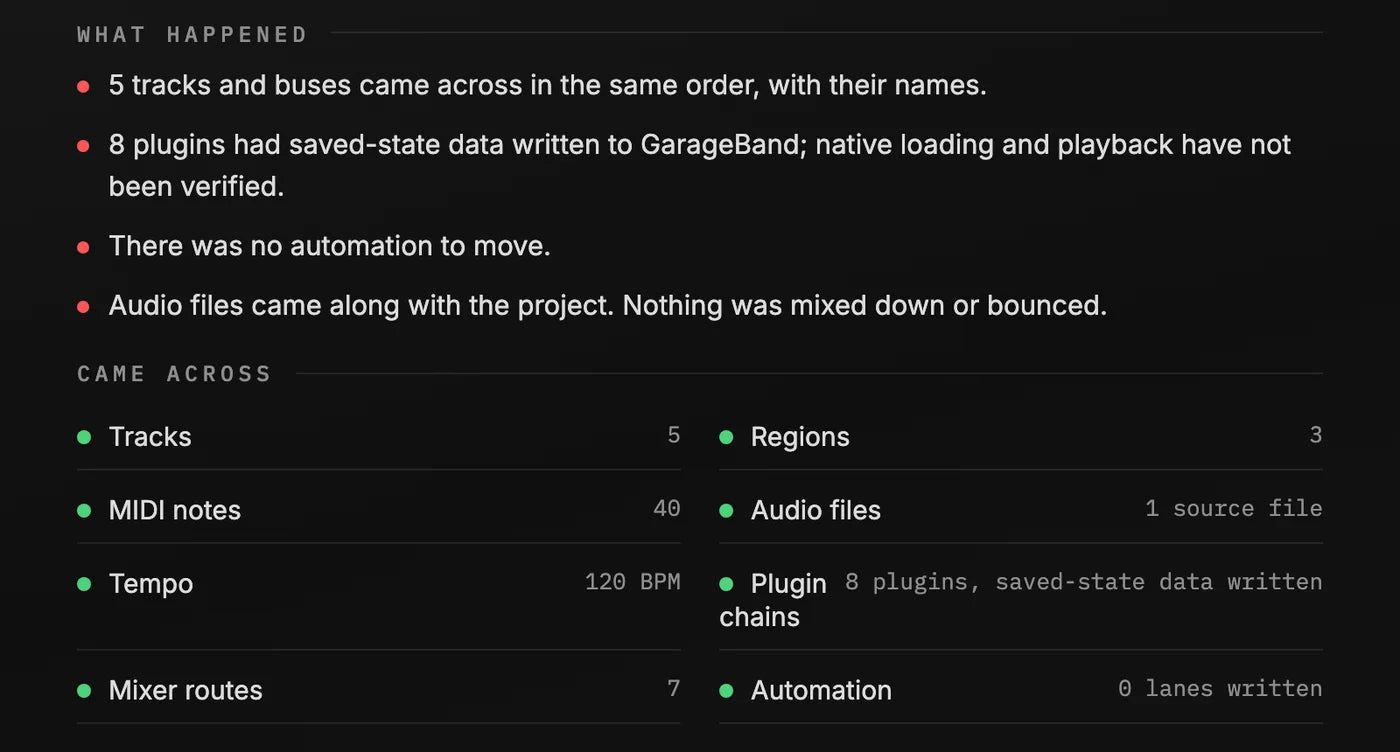
A conversion report on every run
If the destination DAW cannot hold something, the report tells you what it was and where it was, so you are never guessing.
Lists anything the target DAW cannot hold
Names every placeholder plug-in and its slot
Runs locally. Your sessions and audio never leave your computer
What we will tell you straight
These are limits of the destination format, not surprises. Each one is listed in your conversion report.
DAW stock plug-ins (Logic Channel EQ, FL Fruity, Live devices, REAPER JS) arrive as placeholders with their settings kept. Translating stock plug-ins is planned for a later version.
Plug-in latency compensation settings are not carried.
Pre-insert sends become pre-fader sends in Cubase, Logic, GarageBand, Studio One and DAWproject.
Ableton Live: send pre/post is one setting per return, and return tracks sit after all other tracks.
FL Studio: positions inside a tempo ramp snap to its tick grid, and MIDI CC lands only on plug-in instrument channels.
GarageBand keeps one time signature per song.
Eight formats. Every pair.
Logic Pro
GarageBand
FL Studio
Ableton Live
Cubase
Studio One
REAPER
DAWproject
Pro Tools and Windows are planned for a later update.
Three steps
Install RysUpConvert from the RysUp Hub.
Drop in your session and pick the DAW you want.
Open the new project in that DAW and keep mixing.
No DAW needs to be installed to run it. It runs on your Mac, and your sessions never leave it.
Two ways to get it
Buy RysUpConvert
$199 one time
Unlimited conversions
Yours to keep
Works whether or not you have the Suite
Subscribe to the RysUp Suite
$9.99 /month, billed yearly
RysUpConvert plus every RysUp plug-in, current and future
$119.88 a year, or $14.99 month to month
Includes 10 conversions a month, resetting on the 1st
Suite members see how many conversions they have left this month right in the app.
Questions
Does it work on Windows?
Not yet. RysUpConvert 1.0 runs on Macs with Apple silicon. Windows and Pro Tools are planned for a later update.
Do I need the other DAW installed?
No. RysUpConvert writes the new session itself, so you can convert before you own the other DAW.
What counts as one conversion?
One successful conversion of one session to one DAW. If a conversion fails, it is not counted.
When does my monthly count reset?
On the first day of each month (UTC). The RysUp Suite includes 10 conversions a month.
What if I need more than the monthly limit?
Buy RysUpConvert outright for $199. It has no limit, now or later, and it stays yours if you cancel your Suite subscription.
What happens to my stock plug-ins?
Stock plug-ins (Logic Channel EQ, FL Fruity, Live devices and so on) can't run in another DAW. They arrive as placeholders in their original slot with their settings kept, and the conversion report lists each one.
Do my sessions leave my computer?
No. RysUpConvert runs locally. Your sessions and audio never leave your machine.