
If you've spent any time studying modern Brooklyn drill, you already know that no vocal sound has shaped the genre more than Pop Smoke's. That deep, raspy baritone — half growl, half melody — is unmistakable. Whether it's the menace of Welcome to the Party or the smoother melodic flow on What You Know Bout Love, Pop's voice sits at the front of every record like it owns the room. Producers and artists chasing that exact sound spend hours tweaking EQs, compression, pitch correction settings, and reverb tails trying to land somewhere close. We packaged the answer.
The Pop Smoke Vocal Preset is a one-click vocal chain built specifically to capture his signature Brooklyn drill tone — engineered to translate across every major DAW so you can drop it onto your session in under a minute and start recording.

Pop Smoke Vocal Preset — drag-and-drop preset for FL Studio, Logic Pro, Pro Tools, Ableton, Studio One, Cubase, Reaper, GarageBand, BandLab, Cakewalk, and Mixcraft.

What Made Pop Smoke's Vocal Sound So Iconic
Before we get into preset settings, it helps to break down what's actually happening on his records — because once you understand the moving parts, the chain stops sounding magical and starts sounding like engineering.
Pop's voice itself is the foundation. He had a naturally low, chesty tone with a built-in rasp that hit somewhere between conversational and theatrical. That gave engineers a wide tonal canvas to work with. But the chain layered on top is what made him sound like Pop Smoke and not just another rapper with a deep voice.
Three things define the sound:
- Aggressive low-mid EQ shaping — chest punch around 200–300 Hz pushed forward, with a controlled mud cut around 350–500 Hz so the weight doesn't turn into smear.
- Saturation and parallel grit — the rasp on his vocals isn't just his throat. There's tape-style saturation or a parallel distortion bus pushing harmonic content above 3 kHz, which is what gives his voice that almost-clipped edge on hooks.
- Subtle melodic pitch correction — Pop wasn't heavy-handed with tuning. The pitch correction is set just tight enough to pull his hook melodies into key without sounding T-Pain robotic. Hard tune happens occasionally on adlibs but the leads stay natural.
Drill production also forces specific spatial decisions. The 808 slides and sliding snare patterns leave very little headroom for vocal reverb, so engineers tend to use short plate or chamber reverbs around 0.8–1.2 seconds with high-end roll-off, plus a slap delay around 70–110 ms to give width without washing out the rhythm.

What's Inside the Pop Smoke Vocal Preset
For a different rap lead direction after this artist example, compare the Hip Hop and Rap vocal preset collection. Listen for chest tone and consonant definition at the same loudness, then choose the software version for your session. Keep the individual artist preset for this specific direction; use the genre collection when you need more chain options.
This isn't a generic "rap vocal" preset slapped with an artist name on the front. We built it specifically to model the chain that made his records hit. Every preset in the pack ships with the same processing translated to your DAW's native plugins (or stock-friendly equivalents) so you don't need to buy anything extra to make it work.
EQ Stage
A surgical low cut sits at 90 Hz to clear the room rumble out from under the 808s. From there, a gentle dip in the 350–500 Hz pocket pulls back the boxiness without thinning out the chest. A 2 dB lift around 200 Hz keeps that drill-style weight intact. Up top, a presence shelf around 5–7 kHz pulls his consonants forward without making sibilance unmanageable.
Compression
Two-stage compression. The first compressor controls dynamics with a 4:1 ratio and a slow attack to let his transients punch through — this is what gives drill vocals that confident, in-your-face energy. The second is a fast-attack opto-style compressor for glue, taking only 1–2 dB off the loudest peaks for consistency.
Saturation
This is the secret sauce. We added a tape-style saturation stage with mid-band emphasis around 1.5–2.5 kHz to add that unmistakable Pop Smoke grit. Just enough to color, not enough to crunch. If you A/B the preset on and off, this is the move that makes most people go "oh, that's the sound."
Pitch Correction
Set to a moderate retune speed — around 30–40 ms — with the key matched to your session. Pop's leads need to feel human, so this stays subtle. If you want more T-Pain-style hard tune for adlibs, the preset includes a secondary retune setting you can flip to.
Effects: Reverb & Delay
A 1.0-second plate reverb with a 4 kHz low-pass on the wet bus keeps the tail dark and out of the way. A stereo slap delay set to 90 ms with one repeat at 30% wet adds drill-style width without filling up the mid-range. Both effects are pre-mixed at proper levels so you don't have to balance them yourself.
How to Sound Like Pop Smoke — Step by Step
Even with the preset doing the heavy lifting, recording technique matters. Here's the workflow we recommend if you want to nail the sound out the box.
1. Get the Recording Right First
Pop's vocals were recorded close — typically 4 to 6 inches from the microphone — to maximize the proximity effect (that low-frequency boost you get when you sing right on the capsule). If you're trying to chase that thick chest tone and you're recording a foot away from your mic, you're already starting from a worse position than the preset can fix.
If your natural voice is on the brighter side, lean even closer to compensate. If you've already got a lower register, back off slightly to keep the lows controlled.
2. Track With Headroom
Set your input gain so the loudest moments hit around -12 to -8 dBFS. Drill vocals depend on aggressive compression, and you can't compress effectively if you're already clipping the input. Headroom lets the preset do its job.
3. Drop the Preset In
Once you've got a clean take, load the Pop Smoke preset onto your vocal track. In FL Studio it's a one-click FST file. In Logic Pro it's a .patch loaded onto the channel strip. In Pro Tools, Ableton, Studio One, Cubase, Reaper, GarageBand, BandLab, Cakewalk, and Mixcraft, it's the same one-click drop with the equivalent format for that DAW.
Every preset uses stock plugins where possible so you don't have to chase third-party purchases just to load the chain.
4. Tune the Pitch Correction to Your Key
This is the only manual step. Open the pitch corrector inside the preset and set the key to match your beat. If you don't know the key, drag the beat into your DAW and use a pitch detector or a free key finder. Skipping this step is the #1 reason artists get robotic-sounding tuning — the corrector pulls notes to the wrong scale if the key is wrong.
5. A/B and Adjust to Taste
The preset is a starting point that gets you 90% of the way. From there, every voice is different. If your vocal sounds too dark, push the high shelf up by 1–2 dB. If it's too aggressive in the mids, pull the saturation back. If your verse needs more space than your hook, automate the reverb send.
Pop Smoke Vocal Chain — DAW-by-DAW Breakdown
One of the biggest pain points for new producers is that artist vocal chain tutorials almost always assume you have one specific DAW. We built the Pop Smoke preset with cross-DAW compatibility from day one. Here's what ships in the pack:
- FL Studio — FST mixer presets that load onto any insert with EQ 2, Fruity Compressor, Fruity Reeverb 2, and Fruity Delay 3 already routed and dialed in.
- Logic Pro — Channel strip .patch files with Channel EQ, Compressor, Pitch Correction, ChromaVerb, and Stereo Delay configured.
- Pro Tools — Track Presets that load complete plugin chains using EQ III, Dyn III, AIR Reverb, and AIR Multi-Delay.
- Ableton Live — Audio Effect Rack files with EQ Eight, Compressor, Glue Compressor, Reverb, and Delay routed.
- Studio One — FX Chain presets pre-loaded onto the channel using stock dynamics, Pro EQ, and Mix Engine effects.
- Cubase — Track Preset files with Cubase's stock EQ, dynamics, REVerence, and PingPongDelay.
- Reaper — FXChain files with ReaEQ, ReaComp, ReaVerbate, and ReaDelay.
- GarageBand — Patch files compatible with the Mac and iOS versions of the app.
- BandLab — Effect chain JSON exports compatible with BandLab's web-based mixer.
- Cakewalk & Mixcraft — DAW-native chain files.
One purchase, every DAW. If you switch DAWs in six months, you don't have to rebuy anything.
What If You Don't Sound Like Pop Smoke Yet?
Real talk: a vocal preset can't change your physical vocal range or fundamental tone. If your voice is naturally light and bright, you're not going to sound like Pop Smoke just by loading a chain. What the preset CAN do is take your voice and push it into the same sonic territory — the same EQ shape, the same compression behavior, the same saturation, the same reverb decay.
If you want to push closer to that deep Brooklyn drill tone, here are physical techniques that pair well with the preset:
- Drop into chest voice. Speak from your chest, not your throat. You'll feel a vibration in your sternum.
- Slow your delivery. Pop's flow is methodical. Rushing kills the menace.
- Use mic proximity. Get close. Lean in. The proximity effect adds 4–6 dB of low-end weight.
- Don't over-articulate. Drill vocals lean into mumble for a reason — clean diction sounds too polished for the genre.
Combine all four techniques with the preset and you'll be shocked how close you can get on your second or third take.
Why This Preset Beats Trying to Build the Chain Yourself
You can absolutely try to recreate this from scratch. Plenty of YouTube tutorials walk through Brooklyn drill vocal chains. But here's the trade-off: every one of those tutorials assumes you have a specific DAW, specific third-party plugins (often Waves or FabFilter), and the patience to spend 4 to 8 hours dialing in settings while comparing to reference tracks.
Most artists don't have that time, and most YouTube chains don't actually translate well across voices. They sound great on the demo voice and weird on yours. We tested the Pop Smoke preset across dozens of vocal types — light, dark, raspy, smooth, male, female, low register, high register — and tuned it to translate cleanly to all of them while still landing in the same Brooklyn drill sonic neighborhood.
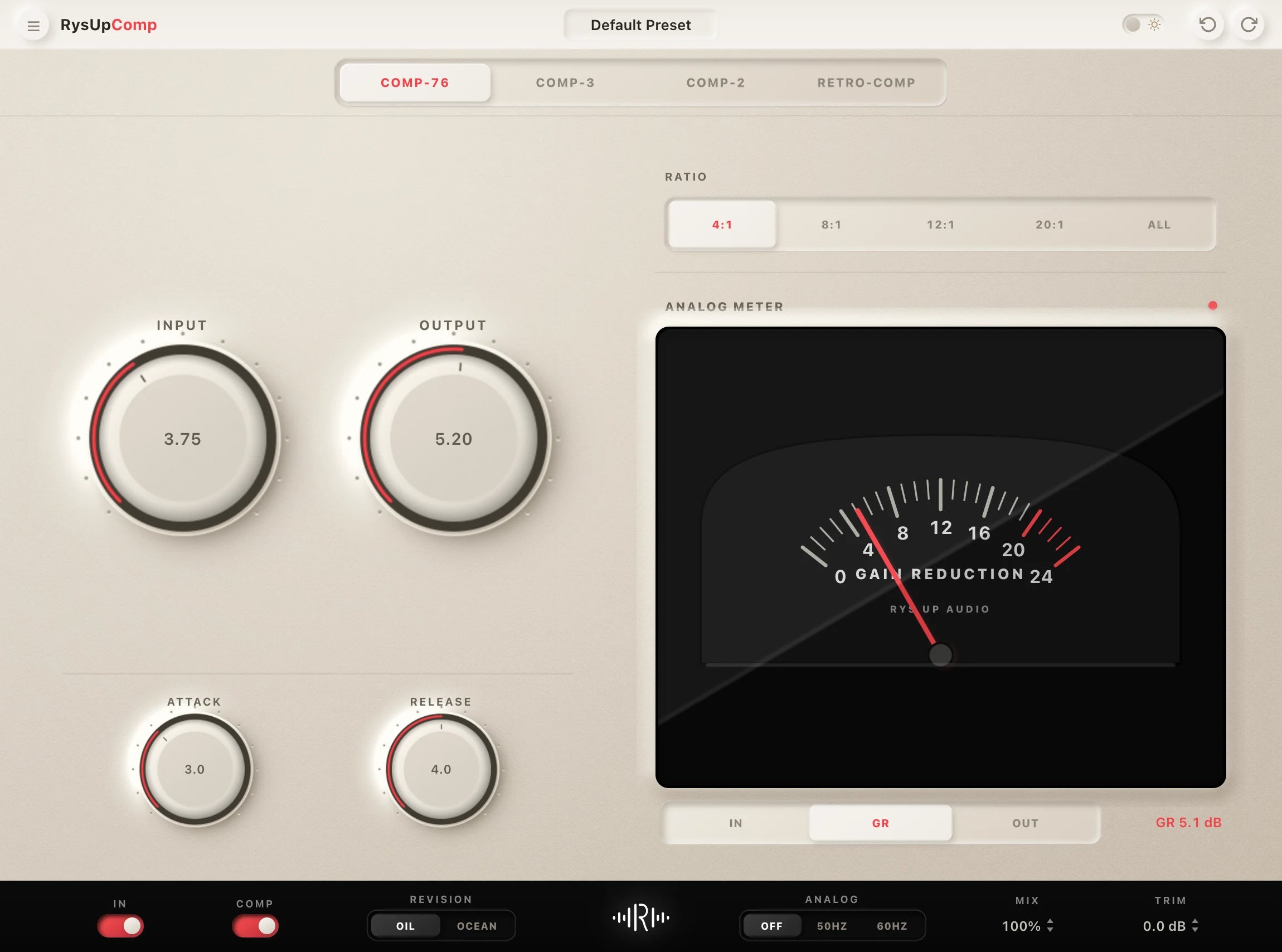
You'll also notice we didn't lock you into a paid plugin ecosystem. The chain works with stock DAW plugins. If you want to upgrade later — especially to our own plugin lineup like RysUpTune for tighter pitch correction or RysUpComp for cleaner FET-style compression — you can swap them in without rebuilding the whole chain.
Pairing the Preset with the Right Plugins
If you're serious about chasing this sound long-term, three plugins on top of the preset will get you the closest to studio-quality drill vocals:
- RysUpTune — Real-time pitch correction with both natural retune and hard tune modes. Drop it in for monitor-while-recording pitch correction that doesn't lag.
- RysUpComp — FET compression that handles aggressive vocal transients without pumping. Pairs perfectly with drill delivery.
- RysUpAir — Free high-frequency enhancer that adds presence without harshness. Useful when you want extra top-end clarity on a hook without making sibilance worse.
You don't need any of these to make the preset work. They just unlock another level of polish if you want it.
Pair Your Vocals With RysUp Plugins
If you want to upgrade your vocal chain, every plugin in the RysUp collection is built specifically for vocal production — modern codebase, weekly updates, no iLok, and a fraction of the cost of legacy software.

Frequently Asked Questions
What DAWs does the Pop Smoke Vocal Preset work in?
Every major DAW: FL Studio, Logic Pro, Pro Tools, Ableton Live, Studio One, Cubase, Reaper, GarageBand, BandLab, Cakewalk, and Mixcraft. One purchase covers all of them, so if you switch DAWs you don't have to repurchase.
Do I need any third-party plugins to use this preset?
No. The preset is built around your DAW's stock plugins so you can load it and start recording immediately. You can optionally upgrade specific stages later with plugins like RysUpTune or RysUpComp for additional polish, but it's not required.
Will this work for female vocals or higher-register voices?
Yes — the preset is designed to translate across vocal types. The EQ shaping, compression, and saturation stages will work on any voice. The pitch correction settings inside the preset can be retuned to your key and range. You won't sound exactly like Pop Smoke if your voice sits in a higher register, but you'll land squarely in drill-vocal territory.
How long does it take to set up?
Under a minute. Drag the preset onto your vocal track in your DAW, set the pitch corrector to your beat's key, and start recording. The only manual step is matching the key, which takes a few seconds if you already know it.
Can I use this preset on songs I sell or stream commercially?
Yes. Once you purchase the preset, the vocals you record using it are 100% yours to release commercially on any platform — Spotify, Apple Music, YouTube, BandLab, SoundCloud, anywhere.
Is this the exact chain Pop Smoke's engineer used?
No, and we'd never claim that. Real engineering chains are session-specific and depend on the room, mic, and exact plugin versions used at the time. What this preset does is recreate the audible characteristics of his sound — the same EQ shape, compression behavior, saturation, and reverb tail — using tools available in your DAW today.
What if I don't like it?
Reach out via our contact page and we'll work it out. We want producers and artists actually using and loving this stuff, not regretting it.
Get the Pop Smoke Vocal Preset
If you've been chasing the Brooklyn drill sound, the work is already done. Drop the preset into your DAW, dial the key to your beat, and start recording. The chain that makes Pop Smoke sound like Pop Smoke — translated for every major DAW, no third-party plugins required.
Get the Pop Smoke Vocal Preset →
And if you're building out a full vocal chain for drill or melodic rap, take a look at the RysUpAudio plugin collection. Modern, lightweight plugins built specifically for vocal production — including a free tier and updates that ship constantly.