


Gunna Vocal Preset — How to Get That Melodic Rap Sound in Any DAW
If you've been trying to nail that smooth, dripping melodic trap sound and keep coming up short, you need a proper Gunna vocal preset in your chain. Gunna's vocals hit different — that slow, warbling pitch correction drift, the intimate presence, the way his voice sits in the mix like it was poured in there. It's not an accident. There's a specific vocal chain behind that sound, and once you understand it, you can dial it in on any DAW. This guide breaks down exactly how to get there.
Who Is Gunna and Why His Vocals Hit Different
Sergio Giavanni Kitchens — better known as Gunna — came up through the YSL/Young Thug camp and developed one of the most recognizable vocal styles in modern trap. His sound is defined by that slow, melodic delivery, the way he slides between pitches, and the almost whispered intimacy he brings to every line.
What makes the Gunna vocal sound so distinct isn't just his natural voice — it's the processing. He's not going for that hard pitch correction stutter like the early 2010s. No cap, the pitch correction on his records is almost transparent. It's set slow enough to follow his natural pitch drift but smooth enough to keep everything locked in. The result is that "drip" aesthetic — effortless, melodic, clean.
His producers (Wheezy, Turbo, Cardo, and others) have consistently built his vocal chains around warmth, clarity, and space. Not a ton of reverb, not heavy compression that squashes the life out of it — just enough processing to make it feel massive without sounding over-processed.
Low key, that balance is what most people miss when they try to recreate the sound. They either overdo the pitch correction or underdo the compression, and the whole thing falls apart. Let's fix that.
Breaking Down Gunna's Vocal Chain
Pitch Correction Style — The Drip Is in the Speed
Gunna's pitch correction is the centerpiece of his sound, and the key is the retune speed. Most beginners either crank it to zero (that T-Pain hard snap) or leave it high enough that it barely does anything. Gunna sits in the middle — that melodic drift zone.
His pitch correction is set to allow some natural pitch movement before it corrects. You can hear his voice slide into and out of notes, which gives the vocals that liquid, dripping quality. It's intentional. The pitch correction is working, but it's working gently — more like a guide rail than a cage.
Compression — Smooth and Controlled
The compression on Gunna's vocals is medium-weight. It's not the aggressive hip-hop compression that makes every syllable equally loud. It's more refined — letting the natural dynamics breathe a little while keeping the signal consistent. The attack isn't too fast (which would kill the transients and make it sound flat) but it's not slow either.
EQ — Clean High-End, Tight Low-End
His EQ is about clarity without harshness. There's a definite low-cut to clean up the mud, a presence boost that keeps the vocals cutting through busy beats, and a subtle air boost that gives that smooth, almost airy quality to his upper registers. You'll notice on his records that the vocals never sound harsh or nasal — that's the EQ work.
Reverb and Delay — Space Without Wash
Gunna doesn't swim in reverb. His vocal chain uses a short room-style reverb — enough to place the voice in a space but not enough to make it sound distant. The pre-delay is key here: it keeps the dry vocal up front before the reverb tail kicks in.
Saturation — Just a Touch of Warmth
Light harmonic saturation is what separates a clean vocal from a warm, tape-like vocal. On Gunna's records there's a subtle saturation that adds body without distorting. Think of it as the equivalent of running vocals through quality analog gear — you're not hearing it, but you'd miss it if it wasn't there.
The Gunna Vocal Preset Settings — Actual Numbers
Here's the full breakdown of specific settings to dial in the Gunna vocal chain:
Pitch Correction (Auto-Tune / RysUpTune)
- Retune Speed: 20-30 (the sweet spot for that melodic drift — not snapped, not sloppy)
- Scale: Minor pentatonic (or chromatic if he's experimenting)
- Vibrato: Off or very subtle — his vibrato comes naturally
- Humanize: 40-60 — keeps sustained notes from sounding robotic
- Formant: 0 (keep his natural voice character)
Get RysUpTune for pitch correction that nails this retune speed range perfectly — it's built for exactly this style of melodic trap tuning.
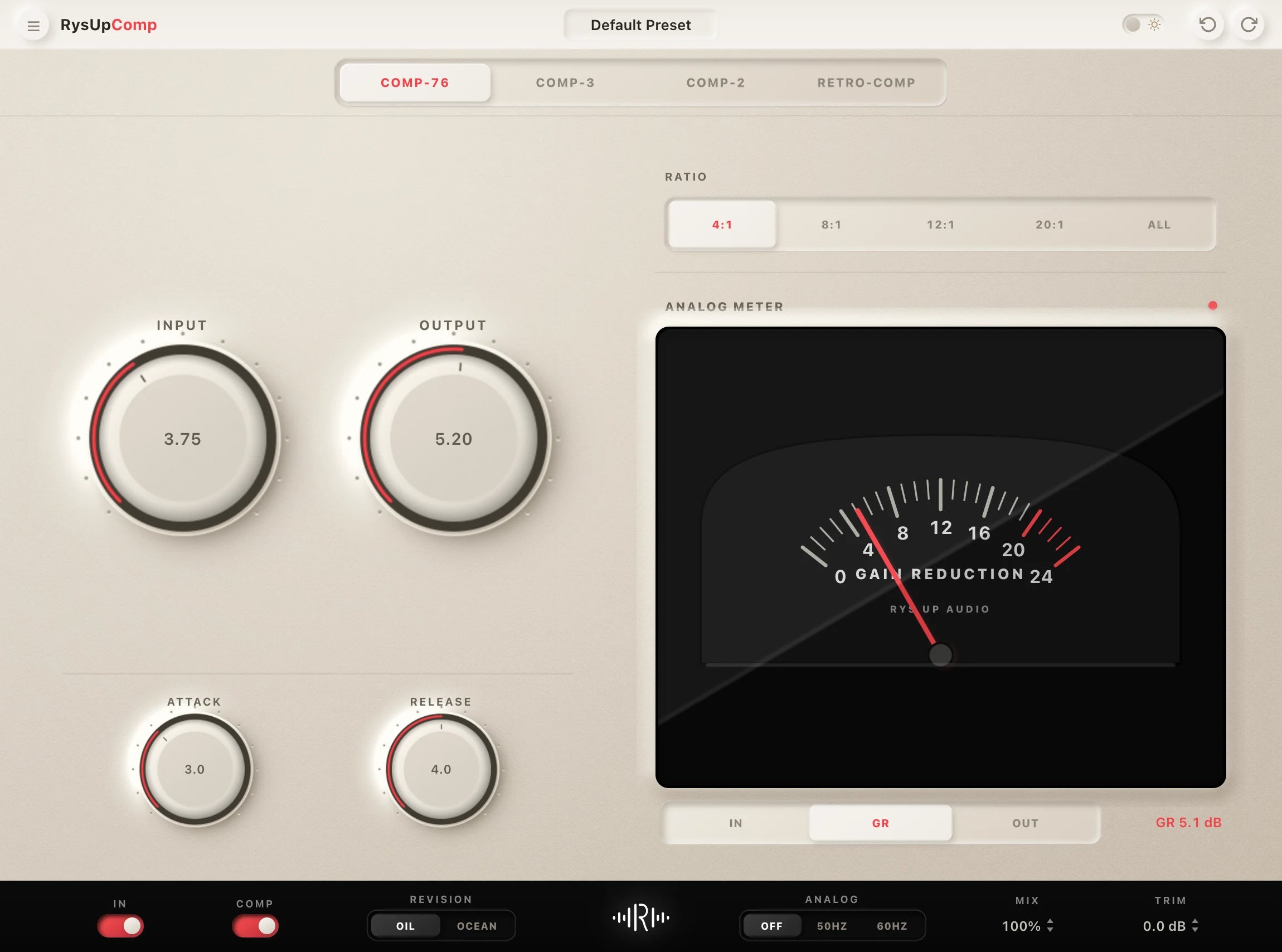
Compression (RysUpComp)
- Threshold: -18 to -22 dBFS (catching the peaks without squashing everything)
- Ratio: 4:1 (firm but not limiting)
- Attack: 8-15ms (lets the transient through, then grabs the body)
- Release: 80-120ms (fast enough to track the dynamics without pumping)
- Makeup Gain: +3 to +5 dB (bring the level back up after 4-6 dB of gain reduction)
- Knee: Soft knee (6 dB) — smoother compression curve for vocals
EQ (RysUpEQ)
- High-Pass Filter: 80-100 Hz, 12dB/oct — cuts rumble and muddiness
- Low-Mid Cut: 200-250 Hz, -2 to -3 dB, Q=1.0 — removes boxiness
- Presence Boost: 3-5 kHz, +2 to +3 dB, Q=1.5 — vocal clarity and cut-through
- Brilliance Boost: 8-10 kHz, +1.5 dB, Q=0.8 — adds shimmer without harshness
- Air Boost: 12-16 kHz, +2 to +3 dB, shelf — that smooth, airy top-end Gunna is known for
Use RysUpEQ for surgical EQ moves — the high-shelf at 12-16 kHz is fire for getting that air without introducing harshness.
Reverb
- Type: Room or small hall
- Pre-Delay: 15ms (keeps the dry vocal upfront)
- Decay / RT60: 1.2-1.8 seconds
- Wet/Dry Mix: 15-20% (subtle — you feel it more than you hear it)
- High-Cut on Reverb Return: 8 kHz (dark reverb tail doesn't compete with the dry vocal clarity)
Saturation
- Type: Tape or tube saturation (not harsh digital distortion)
- Drive: 10-15% — you want warmth, not grit
- Mix: 20-30% parallel (blend it in, don't go full wet)
De-Esser
- Frequency: 7-9 kHz
- Threshold: Set so it's only catching the harshest sibilance
- Reduction: 3-5 dB max — Gunna's vocals are naturally low-sibilance, don't over-de-ess
DAW-Specific Setup
FL Studio
In FL Studio, load Newtone or Auto-Tune (or RysUpTune as a plugin) on the vocal mixer channel. Set retune speed to 25. Stack your chain in this order on the mixer insert: high-pass filter → EQ → de-esser → compressor → saturation → reverb (send). The Fruity Parametric EQ 2 works great for the EQ moves above, but RysUpEQ gives you cleaner results. Use a send track for reverb so you can control the wet signal independently.
For pitch correction in FL Studio, Newtone works for post-production, but if you're going live or tracking, RysUpTune VST gives you real-time correction at the right retune speeds. Download it from the installer hub.
Ableton Live
In Ableton, use the Audio Effects rack on your vocal channel. Chain order: EQ Eight (high-pass at 100Hz) → Compressor → Saturator (set to Soft Clip, drive around 12%) → Reverb (on a return track). For pitch correction, use the stock Tuner as a reference and route through RysUpTune for the actual correction. Ableton's built-in reverb works fine but setting the decay to 1.5s and cranking the pre-delay to 15ms is essential.
Set your compressor in Ableton to Peak detection, not RMS — it tracks faster and works better for rap vocals. Use the Glue Compressor on the vocal bus for that cohesive, polished sound at the master level.
Logic Pro
Logic's Pitch Correction plugin is surprisingly capable for this. Set Correction Speed to about 30-35 (Logic's scale runs differently from Auto-Tune but the principle is the same — medium-slow). Stack: Channel EQ → Vintage VCA Compressor → ChromaVerb on a bus send. The Vintage VCA is fire for rap vocals — that 4:1 ratio sounds incredibly smooth through it.
For the air boost in Logic, use the Phat FX plugin's Bright knob or simply use a high shelf in Channel EQ at 14 kHz. Logic's built-in tools are solid, but adding RysUpTune and RysUpComp as AU plugins gives you more control and a more consistent sound across sessions.
GarageBand
GarageBand is more limited but you can still get close. Use the built-in Pitch Correction under Smart Controls and set the response to about 30-40% (middle of the slider). Add the compressor Smart Control, set the preset to "Vocal" and adjust the ratio up slightly. For EQ, use the Visual EQ plugin and dial in a high-pass at 100Hz and a slight presence boost at 4kHz.
For the Apple desktop or mobile workflow, compare editable GarageBand vocal presets, then adjust the chain to the take instead of treating one artist setting as universal.
GarageBand doesn't support third-party VST plugins, only AU, so check the RysUp installer hub for AU-compatible versions of RysUpTune and other plugins that work natively in GarageBand.
Common Mistakes When Trying to Sound Like Gunna
Setting Auto-Tune Too Fast
This is the number one mistake. A retune speed of 0-5 gives you that hard T-Pain snap — not Gunna. His sound requires that medium-slow setting (20-30) so the pitch correction follows his natural melodic movement. If your vocals sound robotic or like a vocoder, slow down the retune speed.
Over-Compressing
Heavy compression (8:1 or higher, fast attack) kills the natural dynamics that make Gunna's delivery sound effortless. If your vocals sound flat, lifeless, or like every syllable is the same volume, dial back the compression ratio and slow down the attack. You want the vocal to breathe.
Too Much Reverb
Gunna's vocals sound intimate and present — not washed out in a cathedral. If your reverb decay is past 2 seconds or your wet mix is above 25%, you've crossed from "Gunna-adjacent" to "SoundCloud bedroom pop." Keep it tight.
Wrong EQ Moves
Boosting in the 400-600 Hz range (the "body" zone) makes vocals sound muddy and honky — the opposite of that clean Gunna sound. Cut that range slightly. Also, boosting high-mids (2-3 kHz) too aggressively makes the vocal harsh and nasal. The presence boost should sit at 3-5 kHz, not 2 kHz.
Skipping the De-Esser
Gunna's vocals are notably smooth on the sibilance. Without a de-esser, the "s" and "sh" sounds will stick out like a sore thumb, especially after the high-end EQ boosts you're adding for air. Low key, the de-esser is one of those plugins you don't notice when it's working right — but you definitely notice when it's missing.
Ignoring the Room Sound
Even if you're recording in a home studio, treatment matters. Gunna's records are cut in professional rooms. If your room is reverberant or has heavy reflections, no amount of plugin processing will completely fix it. Record close to the mic (6-8 inches), use a pop filter, and hang some blankets or acoustic panels if you can. Clean source = easier to process.
Matching Settings Without Matching Performance
This one's real talk — no preset replaces delivery. Gunna's sound is also about HOW he raps: slow, deliberate, melodic. If you're trying to hit those settings while spitting at a rapid-fire pace, it's going to sound off. Slow your delivery down, let the pitch correction work with you, and perform melodically. The preset is the framework — the performance is the art.
Get the Gunna Vocal Preset Pack from Rys Up Audio
You can build this chain plugin by plugin, or you can just grab the pre-built Gunna Vocal Preset from Rys Up Audio and be up and running in minutes.
The Rys Up Audio artist vocal preset packs are built by engineers who actually understand the sound — not just theory. Every preset is dialed in to work immediately, with chain settings optimized for modern trap and melodic rap production. The Gunna preset covers all the key processing points: the melodic retune speed, the smooth compression curve, the EQ curve with that air boost, the room reverb settings. It's all there.
What you get:
- Pre-configured vocal chain settings for FL Studio, Ableton, Logic Pro, GarageBand, and more
- Optimized pitch correction settings for that melodic drip sound
- EQ, compression, reverb, and saturation settings ready to drop in
- Compatible with RysUpTune, RysUpComp, and RysUpEQ
Whether you're producing your own music, mixing for clients, or just trying to get that sound for a reference track, the preset pack saves you hours of trial and error. Check out the full artist vocal preset collection and grab the Gunna pack today.
FAQ
What pitch correction settings does Gunna use?
Gunna's pitch correction is set to a medium-slow retune speed — approximately 20-30 on Auto-Tune's scale. This is what creates that signature melodic drip sound: the pitch correction follows his natural pitch movement rather than snapping hard to the nearest note. He's also typically tuned to a minor pentatonic scale to match the minor-key trap production he's known for.
How do I make my vocals sound like Gunna in FL Studio?
In FL Studio, load a pitch correction plugin (Newtone or RysUpTune) with retune speed around 25. Stack your effects chain: high-pass EQ → de-esser → compressor (4:1, 10ms attack, 100ms release) → light saturation → send to reverb bus (1.5s decay, 15ms pre-delay). The Gunna vocal preset from Rys Up Audio gives you all these settings pre-configured for FL Studio.
What compressor settings does Gunna use on his vocals?
Gunna's vocal compression is medium — ratio around 4:1, attack 8-15ms (not too fast, lets the transient through), release 80-120ms. Threshold is set to catch 4-6 dB of gain reduction on the loudest peaks. This keeps the vocals controlled and consistent without killing the natural dynamics of his delivery. Soft knee setting makes the compression curve smoother.
What EQ settings work for a Gunna vocal sound?
The key EQ moves for a Gunna-style vocal: high-pass filter at 80-100 Hz to clean up mud, a slight cut at 200-250 Hz to remove boxiness, a presence boost at 3-5 kHz for clarity, and an air shelf boost at 12-16 kHz for that smooth, bright top-end. Avoid boosting in the 400-600 Hz range — that adds muddiness that's the opposite of his clean sound.
Can I use the Gunna vocal preset in GarageBand?
Yes — the Rys Up Audio vocal presets include GarageBand-compatible settings. GarageBand uses AU plugins rather than VST, so make sure you're downloading AU-compatible versions of any third-party plugins. The RysUp installer hub has AU builds of RysUpTune and other plugins that work natively in GarageBand on Mac.
What makes Gunna's vocal style melodic?
Gunna's melodic delivery comes from his performance style combined with the right pitch correction settings. He naturally sings-raps — sliding between pitches rather than speaking flatly. The pitch correction at retune speed 20-30 enhances this by smoothing out the pitch transitions while preserving the natural melodic movement. The combination of his slow, deliberate delivery and medium-slow pitch correction is what creates that unmistakable dripping melodic sound.
Do I need expensive plugins to get the Gunna vocal sound?
No. The chain described in this guide can be replicated with stock plugins in most DAWs. FL Studio's built-in EQ and compressor are solid, Logic Pro's Vintage VCA and Channel EQ are excellent, and Ableton's Compressor and EQ Eight handle these moves well. For pitch correction, you'll want a dedicated pitch correction plugin — either the official Auto-Tune, Waves Tune, or RysUpTune which gives you the same quality at a fraction of the price. The Rys Up Audio Gunna vocal preset is also very affordable and saves you hours of dialing in settings manually.
Pair Your Vocals With RysUp Plugins
If you want to upgrade your vocal chain, every plugin in the RysUp collection is built specifically for vocal production — modern codebase, weekly updates, no iLok, and a fraction of the cost of legacy software.

Hip Hop vocal chain path
Build a flexible Hip Hop vocal chain
Use the artist guide for the sound decisions, then compare editable chains for leads, hooks, doubles, and adlibs in the full genre collection.