
Achieving a professional sound in music production is essential for artists, producers, and engineers alike. Whether you are recording in a home studio or a professional setup, having the right vocal presets can make a huge difference in the final output of your tracks. Vocal presets streamline setup by saving reusable EQ, dynamics, and effects settings, but every recording still needs level and tone adjustments in context. In this article, we’ll explore the best vocal presets available and how they can give you a faster, repeatable starting point for a polished mix.

Why Use Vocal Presets?
Vocal presets are pre-configured settings that optimize EQ, compression, reverb, delay, and other essential audio effects for vocals. They allow you to:
- Save time on mixing and focus on creativity
- Maintain consistency across your tracks
- Start closer to a polished sound while keeping the mix adjustable
- Enhance vocal clarity, warmth, and depth
Whether you're a beginner or an experienced producer, using high-quality vocal presets can help your vocals sit more consistently in the mix without requiring extensive sound engineering knowledge.
Best Vocal Presets for a Professional Sound
1. Logic Pro X Vocal Presets
For Logic Pro X users, having the right Logic Pro X vocal presets is crucial for achieving a high-quality vocal mix. These presets are specifically designed to work seamlessly with Logic’s built-in plugins, allowing artists and producers to create crisp and clear vocals with ease. From hip-hop to R&B and pop, these presets cater to different genres, ensuring that your vocal tone remains balanced and professional.
2. FL Studio Vocal Presets
FL Studio is one of the most popular DAWs among music producers, and using FL Studio vocal presets can take your mixes to the next level. These presets are optimized for FL Studio’s built-in effects, such as Parametric EQ, Fruity Reverb, and Maximus, giving you complete control over vocal dynamics and tone. Whether you’re looking for a radio-ready sound or a creative effect, these presets can help you achieve your desired outcome with minimal effort.
3. Ableton Vocal Presets
Ableton Live is widely used for live performances and music production, and the right Ableton vocal presets can make a big difference in vocal processing. These presets enhance clarity, presence, and warmth, ensuring that your vocals cut through the mix while maintaining a natural tone. Whether you’re working on electronic music, rap, or indie pop, these presets help streamline the mixing process and enhance vocal quality.
4. GarageBand Vocal Presets
For beginners and indie artists, GarageBand is an excellent DAW that offers professional-quality recording tools. However, mixing vocals in GarageBand can sometimes be challenging without the right settings. That’s where GarageBand vocal presets come in. These presets are designed to enhance vocal presence and balance, making them perfect for singers, podcasters, and content creators who want high-quality audio without spending hours tweaking settings.
5. BandLab Vocal Presets
BandLab is a cloud-based DAW that has gained popularity for its ease of use and accessibility. If you want to achieve studio-quality vocals in BandLab, using BandLab vocal presets is the way to go. These presets are designed to improve vocal clarity, dynamics, and overall tone, making it easier for artists to create professional-sounding tracks on the go.
Choosing the Right Vocal Preset for Your Needs
Choose the chain by the recording, not just the genre label
Before you pick a rock vocal preset, listen to the dry take at the same level as your reference. A quiet verse may only need a little compression and a short room. A shouted hook can need more control, but too much gain reduction will flatten the consonants and make the vocal feel small. Keep a copy of the unprocessed recording so you can compare both versions fairly.
Use the Punk and Rock vocal preset collection to find a starting chain for your DAW. Then match loudness, adjust the EQ to your microphone, and bring the effects back one stage at a time. The preset is a starting point, not a promise that one setting fits every singer.
When selecting a vocal preset, consider the following factors:
- Genre: Different presets are designed for specific genres, such as hip-hop, R&B, pop, or rock.
- DAW Compatibility: Ensure the preset is compatible with your digital audio workstation (DAW).
- Customization Options: Some presets allow for minor tweaks to better suit your unique vocal tone.
- Effects Included: Look for presets that include essential effects like EQ, compression, reverb, and delay.
For rap sessions, start with those genre specific chains, then make the smaller DAW and voice adjustments.
Using high-quality vocal presets can significantly enhance your vocal recordings and streamline your mixing workflow. Whether you're using Logic Pro X, FL Studio, Ableton, GarageBand, or BandLab, the right preset can make a huge difference in the final quality of your track. By leveraging professionally designed vocal presets, you can build a polished starting point faster, then tailor it to the singer, microphone, room, and beat.
Explore the best vocal presets available and take your music production to the next level. Get started today with the right preset for your DAW and experience the difference in your mixes!
Pair Your Vocals With RysUp Plugins
If you want to upgrade your vocal chain, every plugin in the RysUp collection is built specifically for vocal production — modern codebase, weekly updates, no iLok, and a fraction of the cost of legacy software.

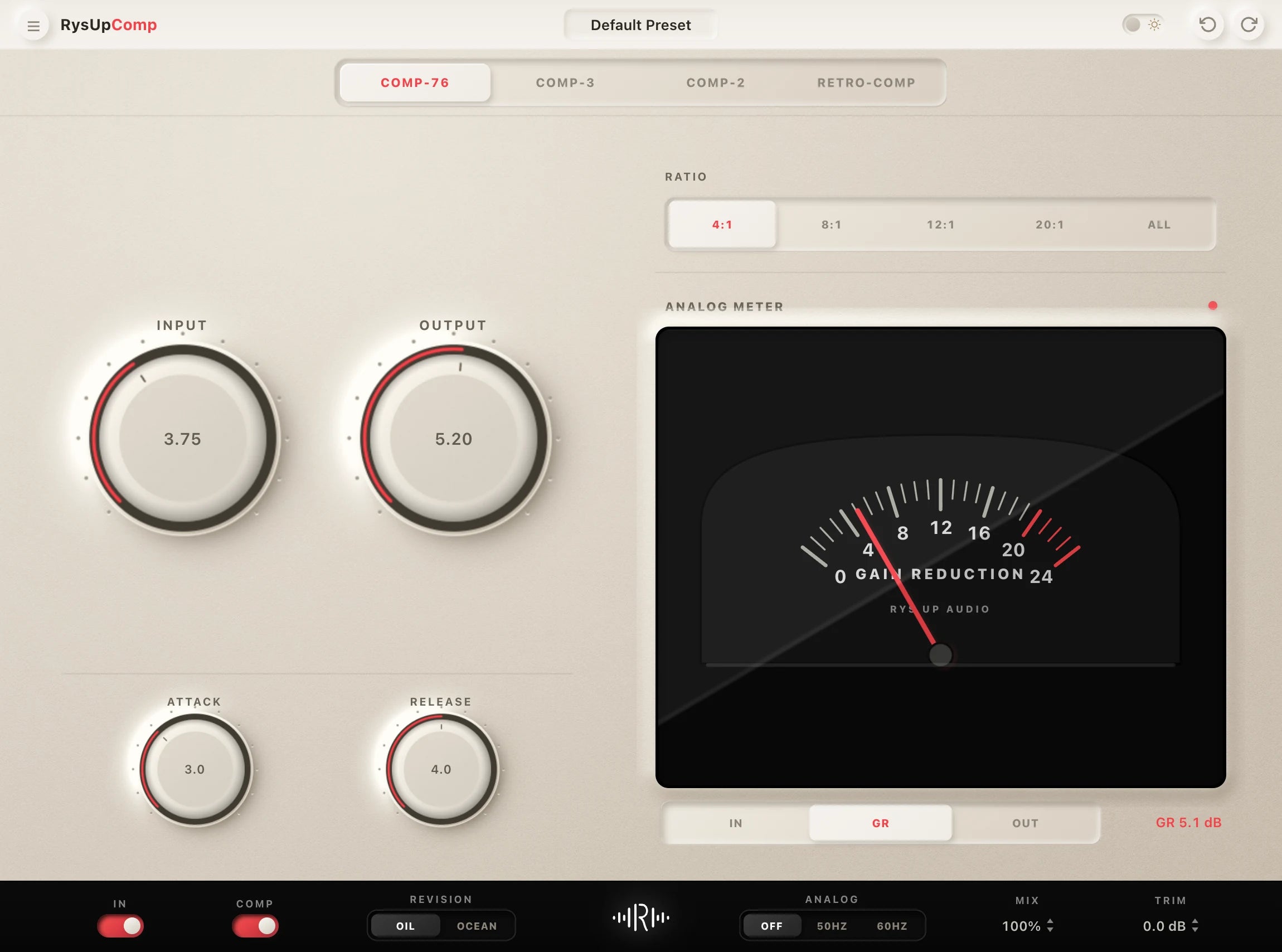
Choose your starting point
Compare the full library or build a custom chain
Browse the complete vocal preset library when you want ready to edit choices across DAWs, genres, and artists. Choose a custom preset when the chain needs to start from your exact voice and recording.
Three decisions that matter more than the preset name
- Match the DAW format. Start with a preset your exact recording software can load without rebuilding the chain.
- Match the vocal job. Choose a clean, bright, dark, aggressive, or spacious direction that fits the song before chasing an artist label.
- Keep the chain editable. Set the input level, tuning key, de-essing, compression, and ambience for your own performance.
A professional result comes from a useful starting chain plus a short list of recording specific decisions. Compare vocal presets by DAW when you are ready to pick that starting point.