
Best Afrobeats Vocal Presets 2026 — Get That Authentic Sound in Any DAW
Afrobeats is the sound of 2026. Rema selling out arenas, Burna Boy dropping his fifth straight Grammy-nominated album, Ayra Starr becoming Nigeria's most-streamed artist two years running — the genre isn't "coming up" anymore, it is the sound. And producers everywhere are trying to figure out how to get that warm, melodic, rhythm-soaked vocal quality into their own records.

Problem is, most tutorials either go too shallow ("just add reverb lol") or assume you've got $3,000 in plugins sitting on your hard drive. Neither one helps you actually get those vocals sounding right. That's what we're fixing today.
Whether you're working in FL Studio, Logic Pro, Ableton, or anywhere else, this is the complete breakdown of the Afrobeats vocal chain — and the vocal presets that get you there without building everything from scratch.
What Makes Afrobeats Vocals Sound Different
Before you start pushing faders, you need to understand what you're actually going for. Afrobeats vocals have a distinct character that sets them apart from hip-hop, R&B, or pop — even though they borrow from all three.
Here's what defines the sound:
- Warm low-mids, not scooped. Hip-hop vocals often get an aggressive mid-scoop to cut through hard-hitting 808s. Afrobeats vocals stay fuller, with warmth preserved around 200-400 Hz. The genre's drum hits are cleaner and shorter, so the vocal doesn't need to fight the same frequency battle.
- Smooth, natural pitch correction. Afrobeats uses pitch correction, but not the trap-style hard-tune robotic effect. Artists like Tems and Rema ride the line between perfectly in-tune and expressively human. If your pitch correction sounds obvious, it's probably too much.
- Short, bright reverb with air. The space in an Afrobeats vocal mix is intimate, not washy. Think plate reverb with a 0.8–1.2 second decay, not the long tails you'd use on a pop ballad. Pre-delay (30–70 ms) keeps the dry vocal out front.
- Present 3–5 kHz range. Afrobeats vocals cut through dense percussion by having strong presence in the upper-mids. That's the diction and consonant clarity that makes call-and-response hooks hit so hard.
- Rhythmic delay that locks to the groove. Subtle dotted-eighth or quarter-note delays synced to the track's tempo — you don't always hear them consciously, but you feel them.
If you try to mix Afrobeats vocals the same way you'd mix a Travis Scott or a Morgan Wallen record, you'll be fighting the whole session. The genre has its own physics.

The Afrobeats Vocal Chain — Step by Step
This is the chain. Build this in your DAW and you've got the foundation for Afrobeats vocals that actually sound like the genre.
Step 1: Gain Staging (Don't Skip This)
Before any plugin touches your vocal, your levels need to be right. Afrobeats vocal recordings should hit your DAW input at -12 to -8 dBFS peak. Too hot and every plugin in your chain will clip or behave weird. Too quiet and you're adding unnecessary noise.
If your recordings are already done, use a utility/trim plugin at the front of your chain to bring levels into range before hitting your EQ.
Step 2: High-Pass Filter + EQ
Start with a high-pass filter at 80 Hz. Unless you're recording with an SM7B in a treated room and intentionally capturing chest resonance, everything below 80 Hz is rumble and mud — cut it clean.
Then dial in these moves depending on what you're hearing:
- ~250 Hz: Cut 1–2 dB if the vocal sounds boxy or congested. Easy to overdo, so be surgical.
- ~1 kHz: Narrow notch if the vocal sounds nasal. This is voice-dependent — not every vocal needs this, but if something's bugging you and you can't name it, sweep this range.
- ~3.5 kHz: Subtle boost (+1 dB or less) to add diction and presence. This is where consonants live and it helps the vocal lock into the mix.
- ~10–12 kHz: Air shelf (+1–2 dB) to add brightness without harshness. This open, airy top end is a big part of the Afrobeats vocal character.
Avoid over-EQ'ing. Afrobeats vocals should sound natural and full, not carved to death.
Step 3: Compression
Afrobeats compression is light to medium — you're controlling dynamics, not slamming them. Heavy compression kills the genre's melodic expressiveness. Here's a starting point:
- Ratio: 2:1 to 3:1
- Attack: 20 ms (let the transient through before the compressor grabs)
- Release: 100–150 ms
- Gain reduction: 3–5 dB on the loudest phrases
You want the vocal to breathe. If your gain reduction meter is constantly pinned at 10+ dB, ease up. The goal is consistency, not loudness.
Some producers run two compressors in series — a fast VCA for transient control, then a slower optical compressor for overall tone. This two-stage approach is common in professional Afrobeats sessions and gives you more control without squashing the life out of the performance.
Step 4: Pitch Correction
This step determines whether your Afrobeats vocal sounds authentic or like a meme. Afrobeats artists use pitch correction subtly. It's there, it's doing work, but the performance still sounds human.
If you're using Auto-Tune: set the retune speed between 20–40 (not 0–5 like trap). You want gradual, musical correction that follows the natural pitch contour. Humanize should be on. Don't hard-tune unless the artist specifically wants that effect on a hook.
If you're using Melodyne or any corrective tuning: focus on notes that are genuinely off, not every slight vibrato or stylistic bend. Afrobeats artists like Tems and Ayra Starr have expressive, sometimes gritty pitch inflections that are intentional. If you correct those out, you're removing the character that makes the vocal unique.
Step 5: De-Esser
Sibilance (the harshness in "s" and "sh" sounds) is a vocal mixing issue regardless of genre, but it shows up differently in Afrobeats. Because you're boosting the 3–5 kHz presence range, you need to keep the de-esser active to prevent it from turning harsh.
Set your de-esser to target 6–9 kHz. Most dynamic de-essers will handle this without touching your vocal's character. Keep the reduction gentle — 2–4 dB reduction when the sibilant hits, not a hard gate that makes the vocal sound lispy.
Step 6: Reverb
This is where a lot of Afrobeats mixes fall apart. Producers either use too little reverb (dry, lifeless vocal that sounds like a demo) or too much (washy mess that loses intelligibility in the mix).
The target: a short plate or bright room reverb with these parameters:
- Decay: 0.7–1.2 seconds
- Pre-delay: 30–70 ms (critical — this is what keeps the dry vocal upfront while the tail sits behind it)
- High-frequency damping: Light. Keep the top end of the reverb bright to match the airy character of Afrobeats production.
- Mix: 15–25% if using reverb in-line, or use a send/return at 100% wet and automate the send level throughout the song
Don't use long hall reverbs or heavy ambience — save that for the synthesizers and pads. The vocal needs to feel intimate and present, like the artist is performing right in front of you.
Step 7: Delay (Rhythmic, Not Washy)
Afrobeats delay is rhythmic and musical, not atmospheric. Lock your delay to the project tempo and use dotted-eighth or quarter-note timing that syncs with the percussion groove — especially the shakers and congas that define Afrobeats rhythm.
- Delay time: Synced to tempo (dotted 8th or 1/4 note)
- Feedback: 2–4 repeats max
- Mix: Low — 15–25%, or send-based at 100% wet with the send turned down
- High-pass the delay return to around 400 Hz so the repeats don't build up mud
Automate your delay sends so they kick in during pauses and long notes rather than cluttering busy rhythmic phrases. The delay should feel like an accent, not a permanent effect.
Step 8: Final Bus Processing
Once your chain is dialed in on individual tracks, run your vocal bus (lead + harmonies) through light bus compression to glue everything together. A 1.5:1 to 2:1 ratio with a slow attack and fast release adds cohesion without changing your individual track processing.
Check your final vocal peaks against professional Afrobeats references. Lead vocals in the mix should peak around -3 dBFS with true peak never exceeding -1.0 dBTP.
Afrobeats Vocal Presets for Your DAW
Building that chain from scratch every session gets old fast. Our vocal preset packs give you a professional starting point that's already dialed in for warm, presence-heavy vocal processing — load it up, adjust to your recording, and you're working from a solid foundation instead of a blank slate.
We've got presets built for every major DAW:
- FL Studio → FL Studio vocal presets
- Logic Pro → Logic Pro vocal presets
- Ableton Live → Ableton vocal presets
- Pro Tools → Pro Tools vocal presets
- GarageBand → GarageBand vocal presets
- BandLab → BandLab vocal presets
Each pack works with stock DAW plugins — no expensive third-party purchases required. If you need help setting anything up, our preset installation guide walks you through it step by step.
Mixing Afrobeats Vocals Like the Pros: Artist References
The best way to understand the Afrobeats vocal sound is to study the artists who define it. Here's a quick breakdown of the vocal characteristics you should be referencing:
Burna Boy
Burna's vocal production is one of the most studied in modern Afrobeats. The low-end warmth is preserved (notice how full his chest voice sits in the mix), pitch correction is present but barely audible, and the reverb gives the vocal an almost spatial, 3D quality without pushing it into the background. His albums are a masterclass in vocal presence — the vocal always sits on top, but never sounds pasted-on top of the instrumental.
Rema
The HEIS album is 2025 Afrobeats production at its peak. Rema's vocals are bright, present, and almost conversational in how naturally they sit in the mix. The pitch correction is minimal — his vocal performances are genuinely strong. Pay attention to the de-essing on his records: tight, controlled sibilance that never distracts from the rhythmic phrasing.
Tems
Tems' vocal chain leans more toward R&B soulfulness than pure Afrobeats — which makes sense given her crossover. The midrange warmth is pushed up, saturation is light but present, and the reverb gives her vocals a church-like quality without excessive tail. If your Afrobeats project has a slower, more soulful vibe, her records are the reference to study.
Ayra Starr
Her production relies on contrast — punchy, dry verses that open up into spacious, reverb-heavy choruses. The transition creates energy. If your mix sounds flat throughout, try automating your reverb send to be minimal on verses and open on hooks. That dynamic range is a big part of the Afrobeats listening experience.
Common Mistakes When Mixing Afrobeats Vocals
A lot of producers come to Afrobeats from hip-hop or pop and apply the same processing habits. Most of those habits work against the genre.
Too Much Low-Mid Cut
Scooping 200-400 Hz aggressively is a hip-hop vocal habit. In Afrobeats, that warmth is part of the sound. Don't cut more than 1–2 dB in that range unless something is genuinely wrong with the recording. Preserve the body of the vocal.
Hard-Tuning a Vocal That Should Breathe
If you're applying a retune speed of 5 or lower across the whole vocal, stop. Afrobeats vocals have melodic character and natural pitch movement. Hard pitch correction sounds cool on trap records and certain hooks, but it clashes with the organic, melodic nature of Afrobeats. Match your pitch correction to the genre's vibe — natural over robotic.
Over-Compressing for Loudness
Heavy compression to chase loudness kills the dynamic feel that makes Afrobeats vocals compelling. The genre's energy comes from the rhythmic relationship between the vocal and the percussion, not from having a hot, slammed signal. Use light compression, preserve dynamics, and let the mix breathe.
Wrong Reverb Character
Long hall reverbs and dense ambience belong on a different type of record. Afrobeats is intimate. Use short plates and rooms. Pre-delay is your best friend. If your vocal starts sounding muddy or distant in a dense mix, check your reverb decay time — it's probably too long.
Not Referencing Against Real Records
Import a Burna Boy or Rema track into your DAW project and A/B your vocal against it constantly. Your ears adjust to whatever you've been staring at — fresh reference tracks reset your perception and show you immediately where the gap is. No cap, this single habit improves mixes faster than any plugin.
Afrobeats vs. R&B Vocal Processing: What's Different
Since Afrobeats borrows heavily from R&B, producers often get these confused. The processing overlaps more than it differs, but a few key differences matter:
- R&B vocals often run warmer and more saturation-heavy. Afrobeats sits brighter and cleaner in the presence range.
- R&B reverb tends to be bigger and longer. Afrobeats keeps the space compact and rhythmically tight.
- R&B stacks thick harmonies. Afrobeats harmonies are present but typically thinner and more sparse — the lead vocal carries more of the weight.
If you're crossing genres — which a lot of Afrobeats production does — our R&B vocal presets are worth having alongside your Afrobeats chains. The warm foundation they provide works as a starting point for either direction.
Free Afrobeats Vocal Presets: Where to Start
If you're not ready to commit to a full pack yet, start with our free preset collection. It's a real-deal starting point, not a watered-down teaser. Load it up in your DAW, run your Afrobeats vocal through it, and you'll hear the difference immediately.
Want even more from your mix? Pair presets with our free vocal mixing plugins — RysUpEQ, RysUpComp, RysUpVerb, and the rest are built specifically for vocal processing and they're free to download from our plugin hub.
For a complete signal chain setup, check out our vocal chain presets — pre-built chains ready to drop into any session. They work in every major DAW and save you the hours of building a signal chain from scratch.
FAQ — Afrobeats Vocal Presets
What DAW is best for Afrobeats production?
No DAW is objectively "best" for Afrobeats — it's a workflow preference, not a technical requirement. FL Studio, Logic Pro, and Ableton are the most commonly used in professional Afrobeats sessions, but producers have made hit records in every major DAW. The presets and processing chain matter more than the software. Pick the DAW you know best and focus on the chain.
Do I need expensive plugins for Afrobeats vocals?
No. The chain in this guide works with stock plugins in any modern DAW. FL Studio's stock EQ and compressor, Logic Pro's built-in channel strip, Ableton's stock effects — all capable of getting you there. Third-party plugins can add character and workflow speed, but they're not required. Our preset packs are built to work with stock plugins specifically so you don't need to buy additional tools.
How do I get my vocals to sound like Burna Boy?
Burna Boy's vocal sound comes from several things working together: a strong original vocal performance, subtle pitch correction (not hard tuning), a full-sounding EQ with preserved low-mids, light compression that keeps dynamics intact, and a compact reverb with pre-delay. The chain in this article is designed around that sound. The other half of the equation is the performance itself — a great chain can't fix a flat, uncommitted vocal take.
Why do my Afrobeats vocals sound thin?
Thin Afrobeats vocals usually come from too much high-pass filtering, too much mid-cut EQ, or recording a vocal that lacks low-mid body. First, check if you've cut too aggressively below 200 Hz. Second, try a gentle boost around 200–300 Hz to add chest resonance. Third, check your recording — if the source is thin, processing can only do so much. A different mic position (closer to the source, slight upward angle) captures more body in the first place.
Can I use Afrobeats vocal presets on any genre?
The warm, melodic character of Afrobeats processing works well across R&B, Amapiano, dancehall, and even certain pop contexts. The specific parameter settings (light compression, short reverb with pre-delay, subtle pitch correction) are broadly applicable to any genre where you want natural-sounding vocals with rhythmic energy. Start with Afrobeats settings and adjust from there — you'll find you can adapt the chain to many different styles with minor tweaks.
Pair Your Vocals With RysUp Plugins
If you want to upgrade your vocal chain, every plugin in the RysUp collection is built specifically for vocal production — modern codebase, weekly updates, no iLok, and a fraction of the cost of legacy software.
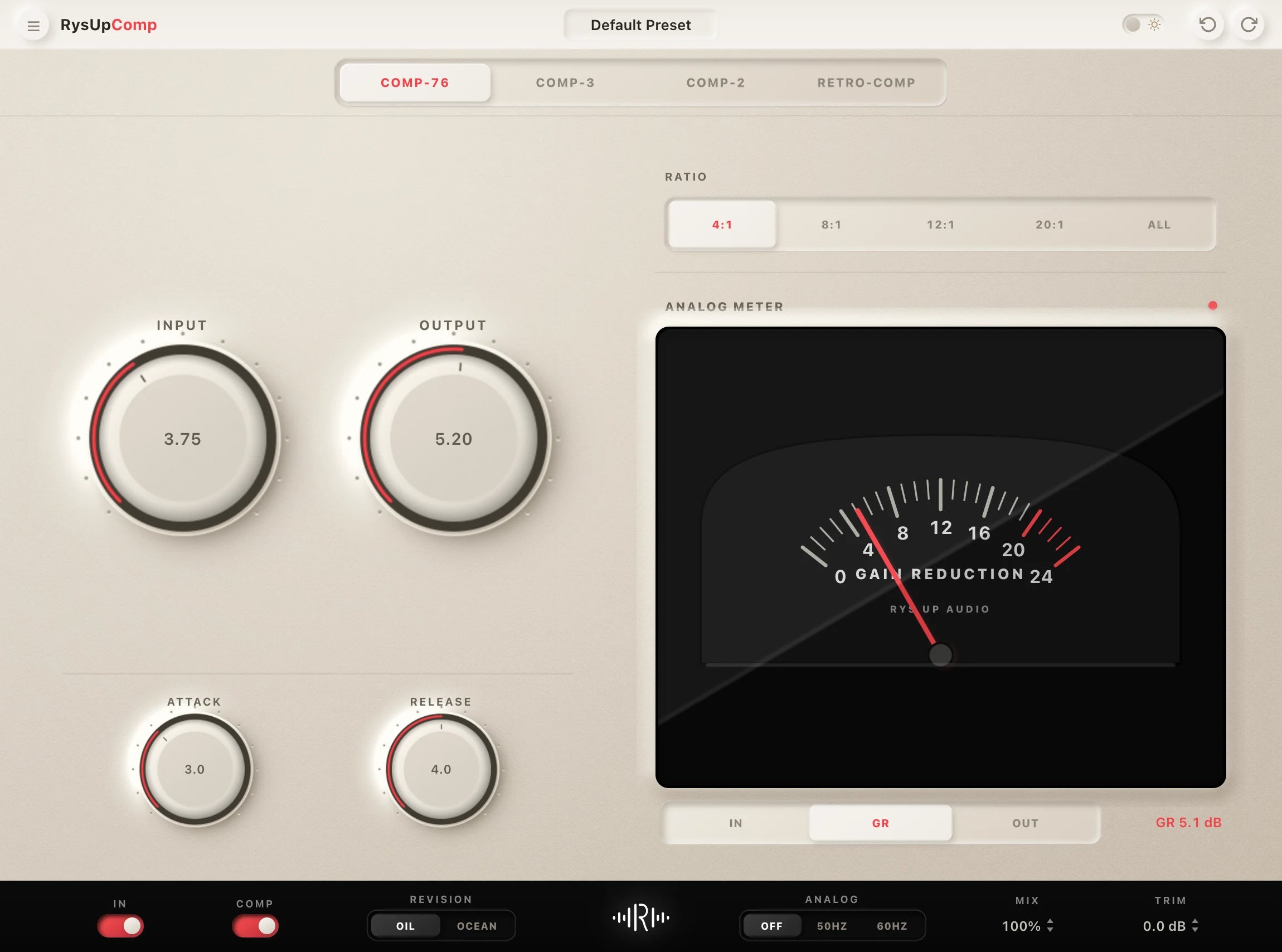

Serial, bus, and parallel compression solve different jobs. Use this parallel vocal send and blend guide when the quiet words need density.